Integrating your ZenBasket online store with Facebook Shop opens up new avenues for reaching customers in a space where they already spend significant time. This integration lets you present your products directly within the Facebook environment, creating a seamless shopping experience. By linking your products to Facebook Shop, you can showcase them to a vast audience, allowing potential customers to browse and purchase directly from your online store. The process is straightforward and enhances your reach.
Advantages of Integrating Your ZenBasket Store with Facebook Shop
- Facebook's organic reach lets you promote your products without extra advertising costs.
- Facebook encourages sharing and engagement, boosting brand awareness.
- ZenBasket store updates sync automatically with Facebook Shop for consistency.
- Integration with Facebook Shop enables you to create targeted ads via Facebook Dynamic Ads.
- Utilize Facebook's features like Stories, Reels, and Live Shopping to engage with customers.
How To Integrate Facebook Shop With Your ZenBasket Store?
To successfully integrate your ZenBasket store with Facebook Shop, you will need to create a product catalog and connect it to your Facebook business page as a preliminary step.
To integrate your ZenBasket store with Facebook Shop,
Enable the Plugin
Access the Plugins Page: Log into your ZenBasket account and navigate to the Plugins page.
Enable Facebook Shop: Click on the Marketing tab to find the Facebook Shop option.
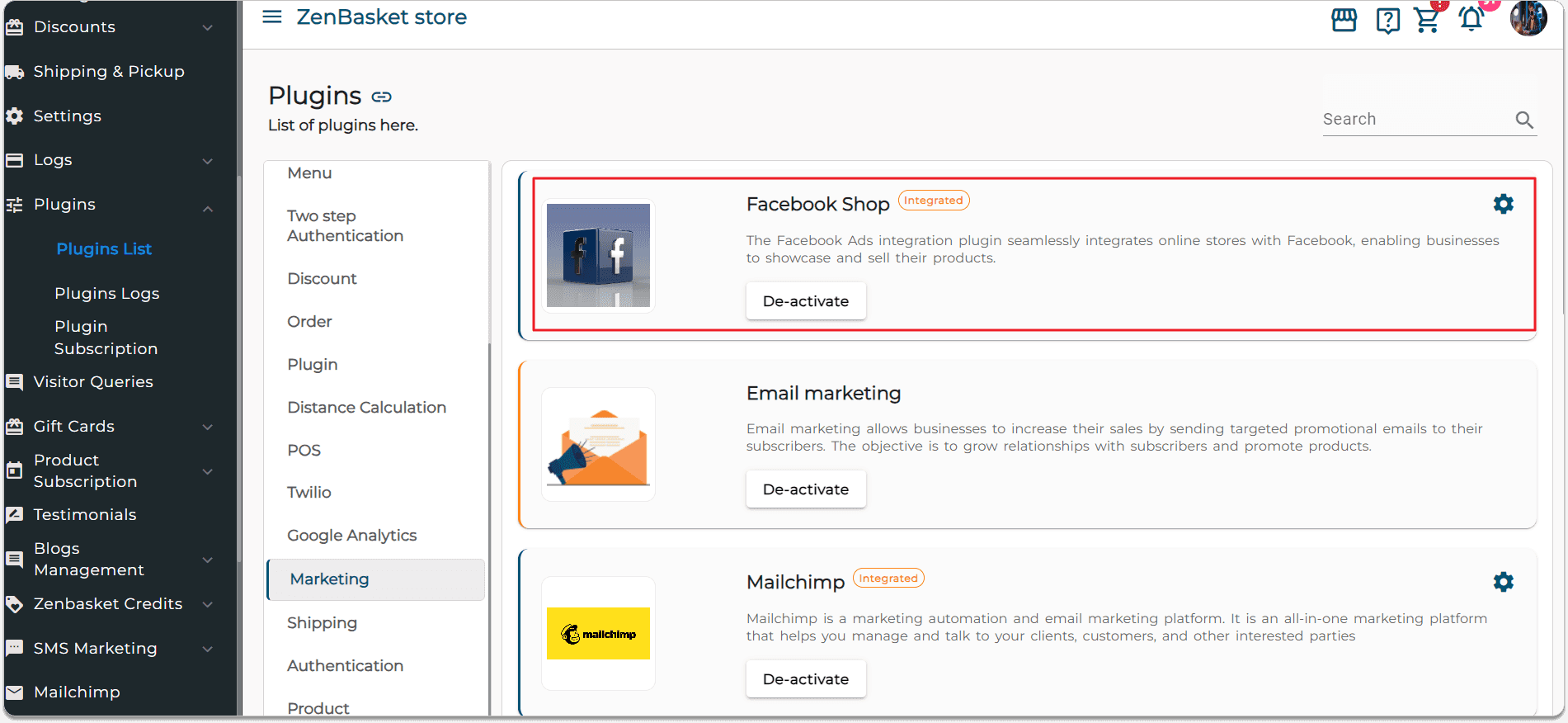
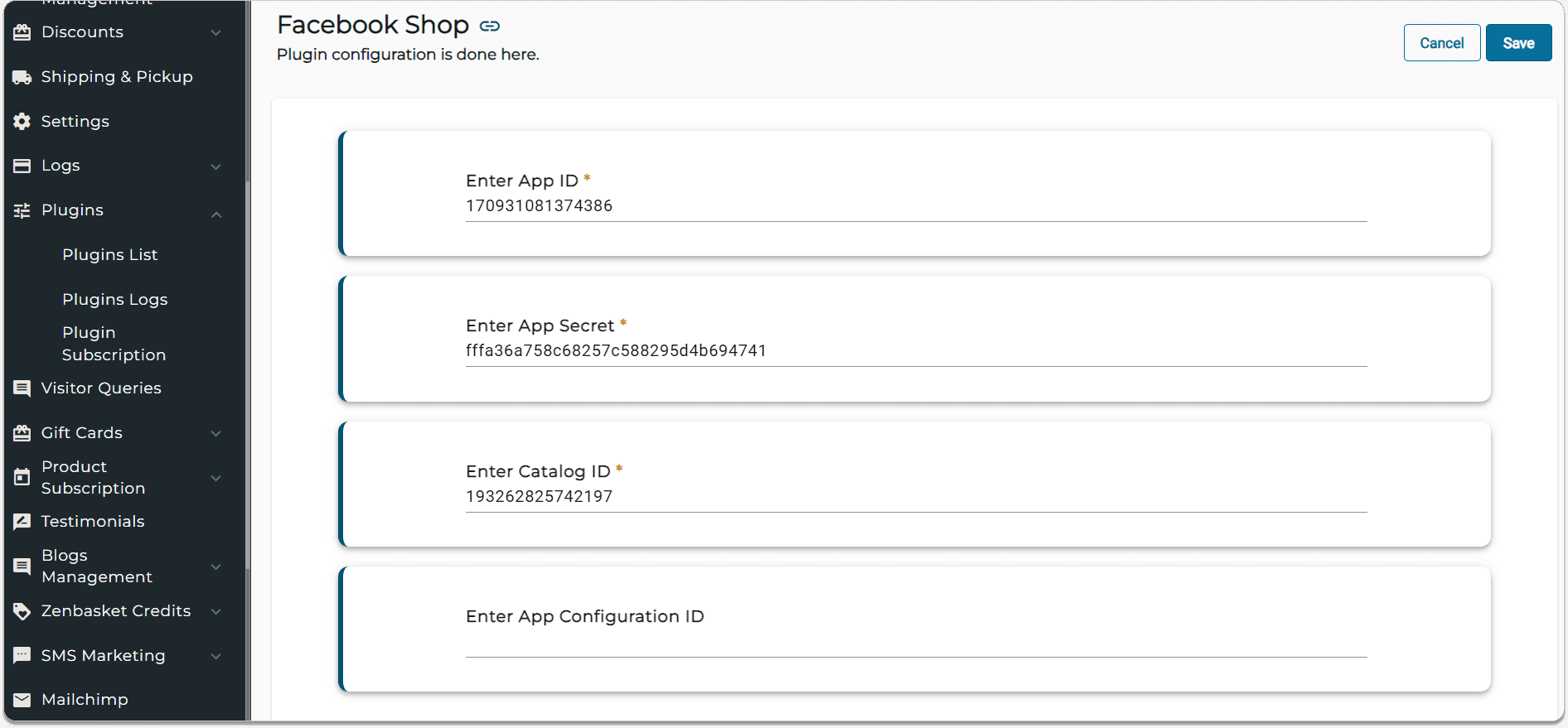
Enter the required information:
- App ID
- App Secret Code
- Catalog ID
- App Configuration ID
Ensure all information is correct and save your changes to complete the integration process.
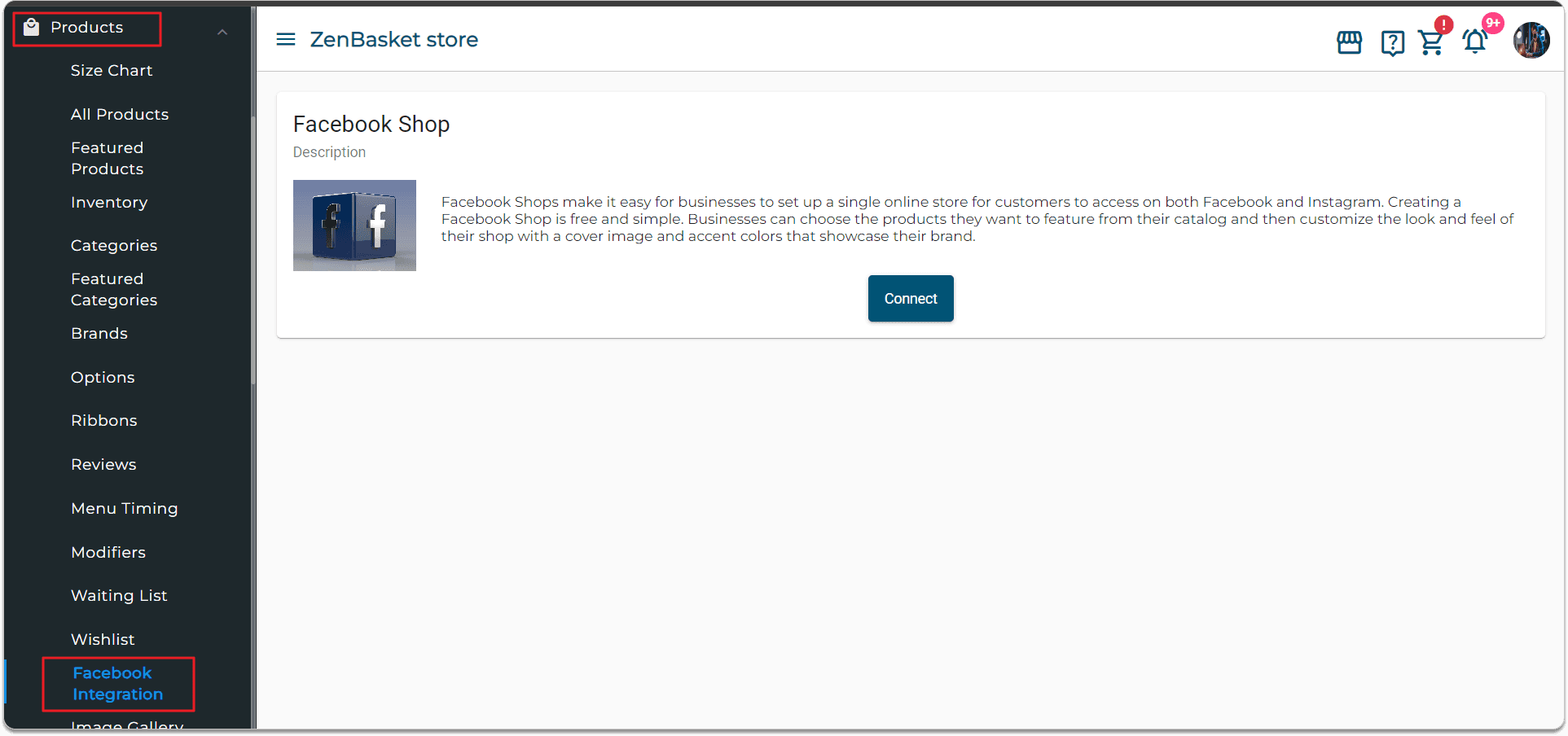
Sync Products to Facebook
Go to Products > Facebook Integration in the admin menu. Click Connect to link your Facebook account.
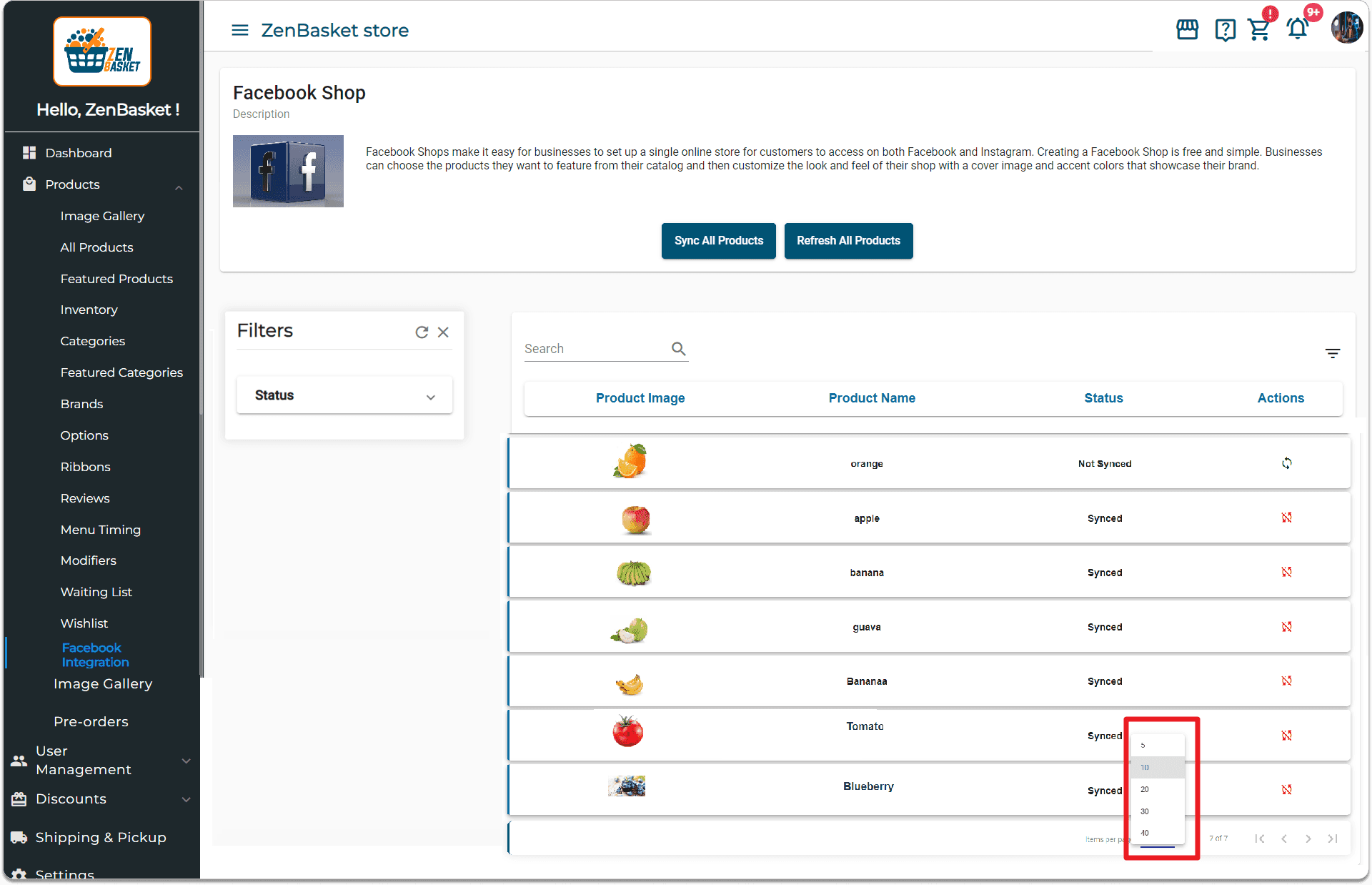
Managing Your Product Catalog
- All products created in your ZenBasket store will be displayed on the Facebook Shop page.
- Use the search function to find specific products.
- Adjust the number of products shown per page using the paginator.
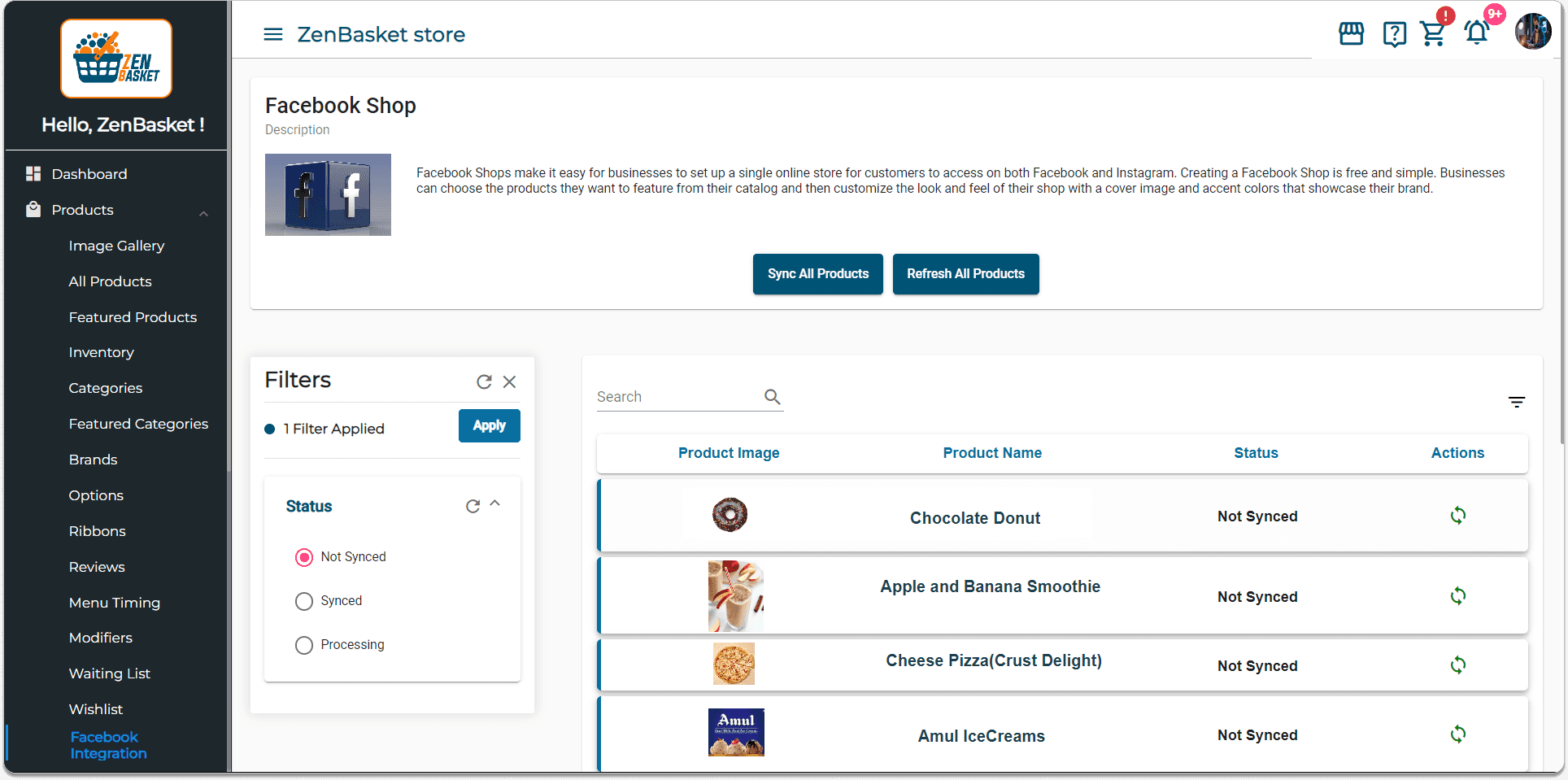
Syncing Products to Facebook Shop
- Sync all products: Click the Sync All Products button.
- Single product sync: Locate the product in the list. Click the Sync icon under Actions.
- Refresh all products: Click the Refresh All Products button. A dialog will confirm the status refresh. The product status will change to Synced, and an Async icon will appear under Actions to unsync the product if needed.
Shopping experience through Facebook Shop with ZenBasket
Customers can enjoy a smooth shopping experience through the Facebook Shop with ZenBasket.
- Product discovery: Customers browse and find your products directly on Facebook.
- Quick buy: They can click on the item to proceed to buy it.
- Redirect to ZenBasket: After clicking on the button, they are taken to your secure ZenBasket store to complete their purchase or keep shopping.
- Single product purchases: Facebook Shop allows one product purchase at a time for a focused shopping experience.
In summary, integrating your ZenBasket store with Facebook Shop makes shopping easy and enjoyable for customers. They can quickly discover, select, and buy products, boosting their engagement with your brand. This seamless process encourages them to explore more of your offerings and simplifies their journey from browsing to buying. By doing this, you can reach a wider audience and build strong relationships with your customers.