Manual Taxes in ZenBasket: A Step-by-Step Guide
As online transactions span multiple regions and jurisdictions, businesses must navigate a complex landscape of varying tax laws and rates. Ensuring that taxes are correctly calculated and collected for each transaction can be a daunting task due to these diverse regulations. This challenge has led to the development of different approaches for handling taxes in the ecommerce industry. To address this, ZenBasket offers two methods for setting up taxes: manual and automatic tax systems. Here's a comparison to help you understand the key differences:
Difference Between Manual and Automatic Tax
Manual tax systems require human intervention for calculations and updates, while automatic tax systems use technology to handle these processes efficiently and accurately.
For Manual Tax:
- Calculation: You must manually determine the applicable tax rates based on the customer's location and product type.
- Updates: You must continuously update tax rates and rules to stay compliant with changing regulations.
For Automatic Tax:
- Calculation: Automatically determines the correct tax amount based on the customer's location, product type, and other relevant factors.
- Updates: Regularly updated to reflect the latest tax rates and regulations without manual input.
Why Manual Taxes Might Be Needed
Despite the advantages of automatic tax systems, there are situations where setting manual taxes is necessary:
- Customized tax requirements: Some businesses operate in regions with unique tax regulations or special tax incentives that may not be covered by standard automatic systems.
- Zone-specific adjustments: Specific zones, like countries, states, or zip codes, might have particular tax needs that require manual input.
- Promotional or temporary tax adjustments: During certain promotions or temporary changes in tax laws, businesses might need to manually adjust the tax rates.
Setting Up Manual Taxes in ZenBasket
ZenBasket empowers you with versatile zone management tools to set manual taxes based on geographic zones, including countries, states, and zip codes. Here's a guide to help you navigate the process:
Exploring Zone Management
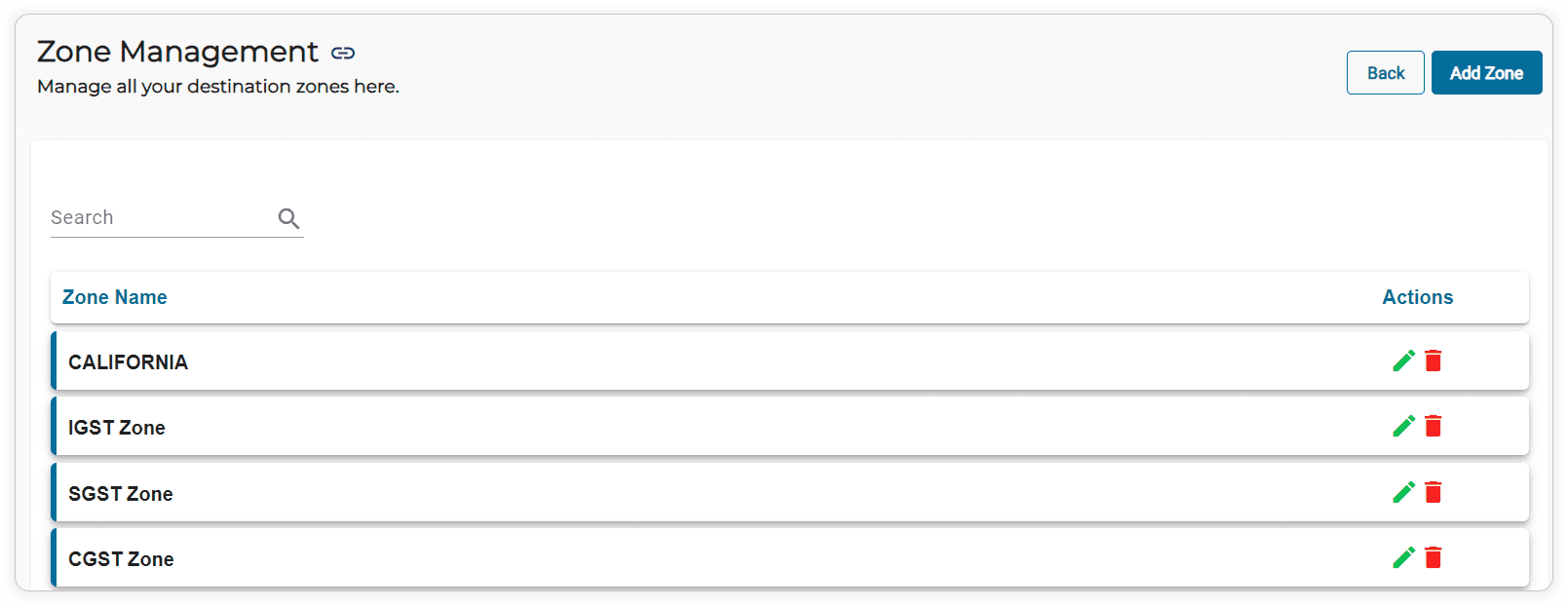
To start, access the zone management tool within your ZenBasket admin panel. This feature allows you to define various geographic zones for precise tax settings. Creating zones can be as broad as entire countries or as specific as individual zip codes, providing you with the flexibility to tailor tax rates to your business needs.
Defining Your Zones
Creating zones is an easy and straightforward process. Name each zone clearly for easy identification. Whether you're defining a zone for a single state or multiple zip codes, clarity is key. For example, you might have zones like "California," "New York State," or even "San Francisco Bay Area" to address different tax requirements within your operational regions.
Setting the Tax Rates
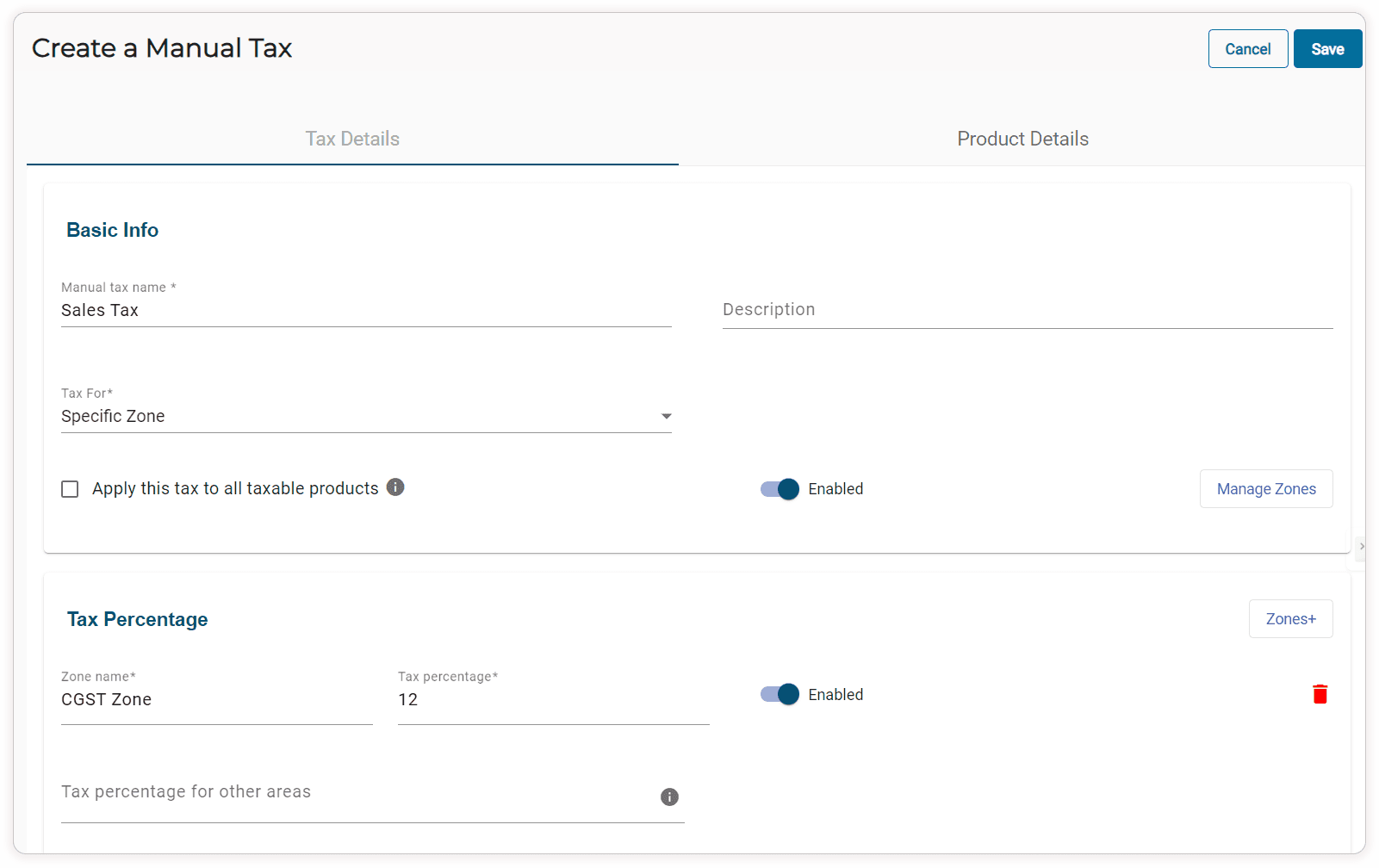
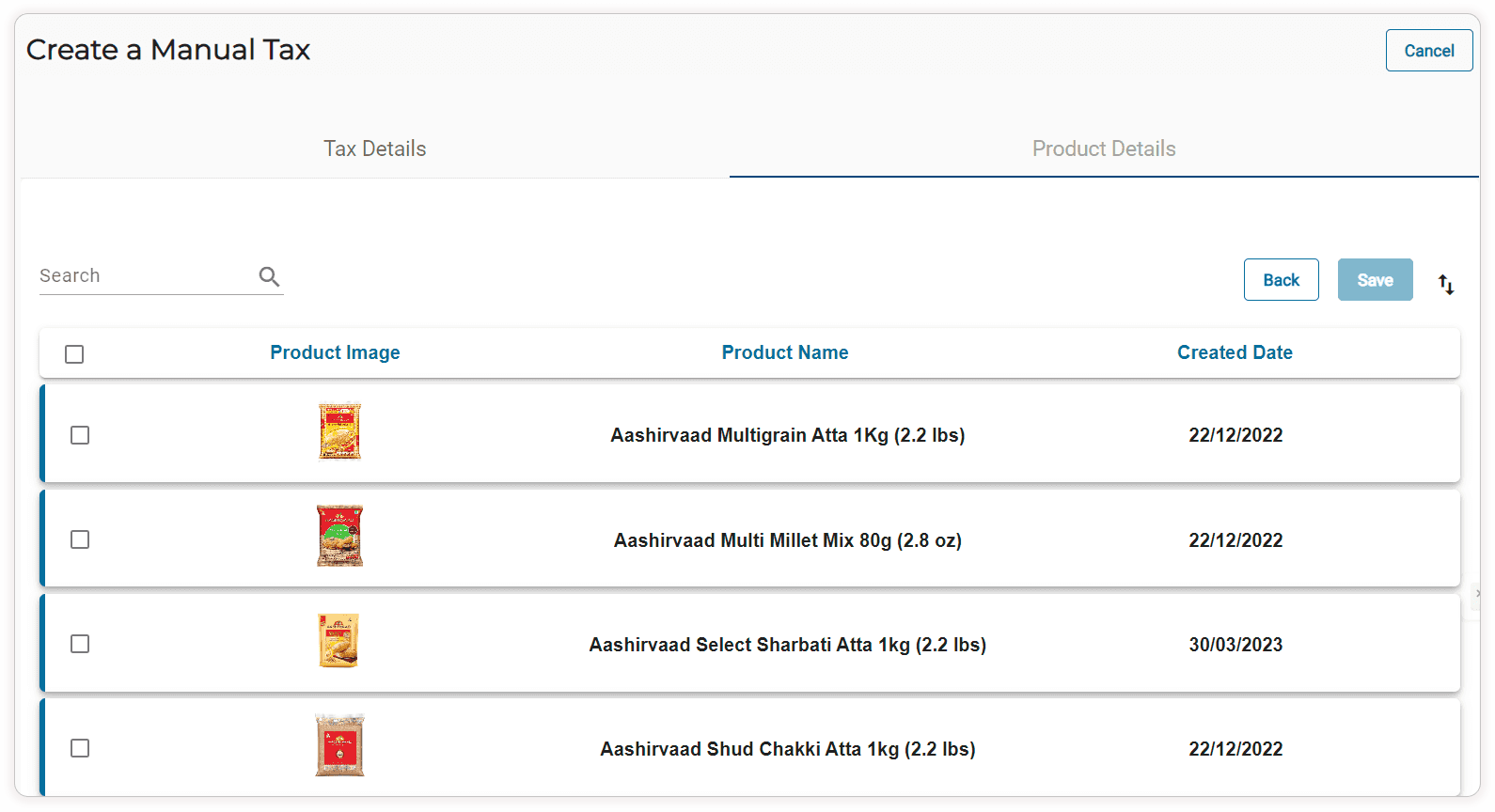
Once your zones are defined, it's time to assign the manual tax rates. Within each zone, you can specify the applicable tax rate, which could be a percentage, depending on the tax regulations in that area. After assigning the manual tax rates to each zone, map the products to these tax rates. ZenBasket makes it easy to enter and save these rates, ensuring that your tax settings are precise and compliant.
Testing and Adjusting
After setting the manual tax rates, it's crucial to test your configurations. Simulate transactions from different zones to ensure that the correct taxes are applied. If you notice any discrepancies, adjust the rates accordingly. This step ensures that your customers are charged the correct tax amount, enhancing their shopping experience and maintaining your compliance with local laws.
Benefits of Using Zone-Wise Manual Taxes in ZenBasket
- Flexibility: Customize tax rates for different regions based on specific requirements.
- Control: Have full control over tax settings, ensuring they align with your business needs.
- Compliance: Easily manage compliance with local tax regulations by setting precise tax rates for each zone.
Conclusion
Understanding tax systems is key to managing your finances well, whether you're an individual or a business owner. Knowing how different types of taxes work, why they exist, and how they should be fairly applied helps you see their impact on the economy and society. Keeping up with tax rules and getting expert advice when needed can help you handle taxes more efficiently and stay within the law.
With ZenBasket, you can simplify tax management and focus on achieving business success effortlessly. Sign up for a free trial today!