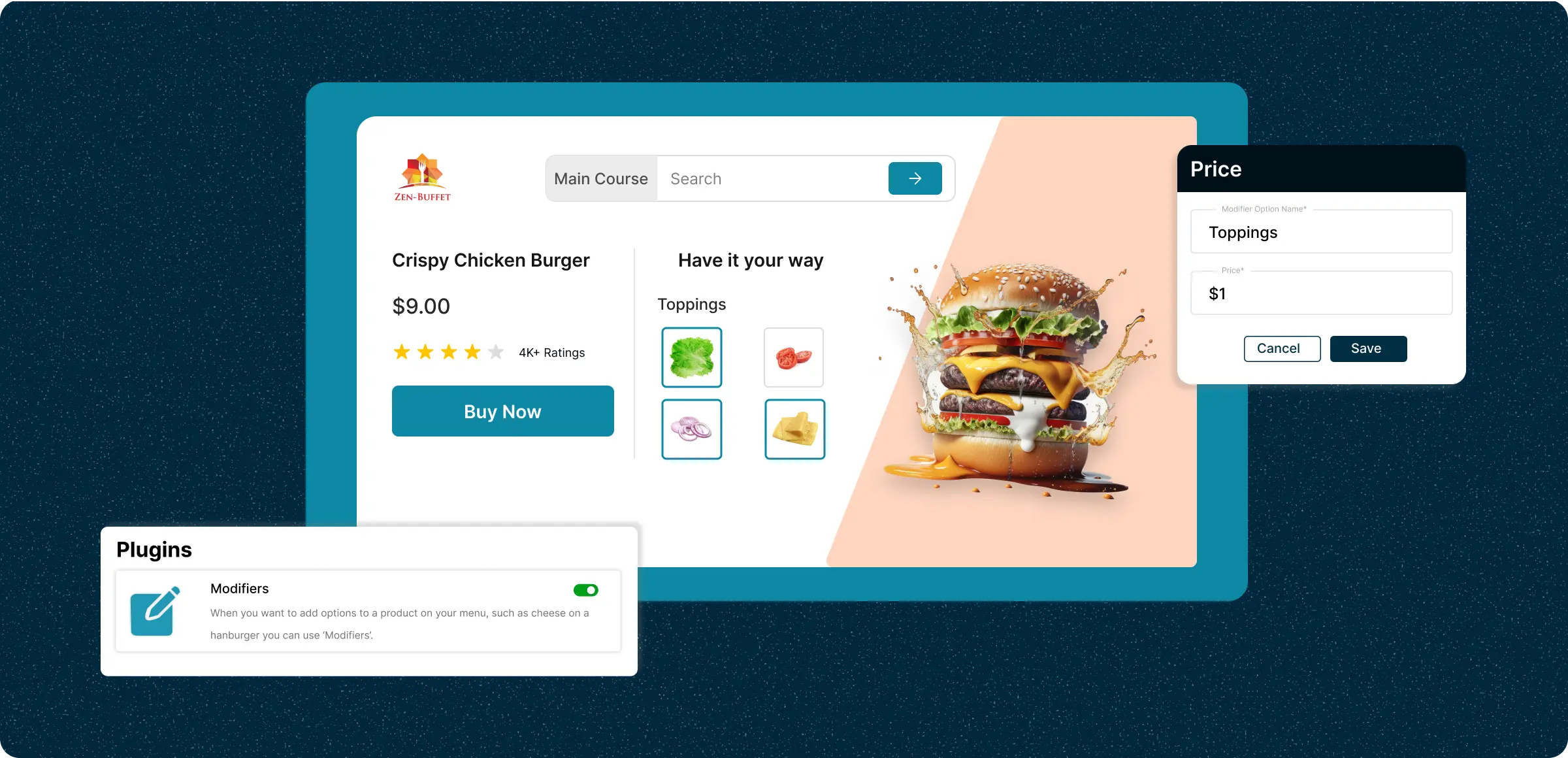
Set product modifiers
Set up and manage product modifiers in a few simple steps to offer personalization.
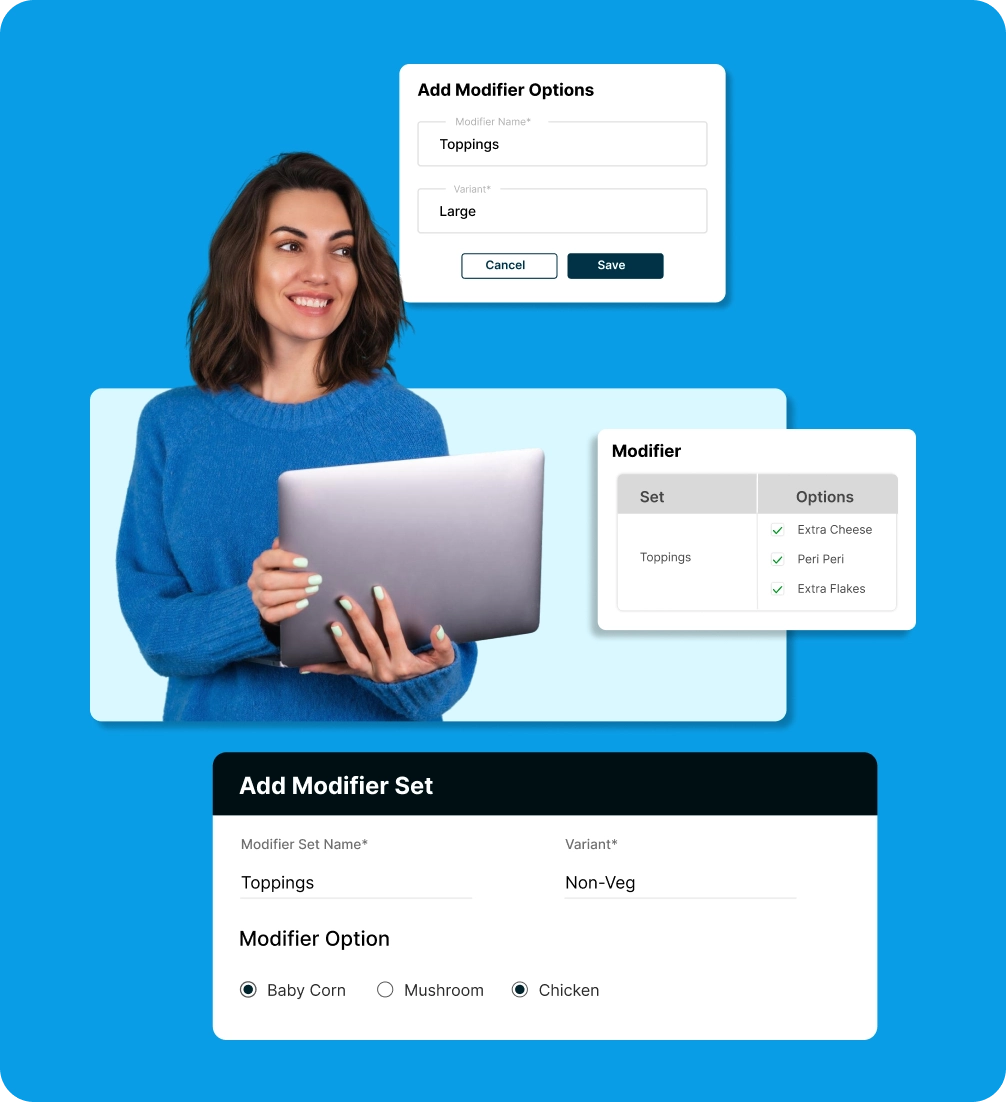
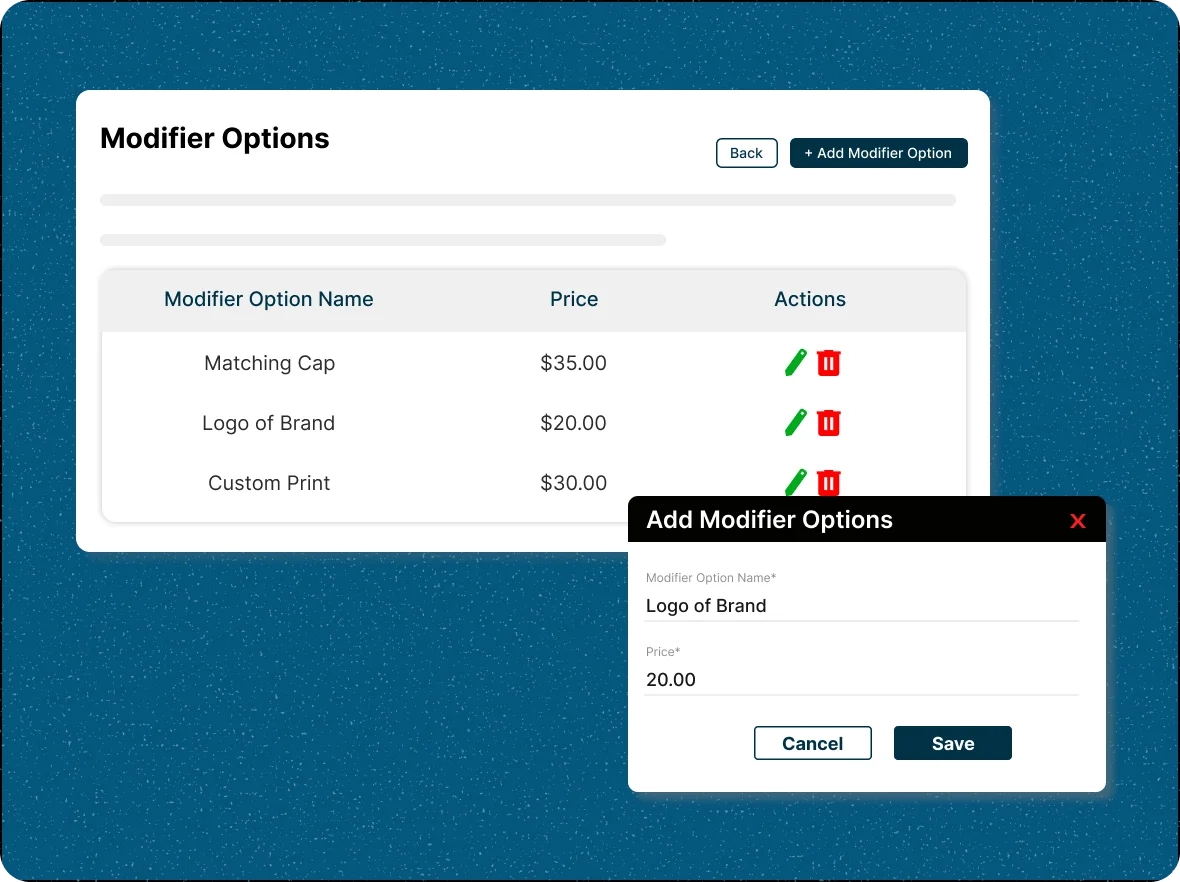
Create modifier options
Add a new modifier option by entering its name and price, then click save to include it in the modifier options list.
Group modifiers into sets
Organize related modifier options into modifier sets for streamlined product management and higher revenue.
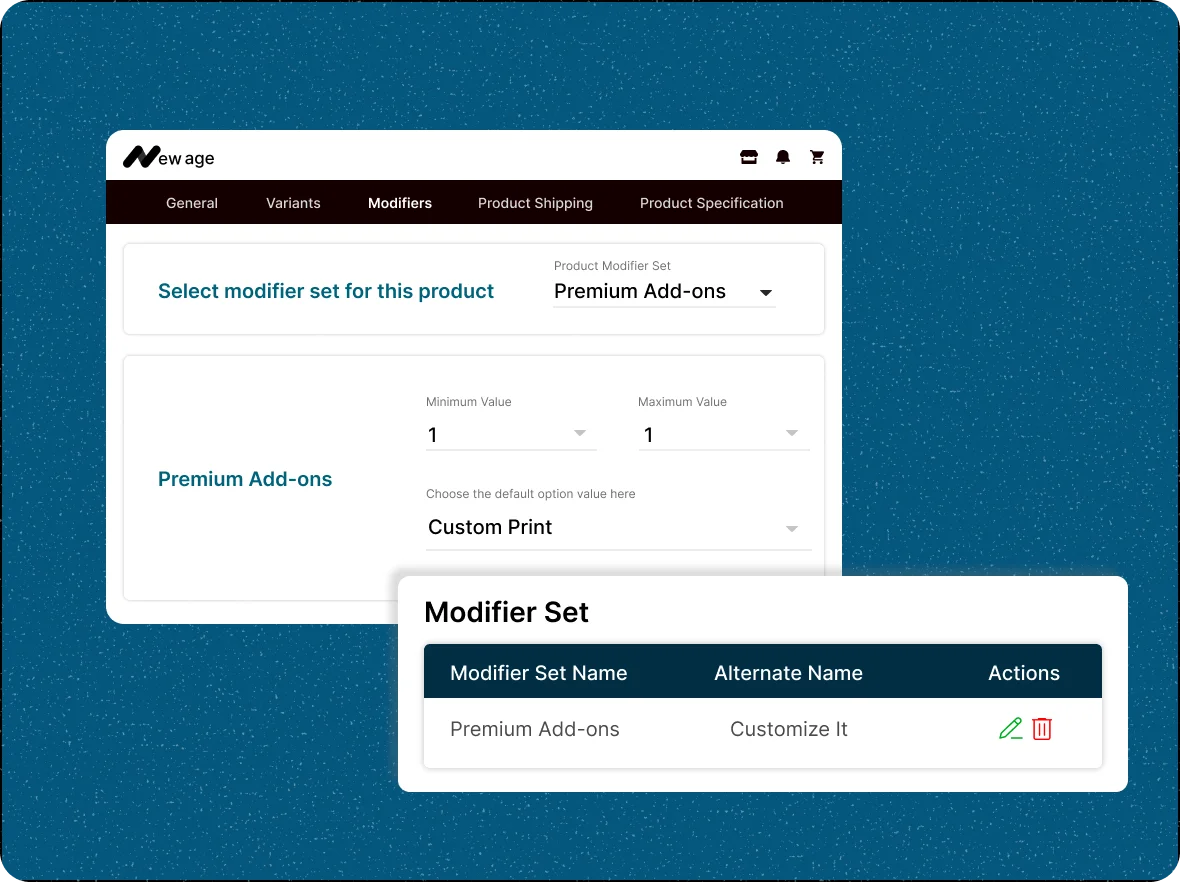
Assign modifier sets
Link modifier sets to products. Configure limits and preview how options appear on the product page.
Import/Export modifiers
Easily manage your modifier sets and options by using the import/export icon to upload or download them in bulk.
The gap in your store you didn’t
know was there
Without product modifiers, you could be missing opportunities for sales growth and personalization.
Manual entry
delays
Each modifier option or set has to be created individually, making it tedious when managing large product catalogs.

Inability to
personalize
If there’s no way to request small changes or add-ons, customers may leave for a competitor offering better product customization.

Extra effort to
apply modifiers
After creating sets, you still need to open each product, choose the appropriate set, and define minimum/maximum/default selections.

Lost upsell
opportunities
Without user-friendly product modifiers, you can’t easily offer extras like engraving or premium materials that increase order value.

Boost revenue with
every product sold
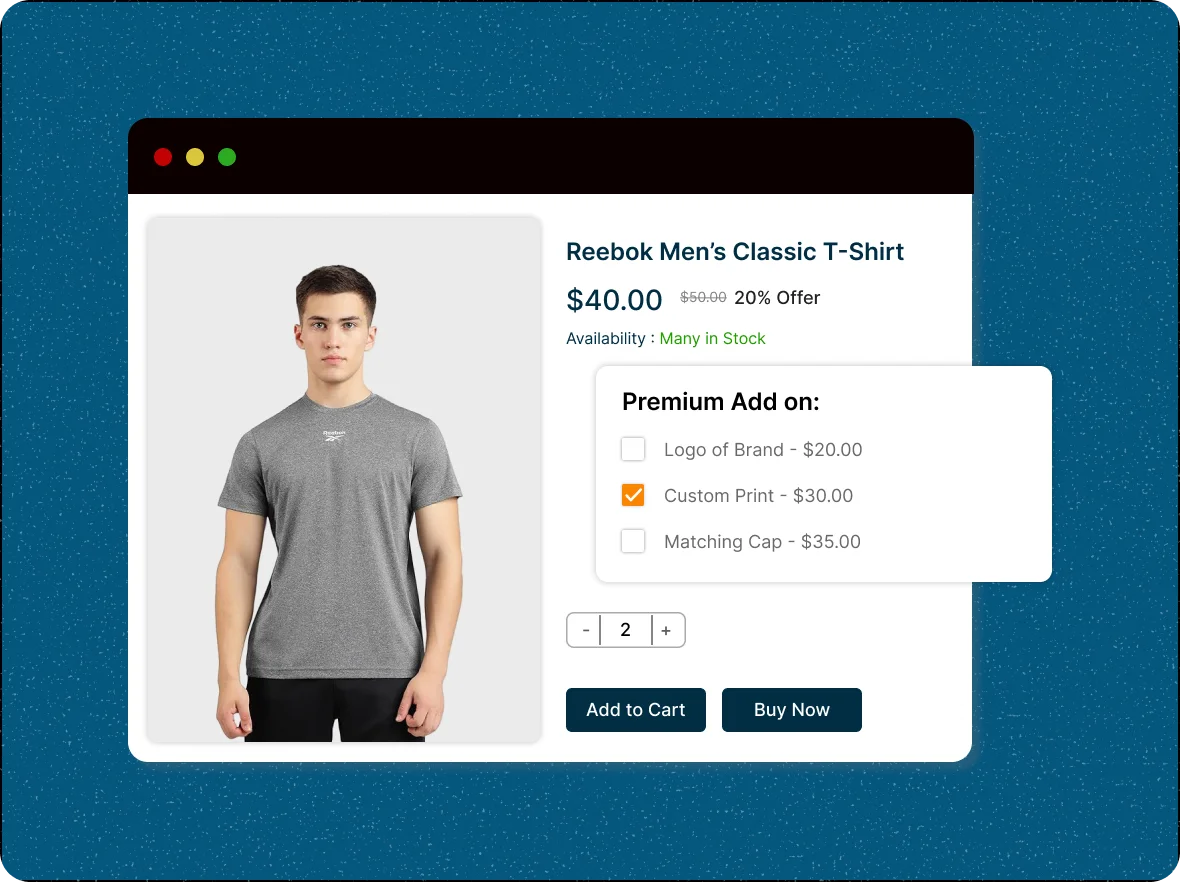
Premium add-ons encourage customers to spend more, boosting average order value and revenue without increasing inventory.
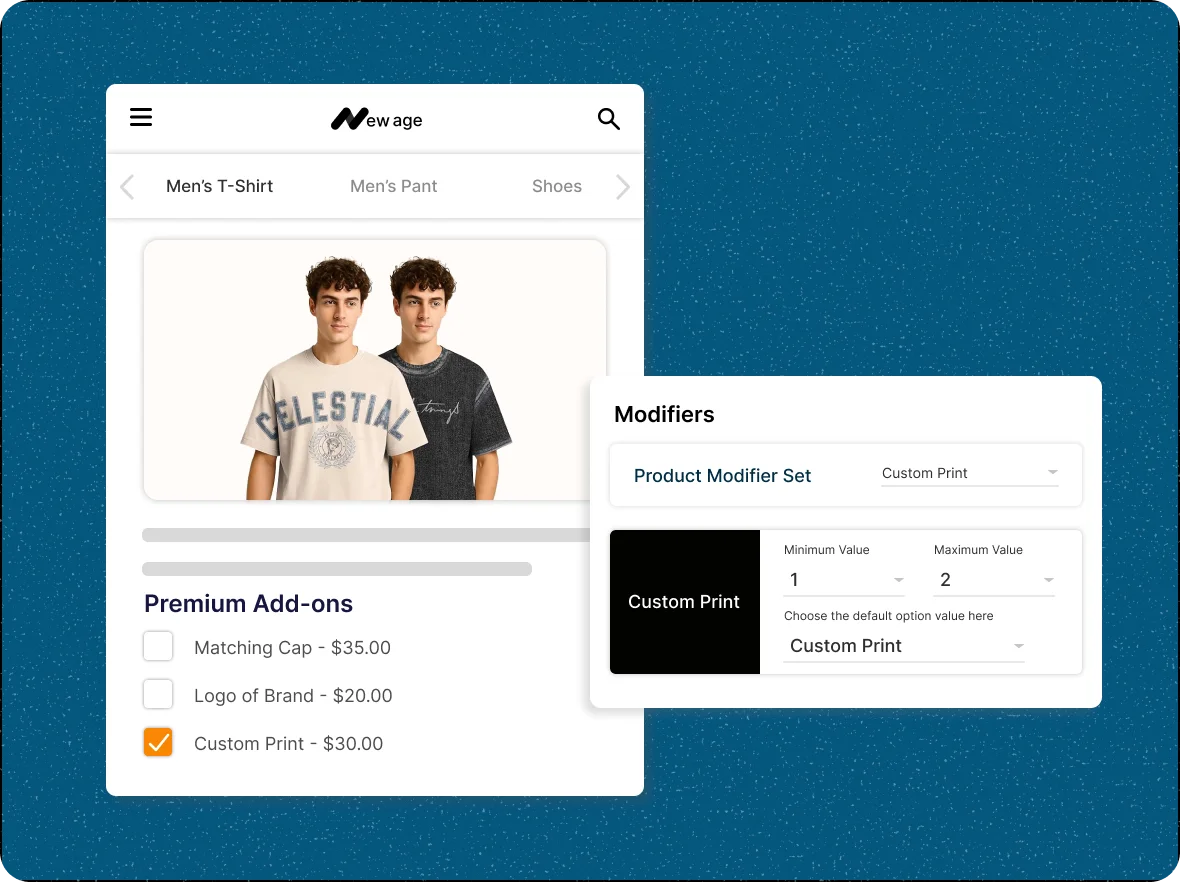
Default product option
selection
Choose which default options will be displayed along with the main product. These preselected choices help customers see recommended or commonly preferred variations.
Control customization
pricing
Flexible pricing for modifiers lets you offer attractive, customizable options that appeal to customers while maintaining healthy profit margins.
Keep your store
organized
Grouping related modifiers into sets streamlines catalog management, making it easier to update and assign product variations efficiently.
Advance with ZenBasket
ZenBasket’s product modifiers enhance personalization, drive growth, improve customer experience, and boost sales.

Enhances product
customization
Modifiers let customers personalize products with add-ons and upgrades, creating a more tailored shopping experience. They help you offer customization without adding unnecessary product variants.

Organizes options
effectively
Modifier sets keep product choices organized and easy to browse, presenting options in a structured, user-friendly way. This improves clarity, reduces mistakes, and makes shopping more enjoyable for your customers.

Ensure consistency across
your catalog
Consistent modifier sets keep your product catalog organized and easy to navigate, providing a smoother shopping experience and strengthening your brand’s structure and professionalism.
General FAQs
Get quick clarity on our product and common queries. Have more questions? Connect with our support team.
Product modifiers are paid add-on options that let customers customize a product—such as size choices, upgrades, or extras—without creating separate variants or SKUs. In ZenBasket, you create modifier options with names and prices, group them into modifier sets, and assign those sets to products with minimum, maximum, and default limits. Each option can carry its own price, increasing average order value.
Yes, you can add multiple modifiers to a product, letting customers choose from a variety of options, like size, color, or add-ons.
Modifiers allow customizations without new SKUs, while variants create separate SKUs for combinations like size and color. Modifiers offer simpler inventory management.
Yes, ZenBasket allows you to set individual prices for each modifier, enabling you to charge more for premium options and enhance your average order value.
No, product modifiers do not automatically affect inventory counts. Since they don’t create separate SKUs, you can track them manually only if needed.
Yes. ZenBasket supports importing and exporting both modifier options and modifier sets in bulk, making it easy to manage large product catalogs or replicate modifiers across multiple products.
Learn, explore, and grow
with expert resources

Blog
This blog covers modifiers, which let shoppers enhance a base item with add-ons. Discover how they improve customisation and create a better product experience.
Learn More >
Help Center
Learn how to enhance your products with add-ons that boost order value, from creating modifier options to applying them seamlessly in your store.
Learn More >
Video Tutorial
Watch a step-by-step walkthrough on creating and assigning product modifiers in ZenBasket, and start offering personalized options to your customers in just minutes.
Learn More >Product modifier that maximizes
growth
Transform every product into a profit-driving opportunity with customizable options that enhance value and increase sales.