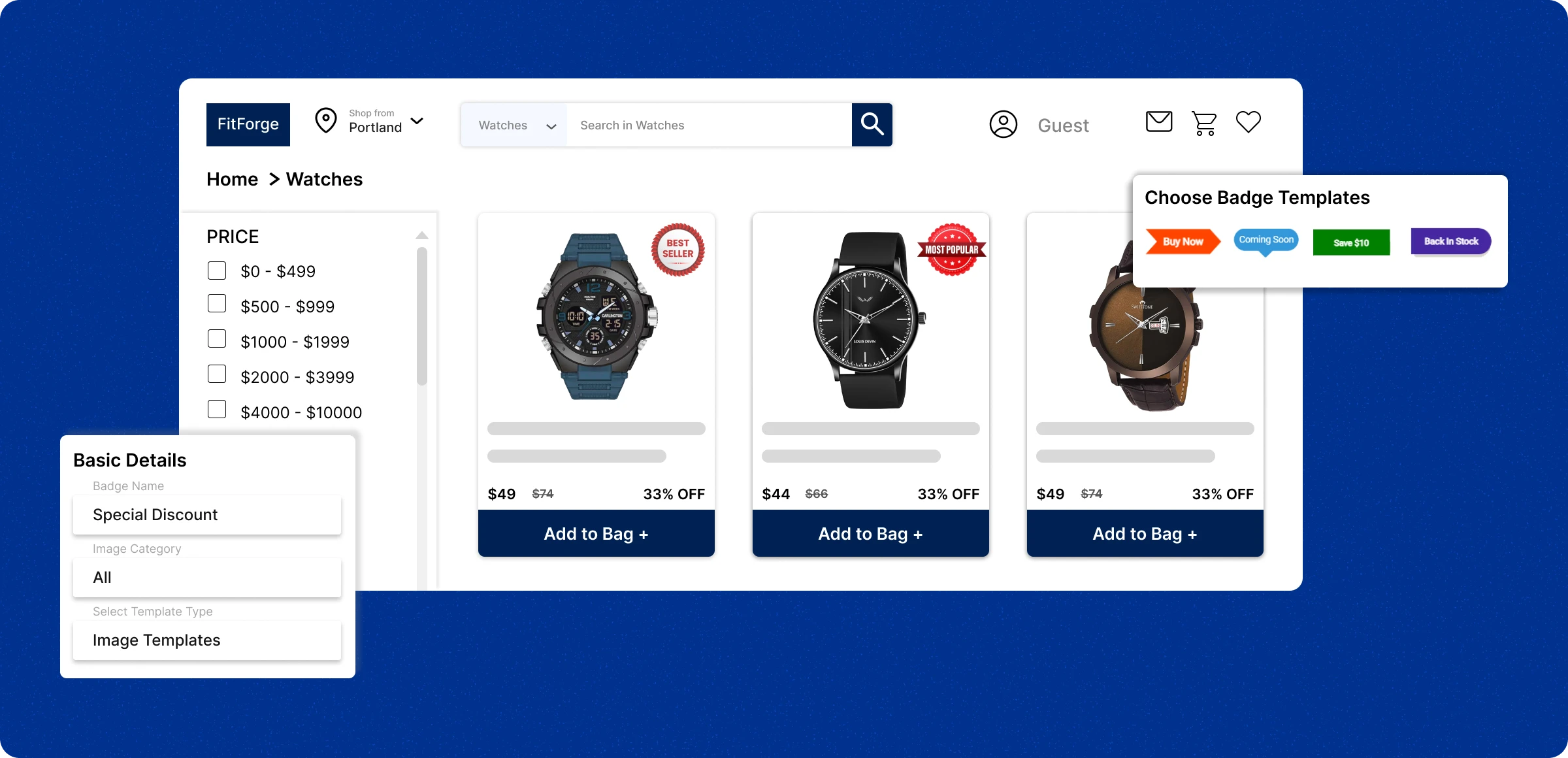
Setting up your badges
Whisper to your customers to buy your products by highlighting products with eye-candy badges.
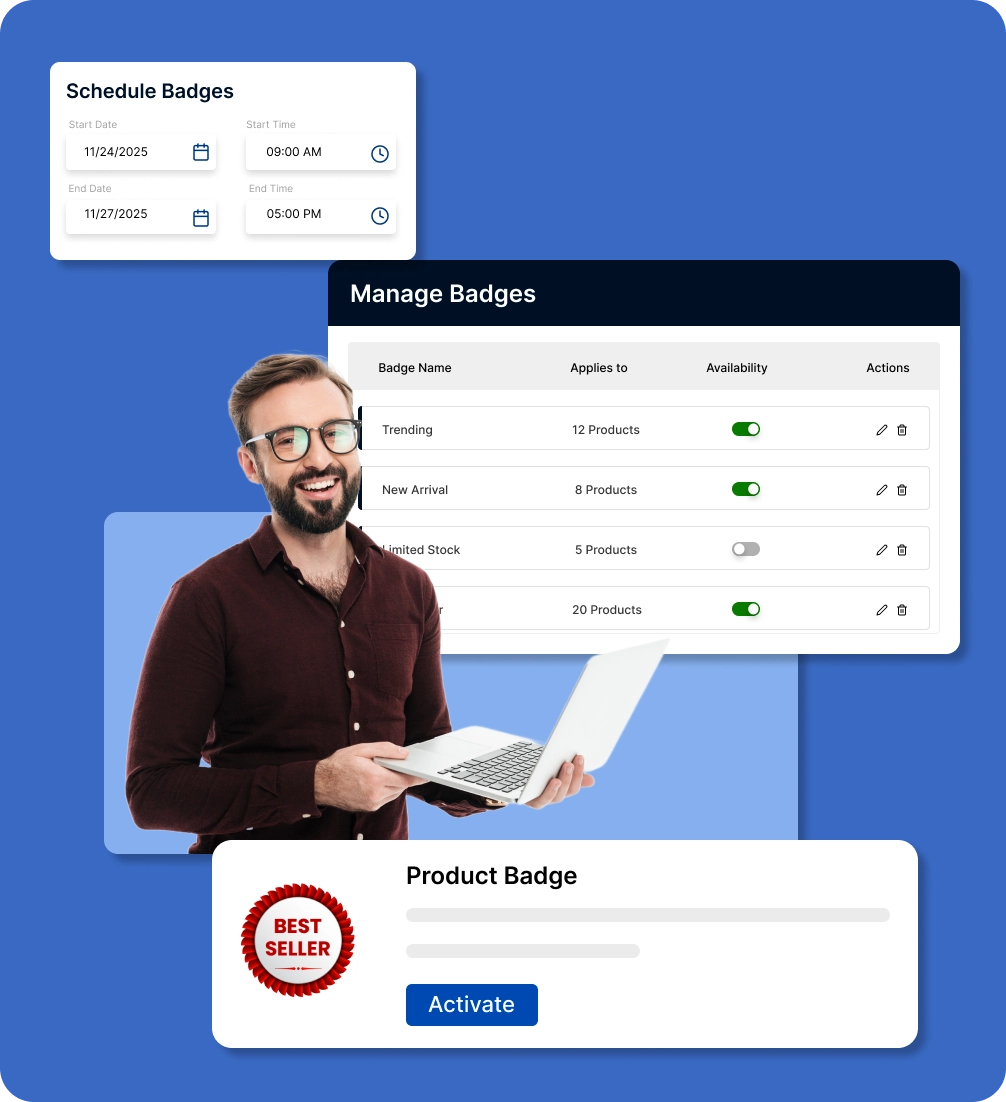
Enable product badges
Buy and receive badge access for your store, and start making your products more special and attracting your customers.
Create and customization
With the default templates or uploaded images, you can tailor badges such as size, color, and position to align with your theme.
Set smart display rules
Show badges automatically based on product status, category, or availability, no manual updates needed.
Manage everything easily
Edit, enable, or disable badges anytime from the ZenBasket admin dashboard to match your promotions.
Drawbacks of missing store
badges
The omission of badges makes it hard to identify your products as new or fast-moving, and it prevents you from capturing your customers’ attention.
Common appearance
in the competition
Non-priority products require extra effort to grab your customers' attention, often resulting in repeating the same actions over a period of time.

Prolonged product
descriptions
Non-priority products require extra effort to grab your customers' attention, often resulting in repeating the same actions over a period of time.

Inconsistent
shopping pattern
Customers struggle to spot new arrivals and best-selling products, creating frustration and indecision about their purchases.

Poor promotional
visibility
Without visual badges, seasonal products blend in with regular listings and often go unnoticed, making offers easy to miss.

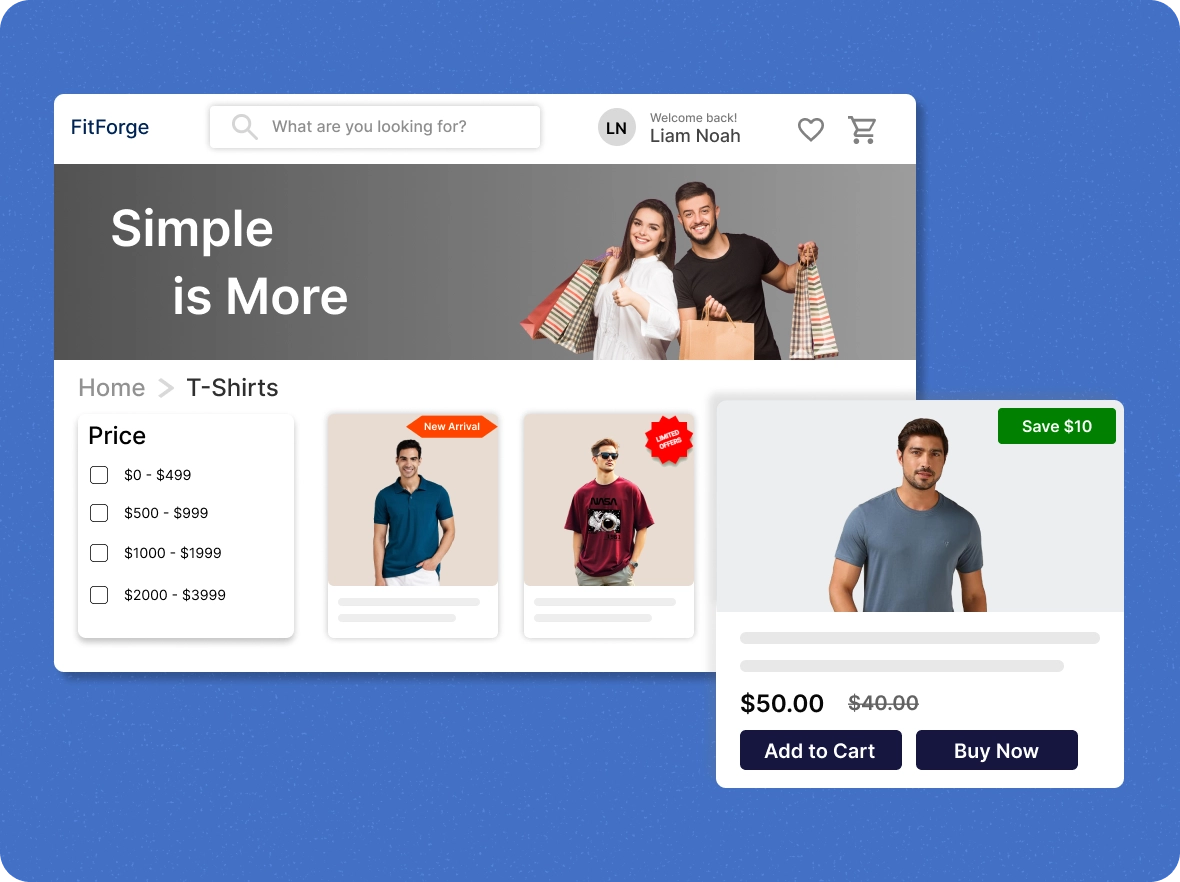
Highlight products to fit
your needs
With badges, display discounts, stock levels, and special offers on products to make them attractive in the eyes of your customers and speed up their purchase decisions.
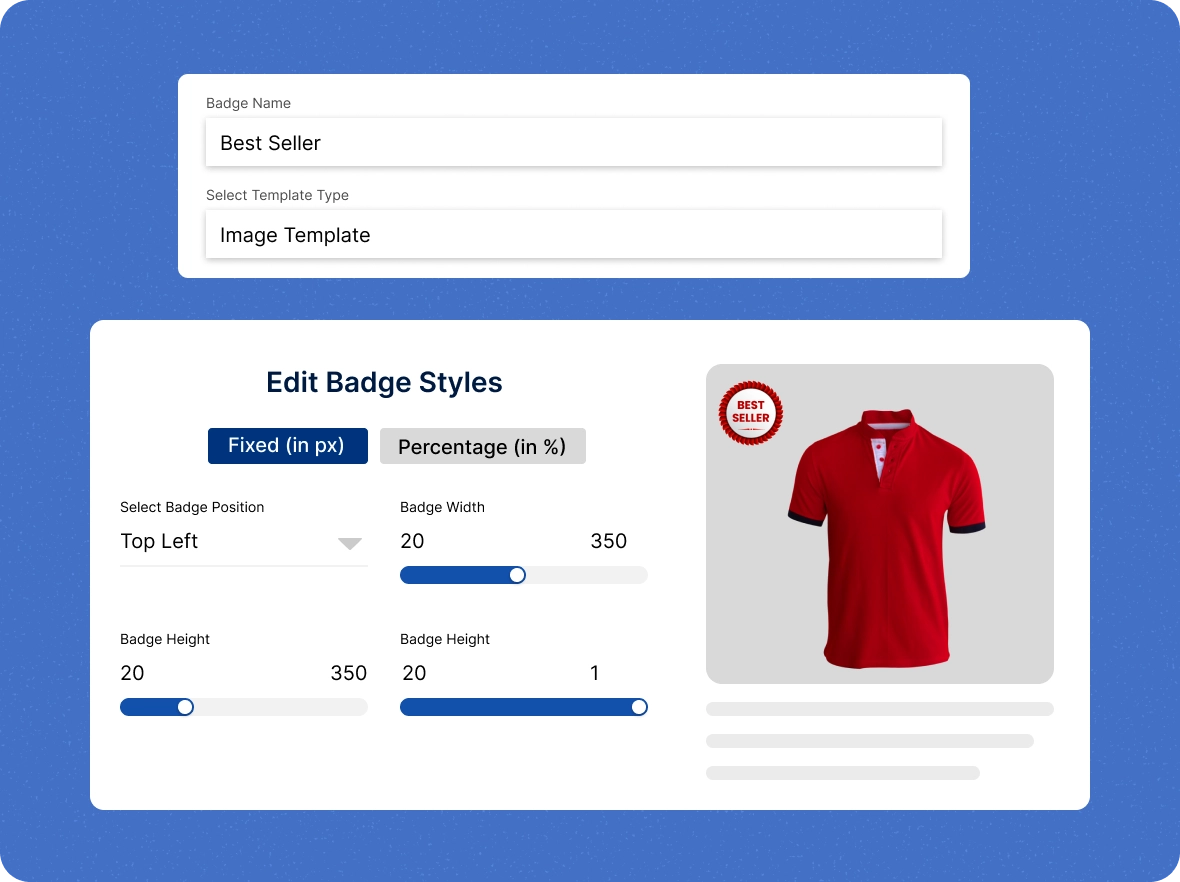
Bespoke badges for
your products
Visually customize product badges to match customer preferences, ensuring your offers are delivered clearly and accurately.
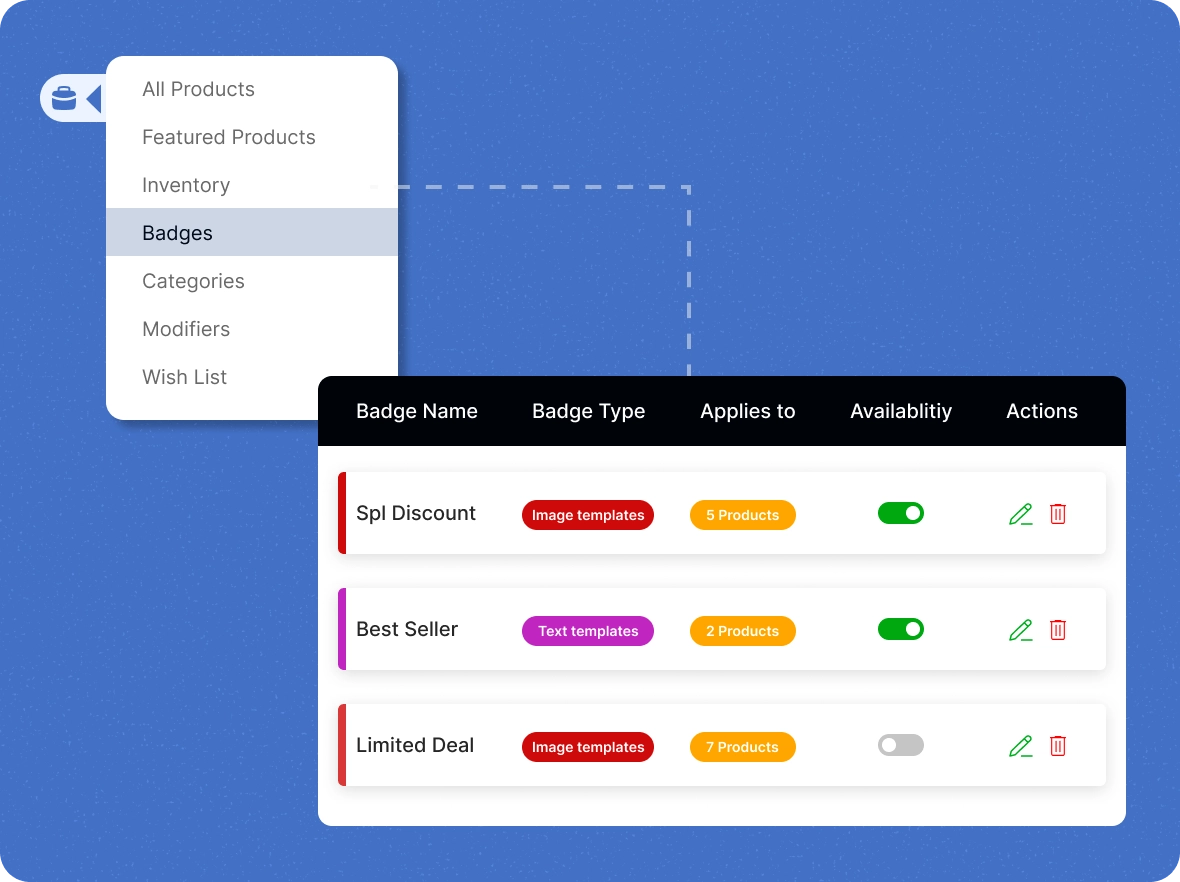
Maintaining the balance
of your badges
With the centralised dashboard, you can organise all your badges, edit or remove them, and refine them based on customer response to ensure you provide the right information.
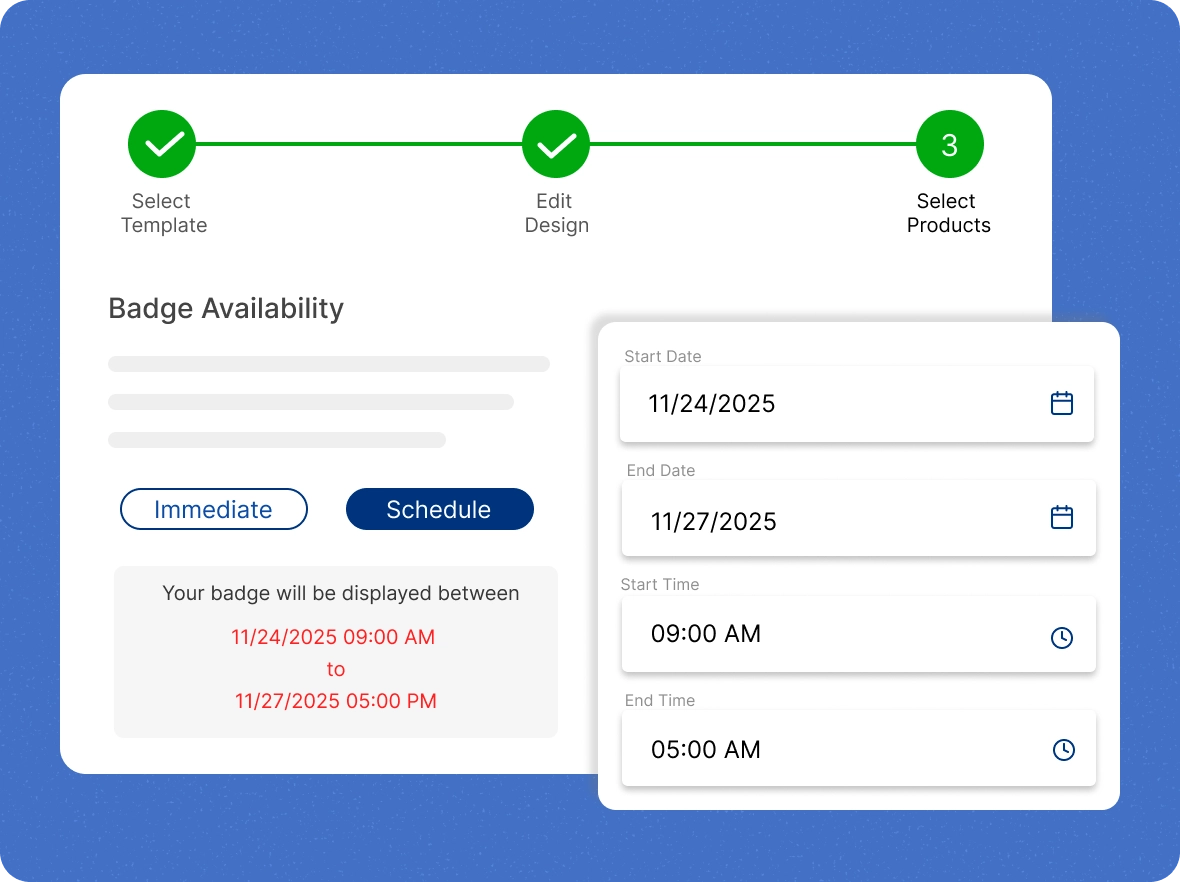
Schedule your badges
for the celebration
No need to sit at your desk anytime to set badges for your products during peak days. Instead, you can schedule them to capture seasonal audiences and join in the celebration.
What ZenBasket
ZenBasket’s product badges make your store stand out, guide customers, and boost sales by highlighting key features and promotions.

Capture shoppers’
attention instantly
ZenBasket’s product badges make key items stand out by highlighting offers, trending products, and best sellers, drawing attention to special deals, new arrivals, and customer favorites to boost engagement and sales.

Inspire confident
purchase decisions
By clearly highlighting key features and benefits, badges help shoppers quickly understand a product’s value, build trust, and move forward with confidence, making decisions faster and easier.

Showcase and highlight
products
ZenBasket badges highlight key features, eco-friendly materials, or limited-edition items, making products stand out. They help customers spot details quickly, boosting confidence and speeding up purchases.
General FAQs
Get quick clarity on our product and common queries. Have more questions? Connect with our support team.
You can customise badges with the core value of your store to highlight the most popular and best products, which leads to placing an order with you.
You can promote your store by displaying an award-winning and verified into that meets industry standards through your promotional campaigns that create reliable in your customers.
The badges are categorized based on your store’s promotional campaigns, such as urgency, social proof, and new launches.
Yes, you can track the stock level of the products and place a limited offer on products to help sell your non-moving products.
During the customization of badges, you can select which products the badge should appear on from a list of products, and do the same for categories.
Learn, explore, and grow
with expert resources

Blog
Learn how product badges help your store stand out, build urgency, and drive sales. This blog shares tips to use them effectively for maximum impact.
Learn More >
Help Center
A quick guide to setting up, customizing, and managing product badges in ZenBasket. Step through everything from activation to scheduling with ease.
Learn More >
Video Tutorial
Watch how to design and apply product badges that fit your brand. This tutorial covers templates, styles, placement, and product assignment.
Learn More >Show off what you have to your
customers
Make your store products glisten in the market to encourage purchases and foster strong customer relationships.