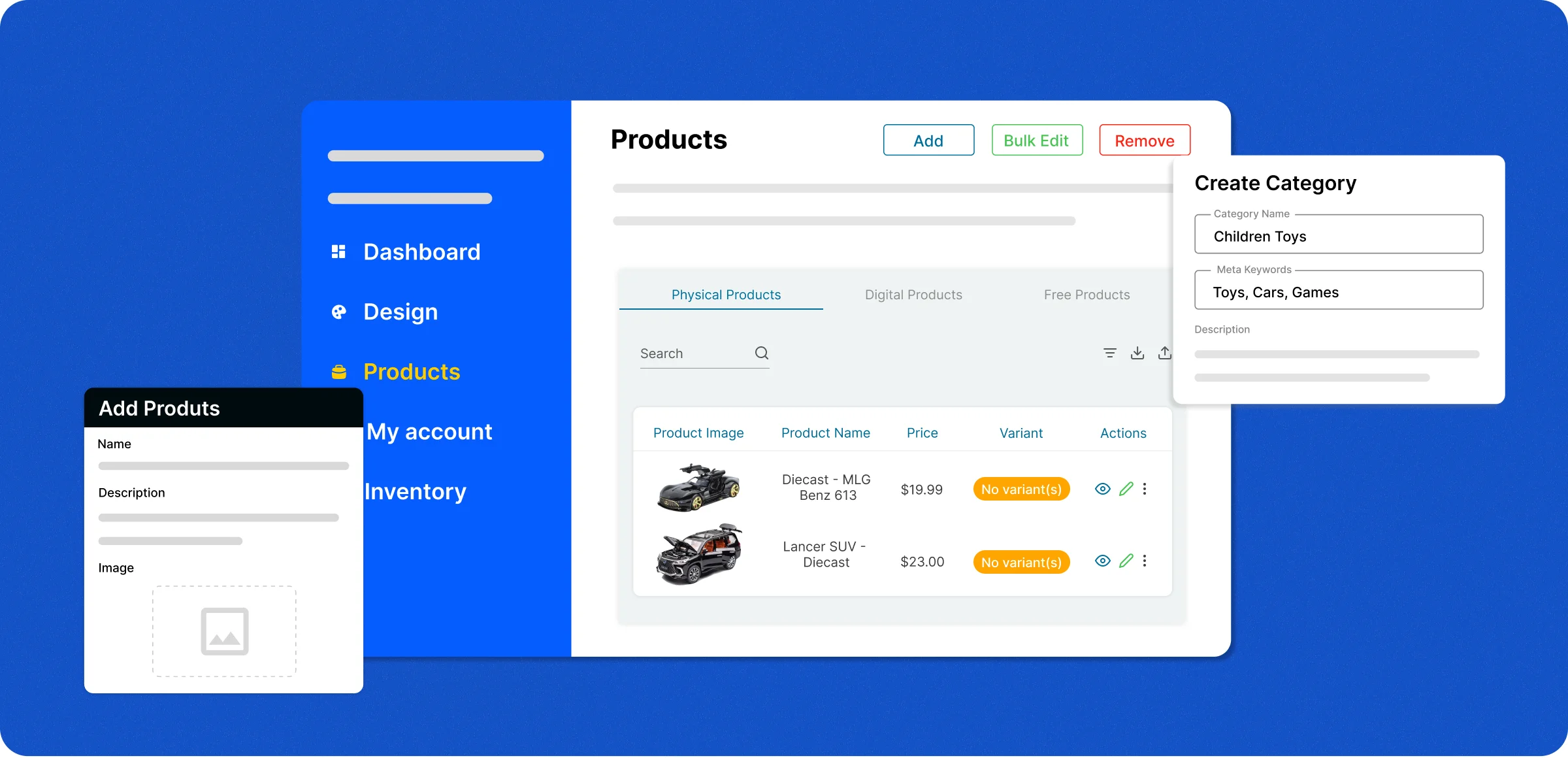
Quick product setup
ZenBasket makes it easy to add, organize, and control products with tools built for store growth.

Add products
Upload high-quality images, set accurate pricing, and write detailed product descriptions to attract and inform customers.
Organize easily
Create clear categories, ensuring customers can navigate your store effortlessly and find products without frustration.
Update anytime
Make instant changes to product names, details, stock, or pricing so your catalog always stays fresh and accurate.
Control display
Show or hide products based on availability, promotions, or seasonality to maintain a relevant, polished store view.
Challenges without smart
product management tools
Inefficient product handling leads to lost opportunities, a higher workload, and a poor shopping experience for customers.
Inventory
challenges
Manual tracking creates stock gaps and overstocking, increasing errors, lost sales, and customer dissatisfaction overall.

Disorganized
product catalog
Without proper tools, maintaining a catalog becomes a challenge, leading to confusion and errors that affect sales and customer trust.

Limited product
choices
When variants or customizations aren’t available, customers are forced to settle for less, causing dissatisfaction and fewer repeat purchases.

Poor online product
visibility
Top-selling or seasonal products often get overlooked, preventing your best items from attracting attention and resulting in missed sales.

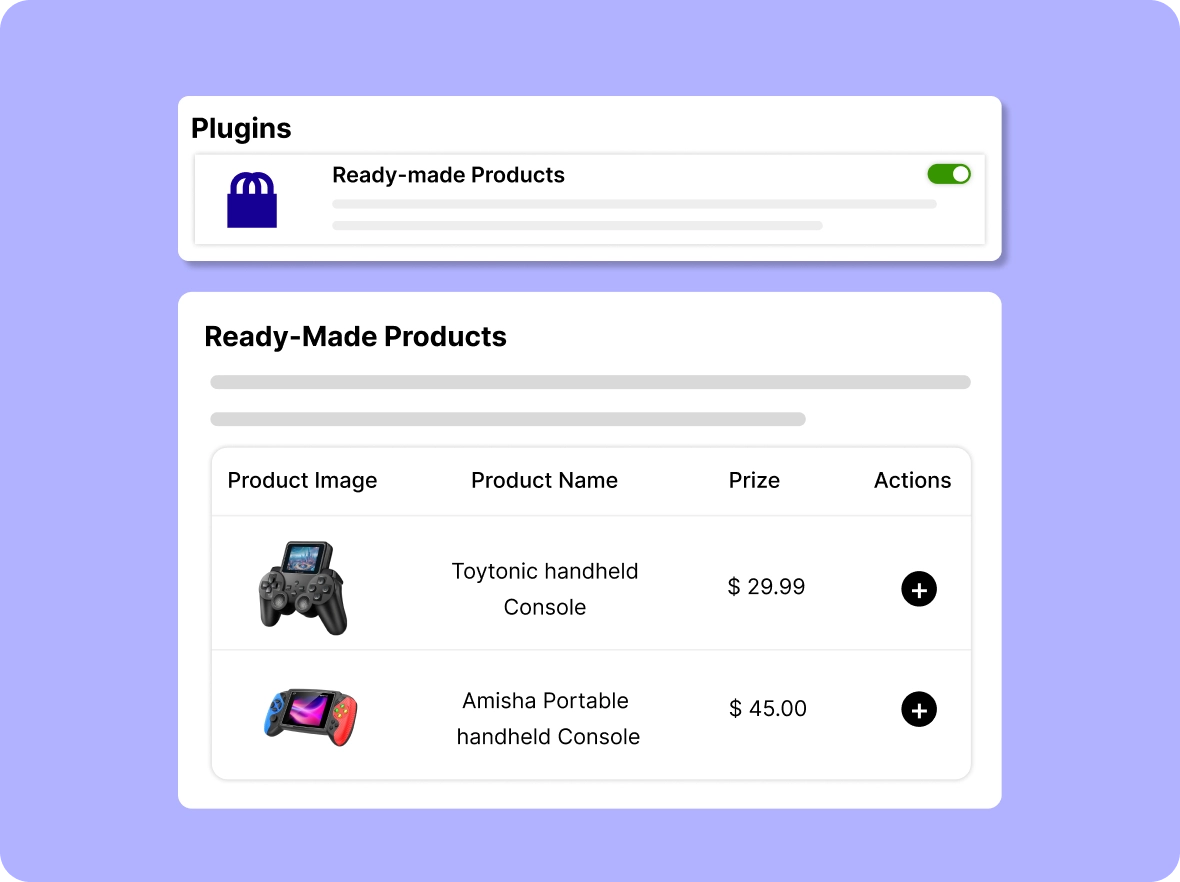
Ready-made product
options
Quickly add pre-built products from ZenBasket’s ready-made library, saving time and expanding your product catalog effortlessly.
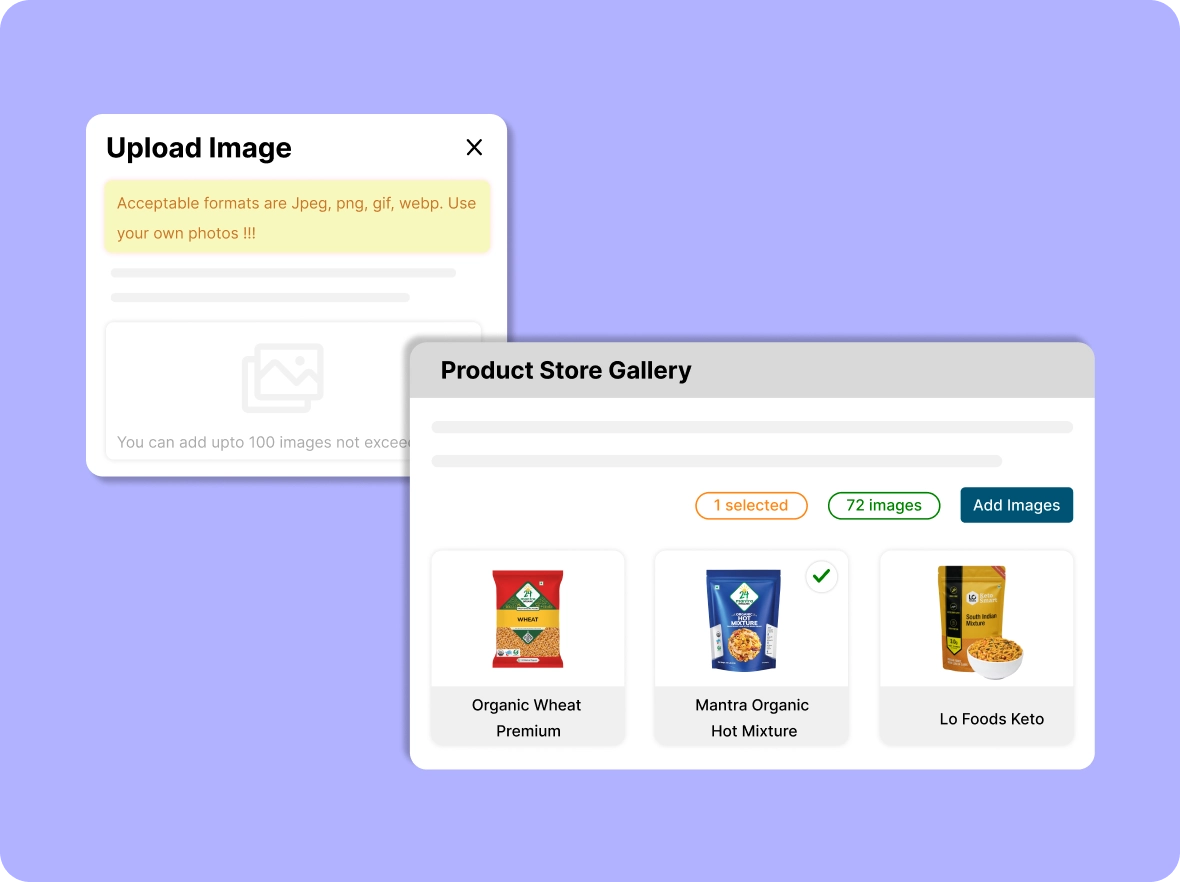
Comprehensive product
store gallery
Upload images to the gallery and generate importable links for products, categories, brands, or blogs, making product management seamless.
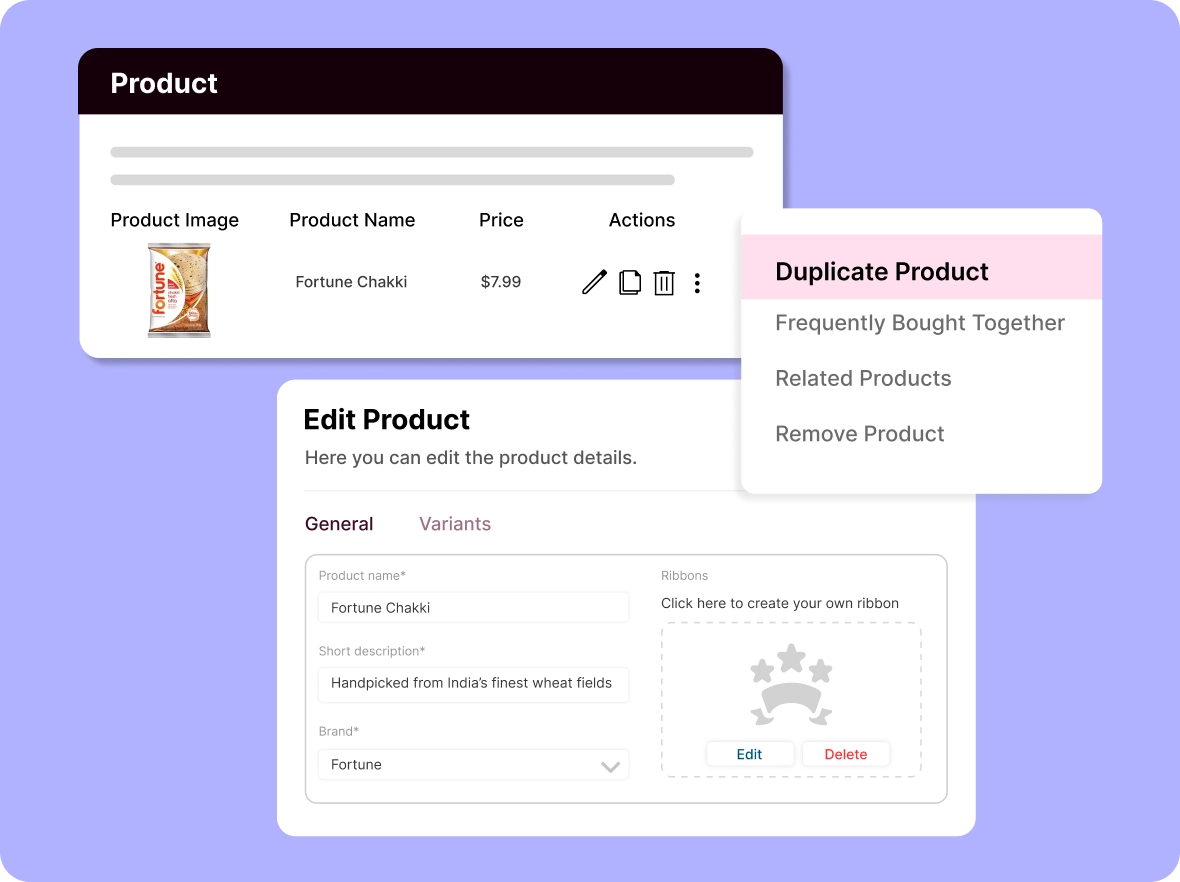
Duplicate existing product
listings
Replicate existing listings to save time while creating new products, ensuring consistency, efficiency, and accurate inventory management in your store.
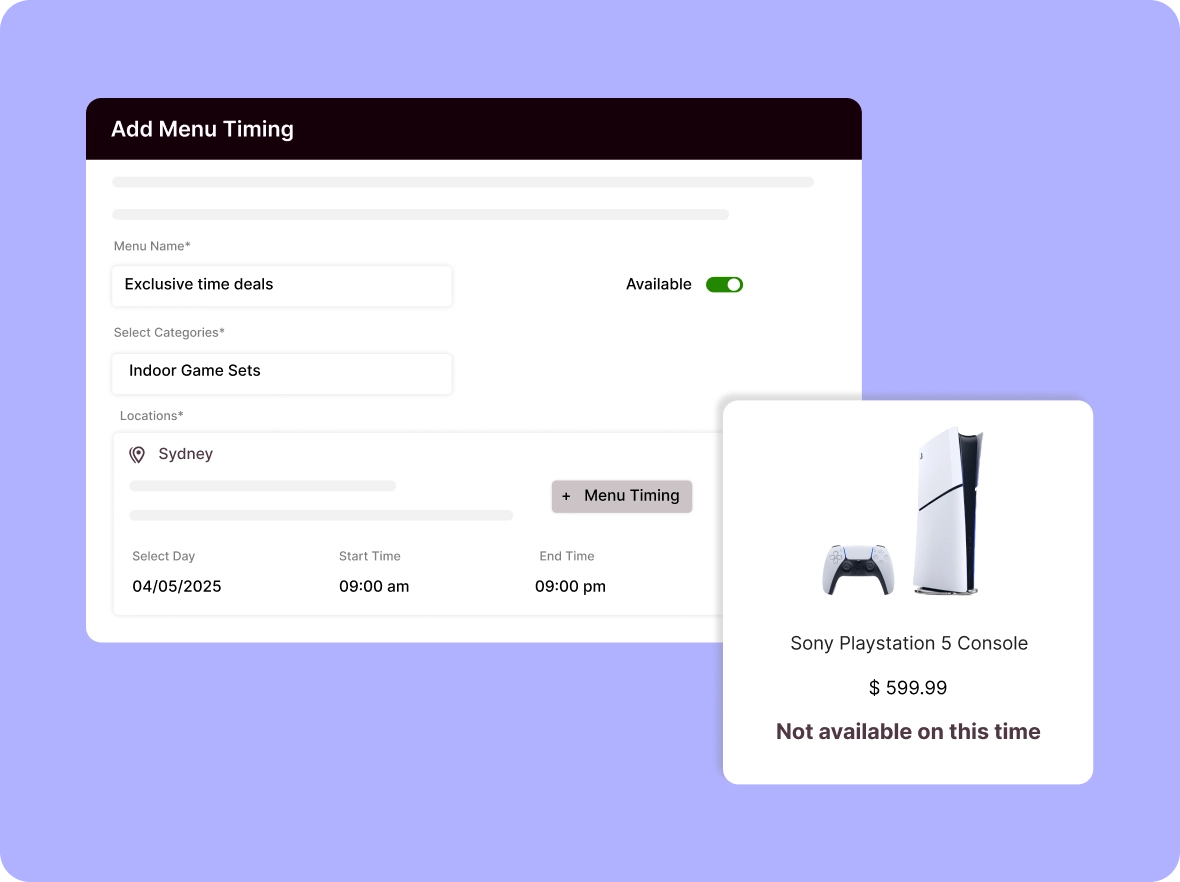
Schedule products with
menu timing
Set product availability based on specific timings, seasons, or promotions, ensuring your store stays organized and relevant for customers.
Why ZenBasket makes
Manage products, enhance shopping, and drive sales with ZenBasket’s smart tools that simplify operations and maximize results.

Keep inventory always
accurate
Sync inventory in real time to prevent overselling and keep stock information up to date. Improve operational efficiency, maintain customer trust, and ensure shoppers always see what’s truly available in your store.

Boost discoverability with
highlights
Highlight your best products to make them stand out, attract more visitors, and increase visibility. Help customers easily find popular items, boost engagement, and drive higher sales by showcasing what matters most.

Personalize the
buying experience
Give customers a tailored shopping journey with flexible options. Increase satisfaction, encourage repeat purchases, and build loyalty by making every buyer feel your store meets their unique needs.
General FAQs
Get quick clarity on our product and common queries. Have more questions? Connect with our support team.
Ecommerce product management is the process of adding, organizing, updating, and controlling the visibility of items in your store's catalog. In ZenBasket, you add products with images, pricing, and descriptions, sort them into categories, and edit names, stock, or pricing at any time. Real-time inventory syncing keeps stock accurate and prevents overselling, so shoppers always see what is available.
Yes, you can import large product catalogs quickly using CSV files, which help save time, reduce manual effort, and maintain accurate product data.
Yes, ZenBasket lets you create categories and tags so customers can browse and find products effortlessly, improving their shopping experience.
Use ribbons, featured products, and curated categories to showcase top-selling items, seasonal picks, or promotions to attract more customer attention.
Yes, you can add digital items and manage them just like physical products this allows you to sell downloadable files, subscriptions, or licenses with ease.
No. ZenBasket updates products in real-time, ensuring inventory stays accurate, preventing overselling, and maintaining a seamless shopping experience.
Learn, explore, and grow
with expert resources

Blog
Find out the insights into managing products on your store to resist interruptions and ensure the smooth delivery of your products while maintaining the balance of inventory.
Learn More >
Help Center
Learn how to add products, set prices, upload images, and manage variants and availability locations to fill your store and ensure your customers receive the products they need.
Learn More >
Video Tutorial
Watch an easier demo video to learn how to make adjustments to your existing products and provide accurate information to your customers that leads to uninterrupted purchases from you.
Learn More >Easily manage your products
with Zenbasket
Keep your ecommerce catalog accurate and engaging; add, edit, and organize products seamlessly while boosting store efficiency.