A Glimpse into the Waiting List Functionality
Just because a product is out of stock doesn't mean customers should hit a wall when they want to buy it from you. Additionally, when you're getting ready to introduce an exciting new item in the near future, you'll want to generate anticipation among your customer base immediately. The waiting list feature on your online store is a powerful tool that effectively manages both scenarios, ensuring a seamless experience for your customers.
The Waiting List module provides a simple and quick way to incorporate this functionality into your online business. Proactively setting up product pages for planned releases will allow you to start your marketing efforts far before the product hits the shelves. This will help you stay in touch with your customers and let them know when their desired product is restocked. The power of waiting lists can encourage customer loyalty and create excitement.
Incorporate a Waiting List
Adding a waitlist to your online store is equivalent to creating a list of customers who are sincerely interested in a temporarily unavailable item. It aids in crowd control, maintains customer excitement, and informs customers promptly when their desired product is back in stock. It's simple to set up with the correct tools, like introducing a specific page where users can sign up to receive notifications when a product is restocked. To appreciate them for their patience, you may even extend them special offers. Notify them quickly once the item is available so they can order it before it disappears once more. You can improve things even more in the future by keeping track of how effectively they function.
The Waiting List Function: A Customer's Best Friend
Imagine a customer eagerly visiting your online store ready to purchase a sought-after item, only to find it sold out. Frustrating isn't it? That annoyance might be eliminated with a creative waiting list feature.
Empowering Store Admins: Enabling the Waiting List
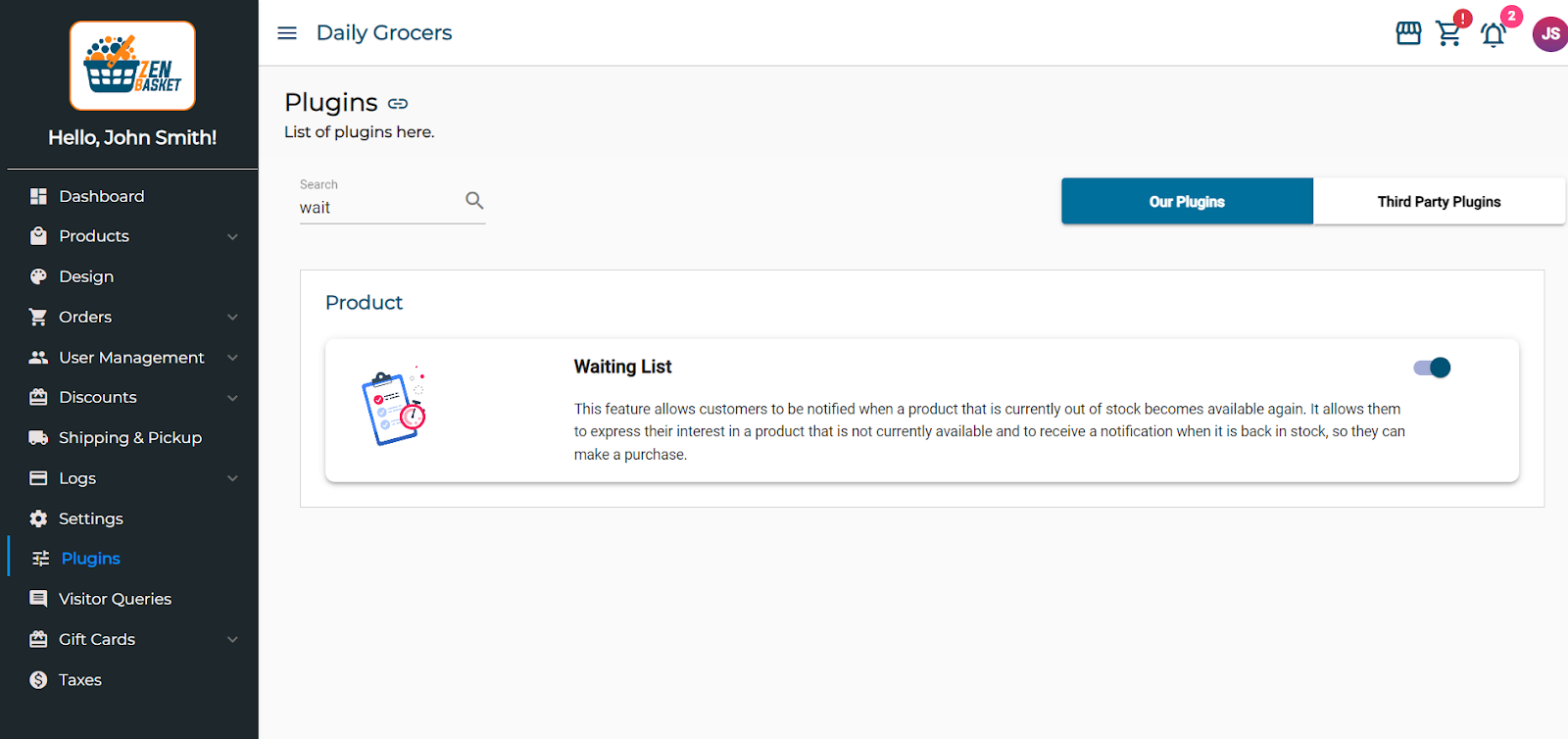
For store administrators, activating the Waiting List function is straightforward.
- Access the control panel and navigate to Plugins.
- Locate and select "Our Plugins."
- Enable the Waiting List Plugin.
Once enabled, the waitlist feature integrates into your store, ready to provide exceptional service to your customers.
How it Operates: "Notify Me" to "Happy Shopping"
Utilizing our waiting list feature couldn't be easier. Customers need only click the "Notify Me" button when encountering an out-of-stock item to add it to the waitlist. They can easily add the chosen product to their waitlist by performing this straightforward action.
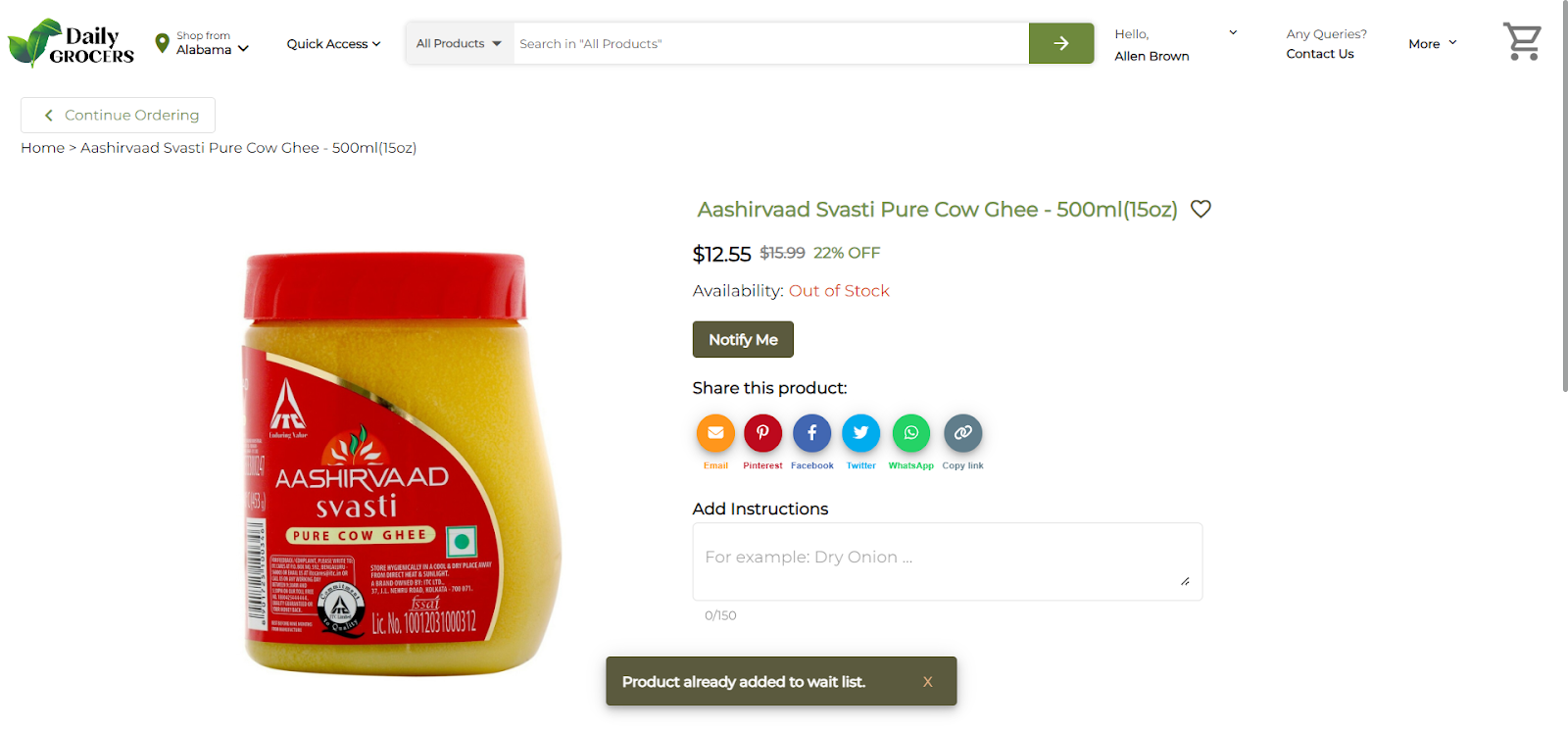
The magic happens when their desired products are restocked. ZenBasket's system sends automated emails, eliminating the need for customers to repeatedly check the website or risk missing out. This not only ensures efficient store management but also provides a clear overview of demand.
Manage product stock in two ways:
1. Via the Waitlist Page:
- Click the eye icon under the action tab for a product.
- A screen displays stock details, including location and product name.
- Choose between Unlimited Stock or assign a specific quantity for Limited Stock. Save changes.
2. Through the Products Menu:
- Access the Products menu and click on the inventory sub-menu.
- Locate the product and choose the "edit" icon under the actions tab.
- Update stock quantity and save changes.
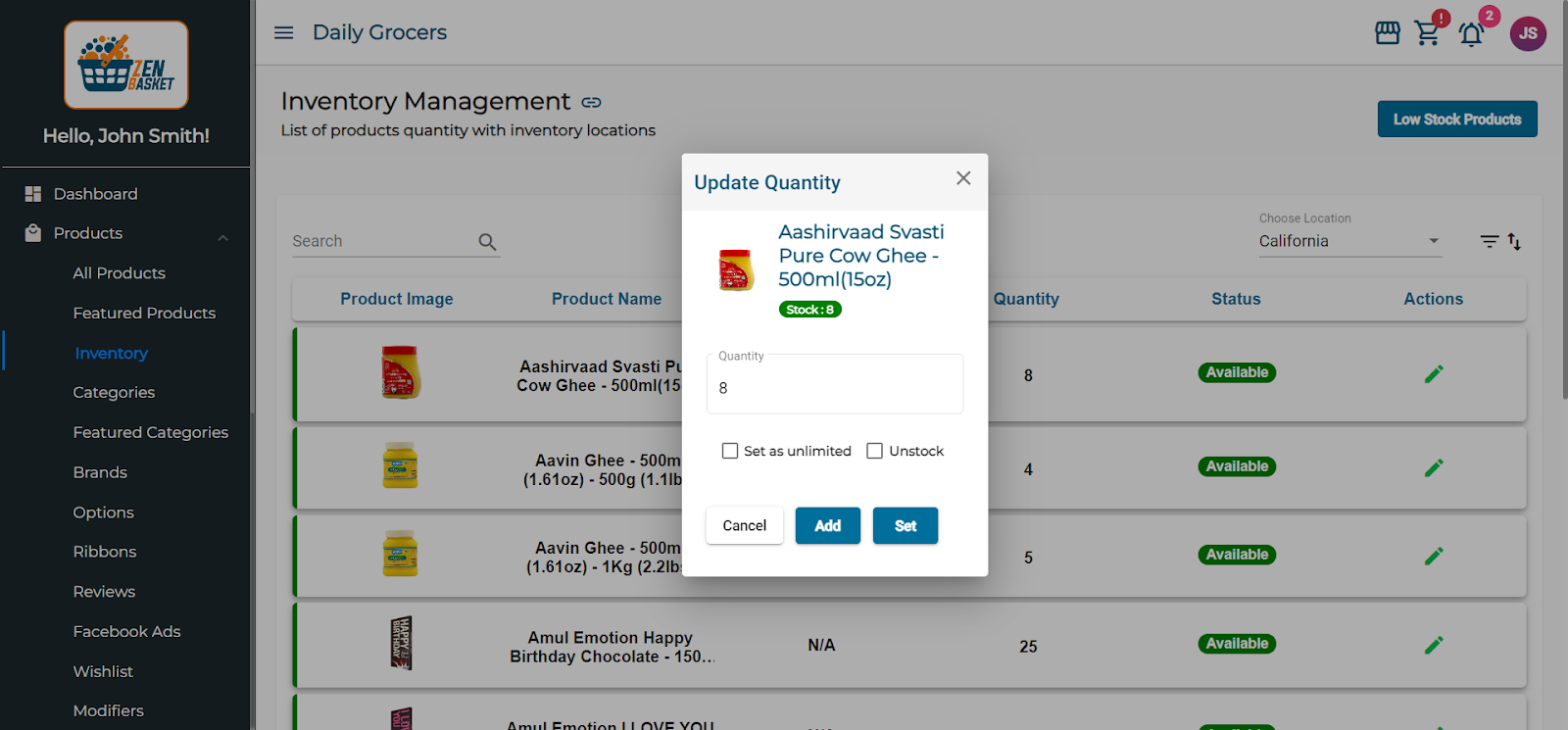
This prompts a change in the status to 'Notified' in the Waitlist menu, triggering an automated email informing the customer about the restocking of the waitlisted product. In the received email, customers can access the product page and place their order for the wish-listed product with a simple click on the 'Visit us' button.
Final Thoughts
The waiting list feature emerges as a clever solution, keeping customers engaged during stock shortages and building ingenious solutions to keep customers engaged during stock shortages and building hype for upcoming releases. Whether you're running an online store or a bustling ecommerce empire, integrating this feature can transform challenges into opportunities. The Waiting List module exemplifies the power of seamless customer engagement. Redefine how you interact with your customers and make waiting an experience worth cherishing. Sign up for ZenBasket today and let our waiting list feature elevate your customer engagement to the next level.