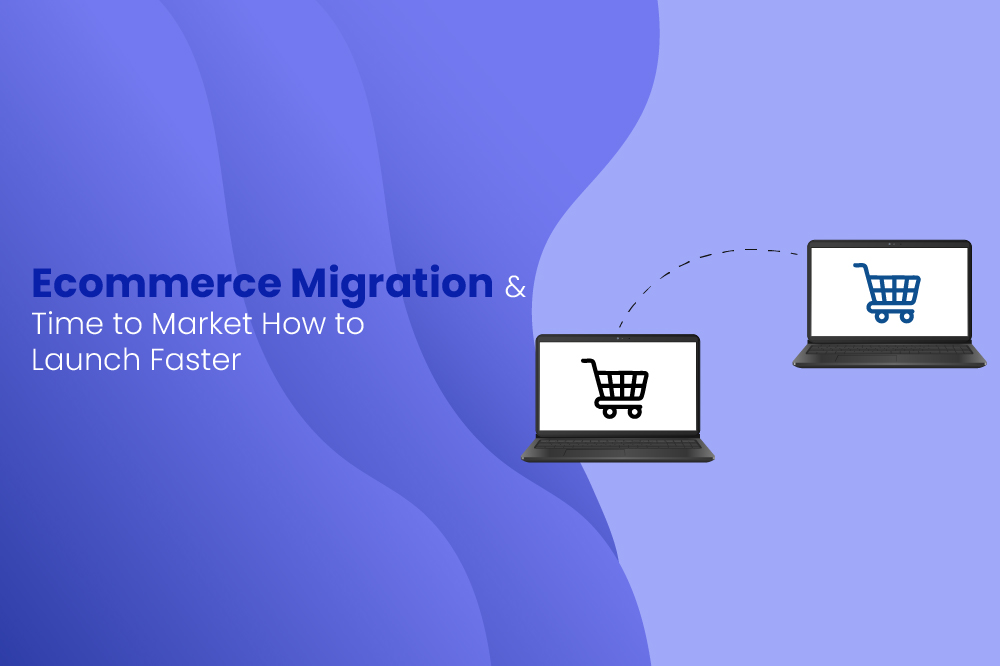
Migrating an ecommerce store from one platform to another is often necessary for scalability, performance, and better control. But one challenge influences almost every decision along the way: Time to Market (TTM).
How fast a store goes live after migration directly affects revenue stability, customer experience, and operational efficiency. This guide explains what TTM means in the context of ecommerce migration, what affects it, and how to reduce it with a structured approach
What Time to Market Means in Ecommerce Migration
Time to Market (TTM) refers to the total time it takes to migrate, rebuild, and launch your ecommerce store on a new platform.
In simple terms, it covers everything from the moment migration planning starts to the moment the new store is fully functional and serving customers.
In ecommerce migration, TTM includes:
- Data extraction and mapping
- Catalog restructuring
- Design or theme setup
- Integrations and workflows
- SEO preservation
- Testing and QA
- Final launch
TTM measures how efficiently an ecommerce brand transitions from the old system to the new one without prolonged downtime or lost sales.
Why Time to Market Matters After Migration
The faster a store transitions to its new platform, the quicker it can stabilize operations, regain sales momentum, and avoid the disruptions that typically come with replatforming. A short TTM doesn’t just mean going live faster; it influences revenue, customer experience, operational efficiency, and long-term competitiveness.
1. Shorter revenue gap and faster recovery
Any delay during migration directly affects sales, especially if the old platform is already underperforming.
- Every extra day in migration pushes revenue recovery further.
- Traffic or checkout issues on either platform reduce conversions.
- A fast launch maintains selling continuity with minimal disruption.
The quicker the store goes live, the quicker revenue stabilizes.
2. Lower migration costs and better resource usage
Longer migration cycles demand more time, coordination, and technical involvement.
Impact of extended timelines:
- Additional development hours.
- Increased project management overhead.
- Dependency on multiple teams or vendors.
- Higher cost tied to running two systems in parallel.
Reducing TTM reduces overall project cost and prevents budget inflation.
3. Reduced operational and technical risk
Running a store across two systems the old and the new increases complexity.
Slow TTM increases risks like:
- Desynchronised orders and inventory.
- Inconsistent customer data.
- Outdated workflows clashing with new ones.
- Longer periods of duplicated maintenance.
A quicker cutover means fewer opportunities for operational errors.
4. Stronger competitive positioning
Ecommerce trends shift quickly. A prolonged migration limits a brand’s ability to react.
- Launch new features sooner.
- Improve site performance earlier.
- Respond to seasonal demand or promotions.
- Stay aligned with customer expectations.
Brands that migrate faster move faster and gain an edge over slower competitors.
How to Achieve a Faster Time to Market During Ecommerce Migration
A well-structured approach helps you avoid unnecessary rework, shorten development cycles, and ensure your new store goes live quickly without risking performance, SEO, or customer experience.
1. Start with a clear migration roadmap
A migration roadmap acts as the master plan for the entire project. Without it, teams risk miscommunication, feature creep, and unexpected delays.
Your roadmap should cover:
- Data migration requirements.
- Feature scope and must-have functionality.
- UX and design guidelines.
- Tech stack and third-party integrations.
- Testing milestones. (UAT, functional, regression)
- Go-live checklist and fallback plan.
A clear roadmap eliminates ambiguity, aligns teams from day one, and keeps the project timeline realistic and controlled.
2. Standardize and clean data before migration
Poor-quality data is one of the biggest causes of migration delays. Cleaning and structuring data early prevents import failures, broken products, and inconsistent storefront behavior.
- Fix inconsistent formatting. (titles, SKUs, URLs)
- Remove duplicates and outdated products.
- Validate required attributes. (pricing, inventory, variants)
- Simplify categories and tags.
- Clean customer and order history.
Cleaner data = faster import, fewer errors, and significantly less time spent troubleshooting during migration.
3. Prioritize essential features
Trying to migrate everything on day one slows down the project and increases complexity. A Minimum Viable Product (MVP) approach ensures you launch quickly with the features customers use most.
Prioritize pages and workflows such as:
- Homepage
- Collection/Category pages
- Product detail pages
- Cart and checkout
- Payment and shipping options
Enhancements like loyalty programs, advanced filtering, automation flows, and personalization can be added post-launch.
Benefit:
You reduce development workload and reach go-live faster, without compromising core UX.
4. Use a pre-built responsive theme
Custom designs extend timelines dramatically. Pre-built, responsive themes drastically shorten time to market because much of the UI foundation is already complete.
Advantages:
- Faster setup.
- Mobile-friendly layouts ready to use.
- Reduced reliance on designers.
- Lower QA overhead.
You still retain the ability to customize branding after launch.
5. Reduce dependency on third-party apps
Every additional app adds configuration time, compatibility testing, performance checks, and potential troubleshooting.
To speed things up:
- Use native platform features wherever possible.
- Replace multiple apps with all-in-one solutions.
- Audit existing integrations to remove outdated tools.
6. Run parallel testing instead of sequential
Sequential workflows increase timelines because teams wait on each other. Parallel processes cut launch time significantly.
Examples of parallel workflows:
- Importing products while the design team finalizes layouts.
- QA testing checkout while content writers upload product descriptions.
- Configuring payments and shipping while SEO teams prepare redirects.
Parallel execution eliminates idle time and improves overall efficiency.
7. Plan your redirects early
Redirects are critical for protecting SEO, keeping traffic stable, and ensuring customers don’t land on broken pages.
Key steps:
- Map all URLs from old to new.
- Validate redirect accuracy.
- Ensure category and product URLs follow clean structures.
- Test crawlability with tools before launch.
Early redirect planning prevents traffic loss and shortens the post-migration recovery period.
8. Train teams before launch
Operational delays often happen because internal teams are learning the new platform after going live. Early training improves readiness and reduces support bottlenecks.
Train teams on:
- Order management
- Product updates
- Content changes
- Inventory processes
- Promo setup
- Basic troubleshooting
Teams enter launch day confident and prepared, reducing TTM and post-launch issues.
Reducing Time to Market in an ecommerce migration requires disciplined planning, quality data, faster design decisions, and streamlined workflows. By focusing on clarity, prioritization, and parallel execution, businesses can launch sooner while maintaining stability, performance, and customer experience.
How Migrating to ZenBasket Helps You Reduce Time to Market
Migrating to ZenBasket is intentionally designed to speed up launch cycles. Its platform structure, built-in features, and migration workflows help businesses go live faster without sacrificing stability, performance, or user experience. Here’s a more detailed breakdown of how ZenBasket accelerates Time to Market (TTM):
1. Pre-built responsive themes that reduce design time
ZenBasket offers modern, mobile-friendly themes with ready UI sections, reusable blocks, and flexible layouts.
This removes the need for heavy custom design work during migration.
Benefits include:
- Faster setup with no coding.
- Consistent responsive layouts.
- Quick brand customization after launch.
This alone cuts weeks from the typical design-to-development cycle.
2. Simplified product migration
ZenBasket’s modern structure makes it easier to import products, categories, and inventory.
How it speeds up migration:
- Cleaner attribute mapping.
- Fewer formatting conflicts.
- Faster validation and error handling.
- Reduced manual cleanup.
Teams spend less time fixing broken imports and more time preparing for launch
3. Built-in features that reduces extra apps
On ZenBasket, many essential ecommerce features come build into the platform, reducing the need to install and configure third-party apps.
Built-in capabilities:
- Inventory and order management
- SEO
- Discount and coupon
- Shipping and pickup management
- Content
- Analytics
4. Friendly migration flow for faster launches
ZenBasket allows businesses to start with core features and expand later.
Launch essentials include:
- Fully functional storefront.
- Robust cart & checkout.
- Payments, shipping, taxes.
- Essential product catalog.
This lets stores go live sooner and iterate after launch reducing TTM while still maintaining customer readiness.
5. Fast performance out of the box
ZenBasket’s lightweight architecture ensures quick page loads and stable performance from day one.
Advantages during migration:
- Fewer performance fixes during QA.
- Faster SEO checks.
- Better core web vitals without extra optimization.
Teams don’t need a long post-migration performance tuning phase.
6. Guided onboarding and migration support
ZenBasket offers structured onboarding and hands-on support during setup, which helps avoid confusion, rework, and project slowdowns.
Support helps with:
- Configuration
- Theme setup
- Feature mapping
- Troubleshooting
- Pre-launch review
This allows teams to move through the migration stages confidently and quickly.
ZenBasket accelerates Time to Market by minimizing custom development, simplifying product imports, reducing dependency on external apps, and offering performance-ready themes and architecture. With its guided onboarding and friendly approach, businesses can migrate, refine, and launch faster while maintaining stability and quality across the entire process.
Conclusion
Time to Market plays a central role in the success of any ecommerce migration. A well-planned approach helps launch faster, reduce complexity, and maintain revenue continuity. By focusing on data readiness, platform capabilities, structured workflows, and prioritized features, businesses can migrate efficiently without compromising quality.
A fast, smooth migration is not about rushing it’s about taking a structured, lean, and strategic approach that brings your store back online quickly while positioning it for long-term growth.