Introduction
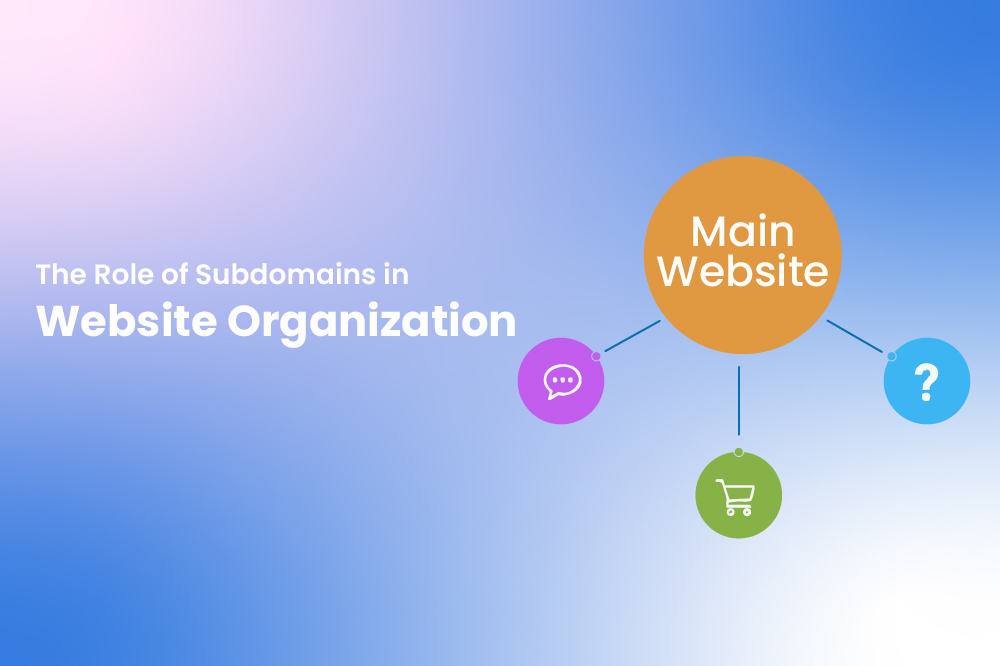
A website’s structure plays a vital role in how users navigate content and how search engines interpret it. One key element that helps achieve better organization is a subdomain. A subdomain is an extension of your primary domain that allows you to create distinct sections within the same website ecosystem. It appears before the main domain name and functions as an independent area with its own purpose.
Looking at Subdomains More Closely
To better understand subdomains, it helps to look at how URLs are structured. In a web address like .com, “” is the main domain, while “resources” is the subdomain. This prefix immediately tells users what type of content they can expect. Subdomains act as signposts, guiding visitors to different areas of a website without confusion.
Unlike simple URL paths, subdomains can operate independently. They can be hosted on separate servers, use different software, or follow distinct design rules. Despite this independence, they remain part of the same overall domain ecosystem.
The Purpose Behind Using Subdomains
Subdomains exist to solve organizational challenges. When a website serves multiple audiences or purposes, placing everything under one structure can dilute clarity. For example, marketing content, customer documentation, and user dashboards often require very different layouts and functionality. Subdomains allow each of these sections to exist in its own environment.
They are also useful when teams need autonomy. A development team might manage a testing environment on a subdomain, while a content team oversees an educational section. This separation reduces dependency, minimizes risk, and allows updates without affecting the core website.
How Subdomains Work Technically
From a technical perspective, subdomains are managed through the Domain Name System (DNS). DNS acts like an address book for the internet. When someone enters a subdomain into their browser, DNS records direct the request to the correct server or hosting location.
Because of this routing flexibility, subdomains can be configured in many ways. Some may point to the same server as the main domain, while others may be hosted entirely separately. This makes subdomains ideal for handling specialized applications, high-traffic sections, or experimental features.
Everyday Examples of Subdomains
Subdomains are widely used across the web in ways that often go unnoticed. Educational platforms frequently host tutorials and courses on addresses like .com. Companies offering software services may provide customer access through .com or .com. Documentation and guides are commonly placed on .com to keep them separate from promotional content.
Subdomains are also helpful for testing and development. A staging version of a website might run on .com, allowing teams to test changes before making them live. Similarly, event-specific content can be hosted on subdomains without altering the main site structure.
Subdomains vs Subfolders: Choosing the Right Approach
Subdomains are often compared with subfolders, and while both serve organizational purposes, they are not interchangeable. A subfolder, such as lives within the main domain and usually shares its authority and reputation. This makes subfolders a strong choice for content closely tied to the core website.
Subdomains, such as .com, are treated more independently by search engines. This can be beneficial when content needs its own identity, management system, or audience focus. However, it may also require additional SEO effort, as authority is not automatically shared. The choice between subdomains and subfolders depends on how distinct the content is and how it fits into long-term website strategy.
Benefits of Using Subdomains
Subdomains offer several advantages beyond simple organization. They make large websites easier to scale by allowing new sections to be added without restructuring existing pages. They support cleaner navigation by clearly separating content types. Subdomains also enable flexibility in design and technology, which is especially valuable for businesses experimenting with new tools or services.
From a user perspective, subdomains improve clarity. Visitors can quickly understand where they are on a website and what kind of information they are accessing. This improves trust, usability, and overall experience.
Creating and Managing a Subdomain
Setting up a subdomain is generally a straightforward process. Most domain or hosting providers offer a dedicated section for subdomain creation. Once a name is chosen, the subdomain is linked to a specific folder or server. DNS records are then updated to ensure traffic is routed correctly.
After setup, the subdomain can be managed independently. Content, design, and functionality can evolve without impacting the main website, making it a practical solution for long-term growth.
Closing Thoughts
Subdomains are a powerful yet often underutilized tool in website architecture. They provide a structured way to separate content, support diverse use cases, and scale digital presence without unnecessary complexity. When used thoughtfully, subdomains enhance both user experience and operational efficiency.
Whether you are launching educational resources, managing customer access, hosting documentation, or testing new features, subdomains give each section the space it needs while remaining connected to your core domain.