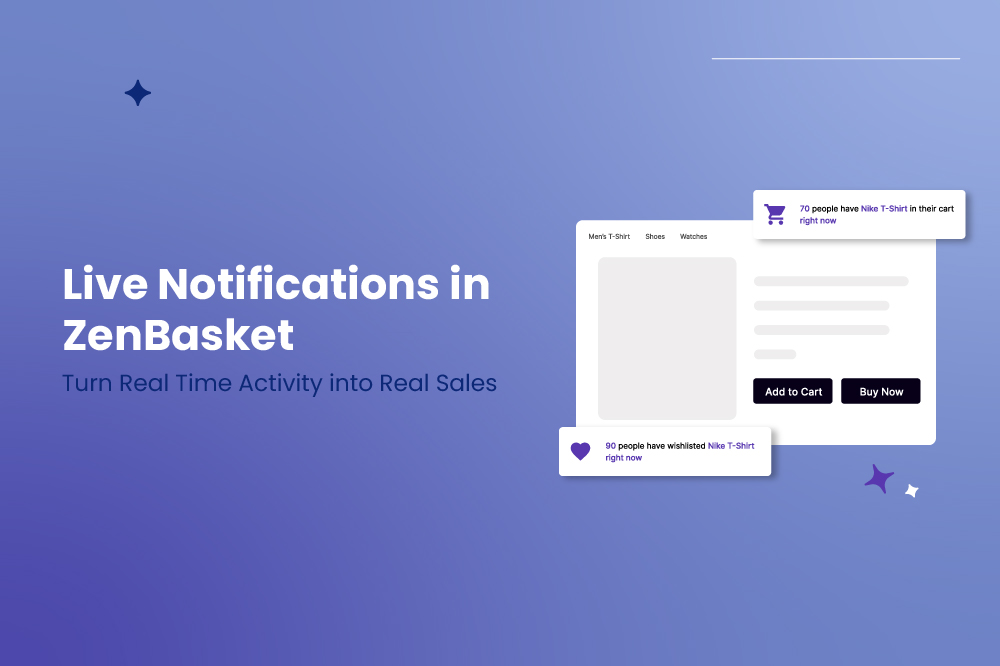
In today’s ecommerce world, shoppers do not just look for products. They look for signals of trust, activity, and demand. When visitors see that others are buying, adding items to carts, or wishlisting products right now, hesitation drops and confidence rises.
That is exactly what Live Notifications in ZenBasket are designed to do.
Live Notifications transform real time shopper activity into dynamic, on page alerts that create urgency, build credibility, and keep customers engaged, helping your store convert more visitors into confident buyers.
What Are Live Notifications
Live Notifications provide real time updates on what is happening inside your store, including sales, cart actions, wishlist activity, sold counts, and online visitors. These notifications appear as subtle pop ups across your site, showing genuine activity without disrupting the shopping experience.
Instead of static pages, your store feels alive, active, and trusted.
Key Live Notification Features in ZenBasket
1. Real Time Live Sale Alerts
Display instant notifications whenever a sale happens in your store. These alerts can highlight recent purchases, product names, customer names and locations if you choose to include them, and the time of purchase such as 2 minutes ago.
Only delivered orders are shown, ensuring authenticity and trust. You can choose between two modes.
- Automatic mode shows recent orders from the last 60 days or a custom timeframe you set.
- Manual mode allows custom names, locations, and products for controlled campaigns.
This creates urgency and reassures visitors that people are actively buying from your store.
2. Add to Cart Notifications
Show how many shoppers have added a product to their cart, either right now or within a specific lookback period.
These notifications update automatically whenever a product is added to the cart, helping shoppers think, if others are adding this, maybe I should too.
This works especially well on product detail pages where buying decisions happen.
3. Wishlist Notifications
Wishlist activity signals strong buying intent. ZenBasket lets you display how many people added a product to their wishlist, based on the current session or a lookback window.
This builds anticipation and reinforces product desirability without feeling pushy.
4. Sold Count Notifications
Highlight demand by showing how many items were sold within a selected time period. You can pull counts automatically from real orders or manually define sold counts for promotions.
Sold count alerts act as strong trust signals, especially for products that move fast.
5. Online Visitors Notifications
Show how many people are actively visiting your store. ZenBasket supports automatic mode using Google Analytics data and manual mode for controlled messaging.
When shoppers see that many others are browsing, it adds credibility and reduces purchase anxiety.
Full Control Across Desktop and Mobile
ZenBasket gives you device specific control, allowing you to manage notifications separately for desktop and mobile users.
You can customize notification placement, display direction and animation, margins and spacing, visibility rules per page, timing such as delay, display duration, and interval, maximum notifications per page, and close button behavior.
Mobile notifications are designed to stay smooth, clean, and distraction free.
Fully Customizable to Match Your Brand
.png)
Live Notifications are not generic pop ups. ZenBasket lets you tailor every detail.
You can just text content and variable arrangement, colors for text, links, background, and overlays, font style and font size, template selection using Basic or Advanced templates, and page level targeting on all pages or only specific pages. ad
This helps you maintain brand consistency while maximizing impact.
Why Your Store Needs Live Notifications
Live Notifications turn passive browsing into active engagement by making your store feel busy, trusted, and in demand.
1. Real Time Proof Boosts Conversions
Showing real customer actions such as purchases, carts, wishlists, and visitors builds trust instantly and encourages shoppers to act faster.
2. Engagement Across Every Page
Notifications keep shoppers curious and focused as they move across pages, guiding them naturally toward checkout.
3. Brand Credibility and Demand Visibility
Trending products, active shoppers, and consistent activity signal reliability, making your store feel established and dependable.
Easy Setup Through ZenBasket Plugins
Enabling Live Notifications is straightforward.
.png)
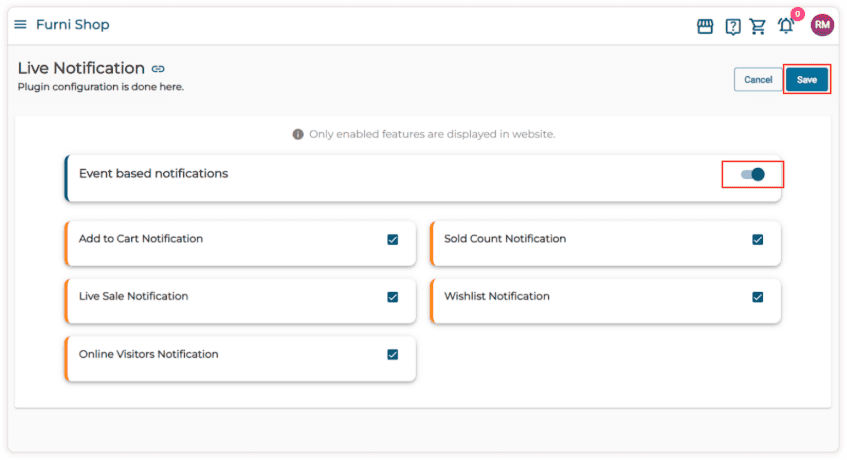
Purchase the Live Notification module from the Marketing category in Plugins.
Enable event based notifications.
Configure features using simple toggles and editors.
Save and go live.
After successful payment, the Live Notification module is added to the main menu automatically.
Final Thoughts
Live Notifications are not just visual effects. They are conversion accelerators.
With ZenBasket’s Live Notification feature, you can build trust instantly, create urgency without pressure, highlight demand naturally, and keep shoppers engaged across every page.
If you want your store to feel active, credible, and conversion ready, Live Notifications are essential.
ZenBasket makes real time selling visible.