When a business changes its name, expands into new markets, or upgrades its digital infrastructure, one of the biggest decisions it faces is whether to move its website to a new domain. This process can feel overwhelming because it affects search visibility, user experience, and brand credibility all at once.
But with the right structure and planning, domain migration becomes a predictable, controlled process.
What Is Domain Migration?
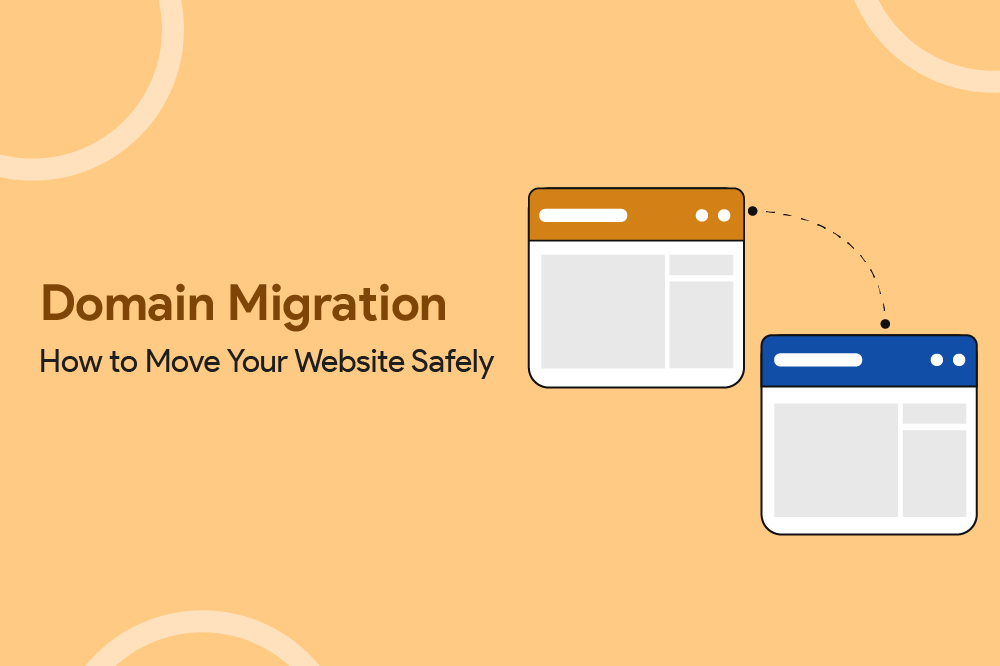
Domain migration means moving your website from one domain name to another, for example: brandname.in → brandname.com or oldbrand.com → newbrand.com. This is a broader, technical process that includes changing the domain name plus everything needed to safely move your website and SEO value to the new domain.
Although the idea sounds simple, the impact is significant. Your domain affects:
- How users discover you
- How search engines crawl and index your content
- How backlinks pass authority
- How quickly visitors trust your brand
In short, domain migration is a technical, SEO, and branding project combined.
Why Businesses Choose to Migrate Domains
Most businesses do not migrate domains casually. It usually happens for strategic reasons, such as:
1. Rebranding
When the business name changes, the domain must reflect the new identity.
2. Moving from a local to a global market
Shifting from .in to .com, or adopting region-specific domains during expansion.
3. Mergers or acquisitions
Teams consolidate online properties under one stronger domain.
4. Platform upgrades
Moving to a new platform, where domain setup changes.
5. Reputation or security concerns
Domains with past spam issues or legacy infrastructure may need replacement.
Domain migration is almost always part of a larger business transformation.
The Domain Migration Process
Pre-migration (Planning & preparation)
Before anything goes live, you need to understand the current state of your website.
A pre-migration phase is where 80% of the work happens.
Audit your existing URLs
A full crawl of your current domain helps you:
- Identify all URLs
- Review internal links
- Capture metadata and canonicals
- Map top-performing pages
This ensures nothing gets lost during the transition.
Create a redirect map
This is the backbone of any successful migration. Every old URL should have a corresponding new URL. A one-to-one mapping prevents ranking loss and user confusion.
Benchmark your current performance
Before switching domains, record:
- Organic traffic
- Indexed pages
- Search impressions
- Backlink profile
- High-value pages
You need these benchmarks to measure post-migration recovery.
Prepare the new domain
Set up the new domain environment with:
- DNS
- Hosting
- SSL
- CMS or platform configuration
- Staging environment
The pre-migration phase lays the foundation. Accurate URL audits, redirect mapping, and performance benchmarks protect your SEO during the transition.
Migration Execution (Go-live stage)
This is where the domain switch happens but only after all checks are complete.
Update your CMS or website platform settings
Once your DNS changes are ready, the next step is to update the domain settings inside your CMS or website platform.
Almost every platform has a built-in option where you can: Set your primary domain, update site URLs, configure SSL for the new domain.
This ensures your website officially “lives” on the new domain within your backend system, not just at the DNS level.
Implement 301 redirects
A permanent 301 redirect tells search engines:
“This old page has permanently moved to this new page.”
It transfers link equity, protects SEO value, and prevents 404 errors.
Update canonical tags
Your canonical should always point to the new domain to avoid duplication during the transition.
Update sitemaps
Create and upload a fresh sitemap reflecting the new domain structure.
Update tracking systems
This includes:
- GA4
- Google Tag Manager
- Facebook Pixel
- LinkedIn Insight Tag
- CRM tracking links
The goal during execution is accuracy. Implement redirects, update canonical tags, and ensure tracking and sitemaps all point to the new domain.
Post-Migration (Monitoring & stabilization)
After switching domains, the next few weeks are critical.
Monitor indexing in Search Console
Check for:
- Coverage issues
- Soft 404s
- Redirect errors
- Canonical mismatches
- New domain indexing progress
Track traffic & rankings
It’s normal to see fluctuations for 2–8 weeks. Consistent indexing signals healthy migration.
Maintain redirects long-term
Reach out to:
- Partners
- Directories
- PR sites
- Social media profile bios
Getting your new domain linked directly (not via redirect) helps stability.
Maintain redirects long-term
Keep redirects active for:
Minimum: 12–18 months.
Ideal: Essential redirects should remain forever.
Post-migration is about monitoring and strengthening. Watch indexing, update external links, and avoid rushing to remove redirects.
When You Should Not Migrate Your Domain
Your store is in a high-sales season
If you're in the middle of peak periods like: Festive sales, holiday season, major promotions or big campaigns, or ad runs. A domain migration can temporarily drop search rankings and traffic impacting sales at the worst possible time.
Your old domain still has strong SEO value
If the current domain has: Strong backlinks, high domain authority, good keyword rankings, or consistent organic traffic, migrating could cause a temporary SEO drop. If this organic visibility is critical for your sales pipeline, it’s safer to wait.
You don’t have a clear technical migration plan
If you’re unsure about redirect mappings, URL structure, Search Console updates, DNS changes, Tracking & analytics setup, a domain migration could lead to SEO loss or broken user journeys. Never migrate without a structured technical checklist.
Your branding is still in transition
If you’re still finalizing: Brand name, logo, messaging, positioning, or audience direction it’s better to delay. A domain migration done too early may require yet another change later confusing customers.
Conclusion
Domain migration is more than moving URLs from one place to another, it’s a moment to future-proof your entire digital presence. When handled thoughtfully, migration becomes a chance to strengthen your brand identity, streamline your site architecture, and build a cleaner search footprint that supports long-term growth. The biggest wins come from approaching the process with clarity: mapping every URL, planning redirects with intent, maintaining accurate tracking, and validating each step with tests rather than assumptions. Even after launch, monitoring becomes your safety net, helping you maintain rankings, fix unexpected issues, and reassure users that everything still works as expected. In the end, a well-executed migration isn’t just a technical success; it's a strategic reset that positions your website and everything connected to it on a stronger, more stable foundation for the future.
Domain Migration FAQs
What does domain migration mean?
Domain migration refers to moving a website from one domain name to another while preserving SEO through redirects, canonical updates, and Google Search Console actions.
How to do domain migration?
Audit the old site → prepare a redirect map → set up the new domain → update CMS settings → apply 301 redirects → update canonicals and sitemaps → monitor indexing.
What is the process of migration?
The domain migration process includes pre-migration planning, live execution, and post-migration monitoring—each with technical and SEO steps to maintain performance.
What happens to my Google rankings after domain migration?
Temporary ranking fluctuations are normal. With proper redirects and stable content, rankings usually stabilize within a few weeks.