
In today's world, where more and more people are shopping online, it's important to build trust with potential customers. Customer reviews are a powerful tool that can help do this. Unlike product descriptions and ads that try to make products sound perfect, customer reviews give a real and honest look at what people think of a product. They help potential buyers get a better understanding of what to expect.
Why Do Ecommerce Brands Rely on Customer Testimonials?
No matter your brand's niche, potential customers often hesitate when dealing with a new brand. Testimonials from independent customers provide personal, real-world success stories, offering a perspective untainted by a financial stake. This is why seeking feedback from impartial customers is a common practice - it adds credibility to your brand.
Benefits of a Good Customer Testimonial
A well-crafted testimonial:
- Proves your product or service claims are genuine, establishing trust.
- Reflects on the past instances where your business was genuinely helpful.
- Tells a concise, engaging story that addresses customer concerns.
- Fosters a sense of community among your customers.
- Convinces unsure prospects to give your product a try.
- Acts as a promotional tool without the need for additional advertising expenses.
Activating the Plugin and Adding Customer Testimonials
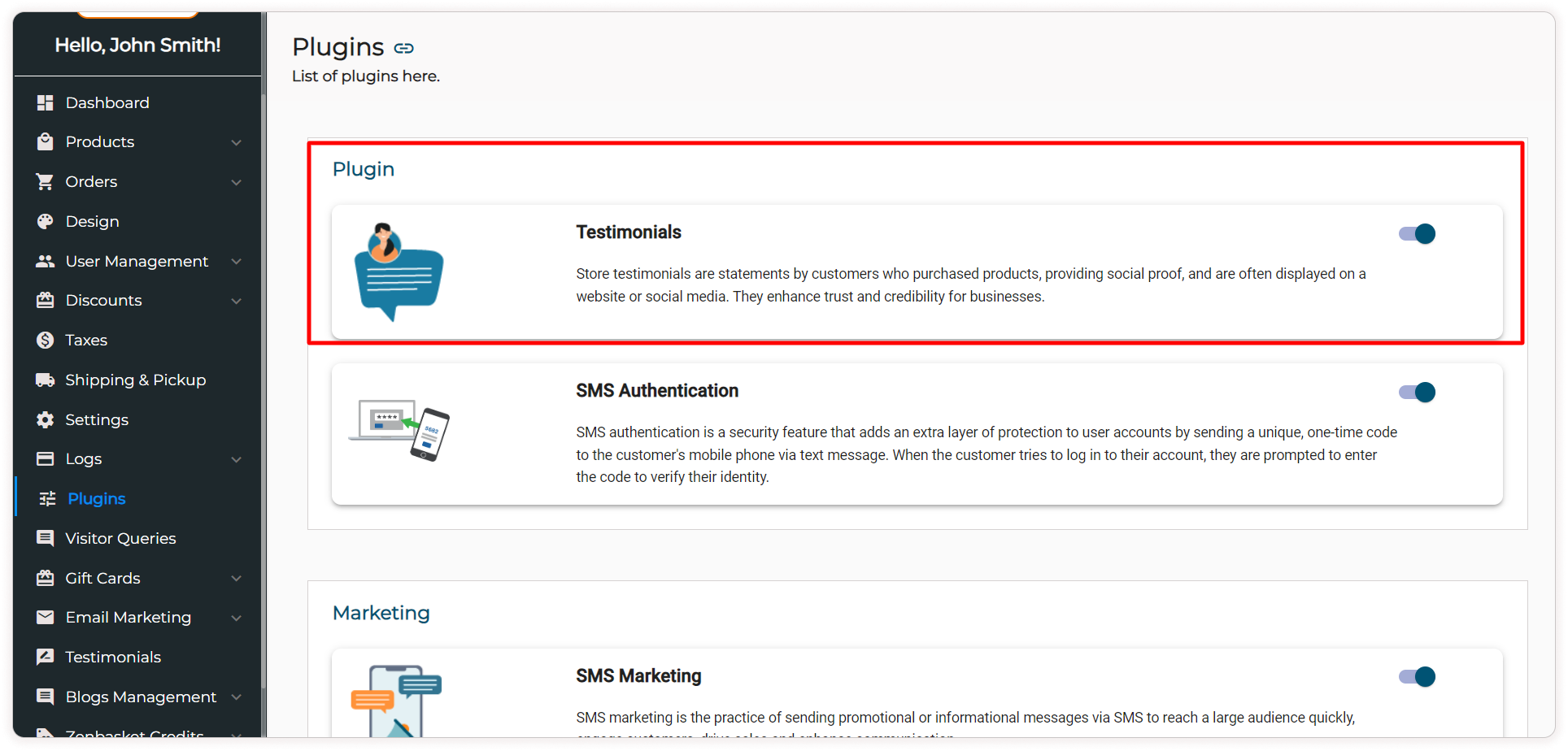
To integrate customer testimonials into your ZenBasket store, head to your control panel and enable the Testimonials Plugin in the "Our Plugins" section.
Once activated, adding a testimonial is a breeze. Click on "Add Testimonial", input the customer's name and designation for a personal touch and then share their feedback. Optionally, include an image to humanize the experience (formats: JPG, JPEG, PNG, GIF, or WebP). Ratings can add authenticity and consider asking customers to provide them.
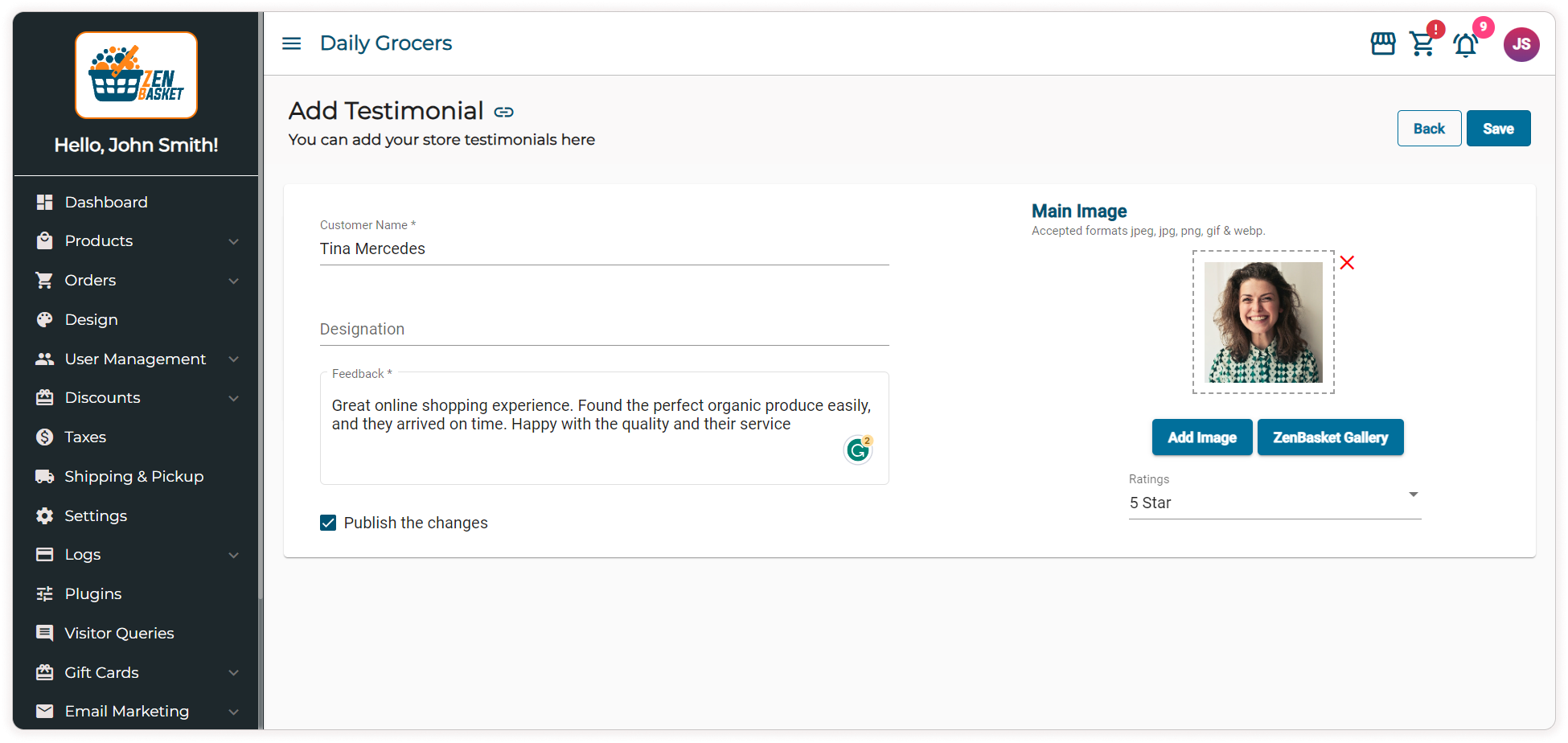
Once you're satisfied with the testimonial, click "Save" to successfully create the testimonial.
Manage Your Testimonials
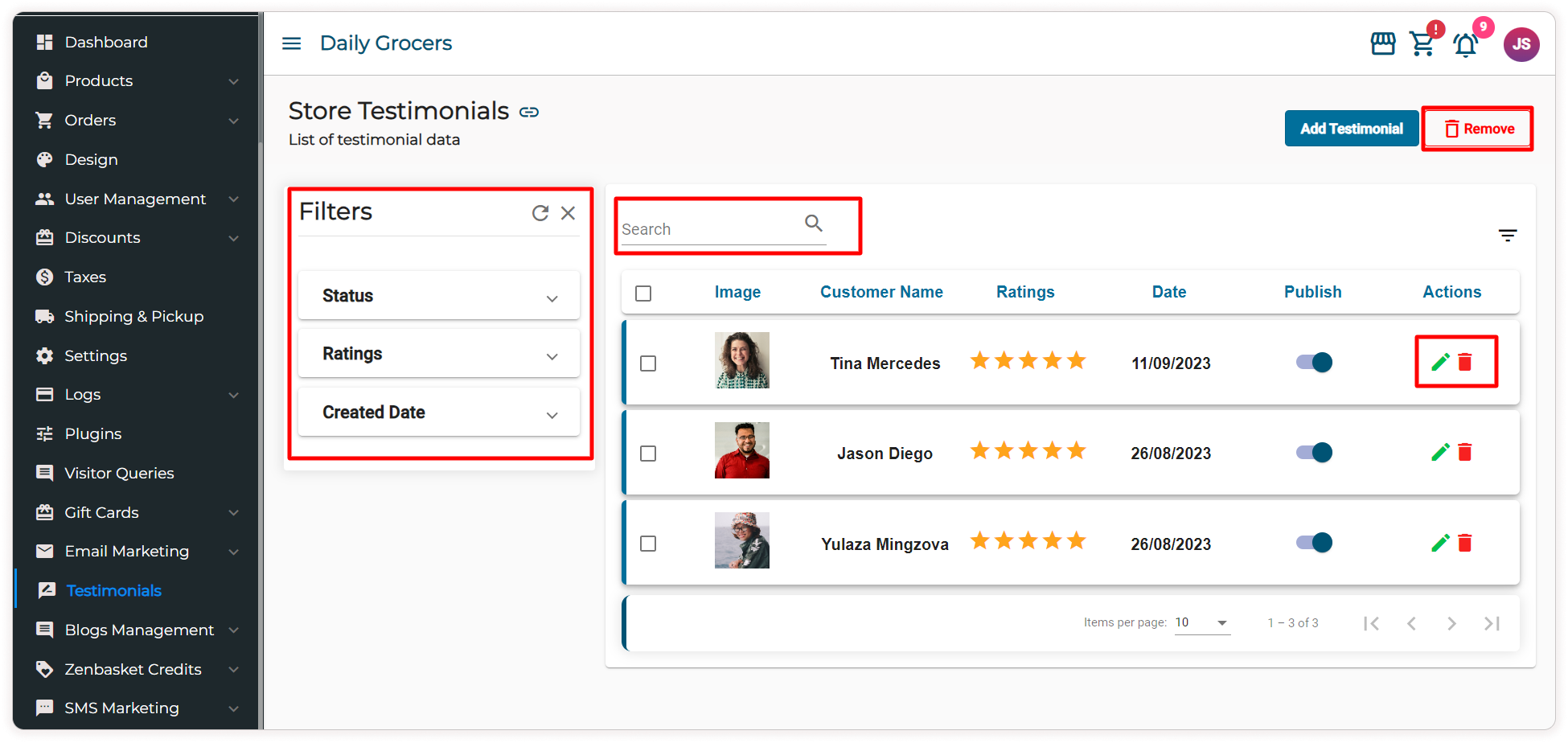
With ZenBasket, handling your testimonials is made easy. You can quickly search for a specific customer testimonial by using the search bar. To organize your testimonials, you can utilize the filter icon to sort them by their status, ratings, or creation date. If you need to modify a testimonial, click on the edit icon under the "Actions" tab. To remove a single testimonial, click on the delete icon against that particular testimonial. For deleting multiple testimonials simultaneously, you can check the boxes next to the ones you want to remove and click on the "Remove" button. ZenBasket provides a user-friendly platform for managing your testimonials effectively.
The Final Thoughts
Customer testimonials strengthen your brand, showcase customer satisfaction, and add a human touch that resonates with new customers. Follow our simple instructions for activating, adding, and managing testimonials to unlock their full potential. Ready to build trust and boost sales? Activate the Testimonials Plugin on ZenBasket now!