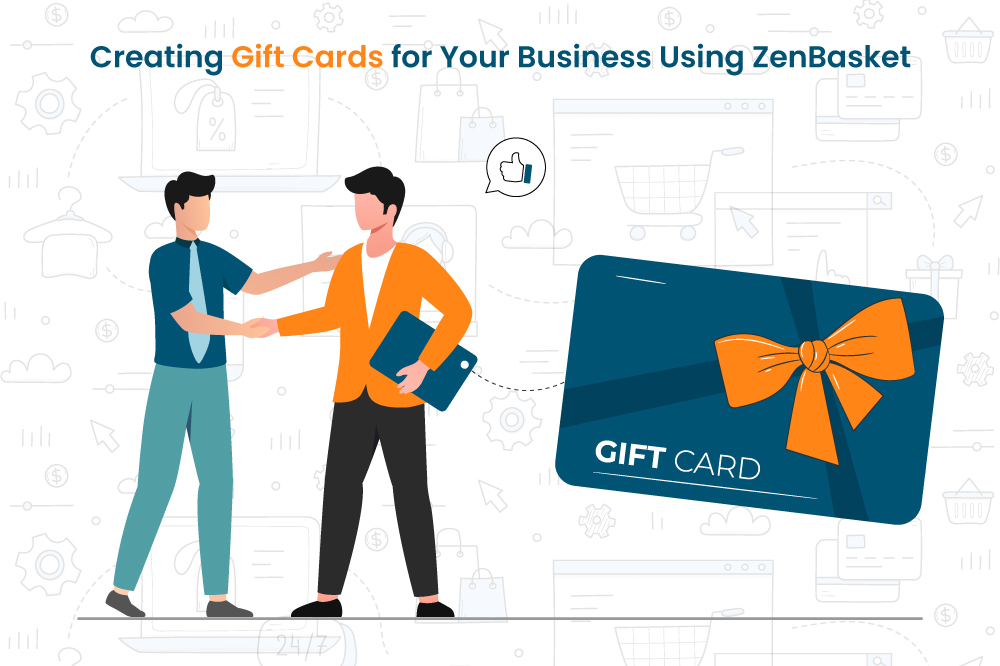
Digital gift cards are like special presents that you can offer to your customers in your online store. During the holiday season, people really like these online gift cards because they are easy to use. They can be sent through email or text messages, and they come with a secret code that can be used to shop online. So, if you have an online store, offering gift cards can make your business grow faster.
With ZenBasket, you can keep track of all these gift cards. When customers buy things from your online store, they can easily use their gift cards at the checkout. This makes shopping online simple and quick.
Reasons to offer gift cards for your online business
Increase sales: Digital gift cards can help you make more money, especially during challenging times or when you need additional revenue.
Getting new customers: Your current customers can help promote your online store by buying gift cards and giving them to their friends and family. This way, more people get to know your business, and you get more customers.
Promotions and deals: Gift cards can be used to run promotions in your business. For example, some companies give out gift cards as rewards when customers buy a lot of stuff. This encourages customers to shop more with you and helps increase sales.
Easy fulfillment and redemption: Digital gift cards are great because they don't cost a lot. They don't need to be shipped or stored like physical cards, and customers can use them right away. This is valuable because customers can buy and use them on the same day. Additionally, customers don't have to worry about keeping physical cards.
How to Design Your Gift Cards
Your gift cards should be designed to reflect your brand identity. Ensure that you include your logo, online store address, and other essential information. You may also want to include a message from the buyer to the recipient of the gift card.
As you get into the design process, assess the best gift card solutions for your business based on specific needs and budget considerations. Gift card solutions can vary in price, ranging from free to several hundred dollars. Some gift card solutions offer more features than others. Keep in mind that the gift card solution you create should be easy to use and manage.
How to create gift cards in ZenBasket
You can create gift cards for your online store with ZenBasket by logging into your admin account, going to the Menu, and clicking on the All Gift Card sub-menu. This will enable you to create your first gift card.
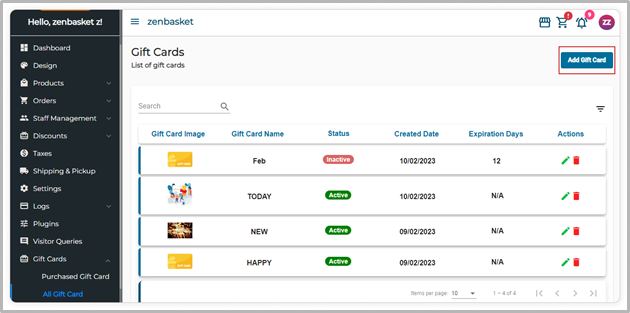
Image selection: Begin by adding a suitable name, description, and an appealing image from your device or ZenBasket Gallery to your gift card.
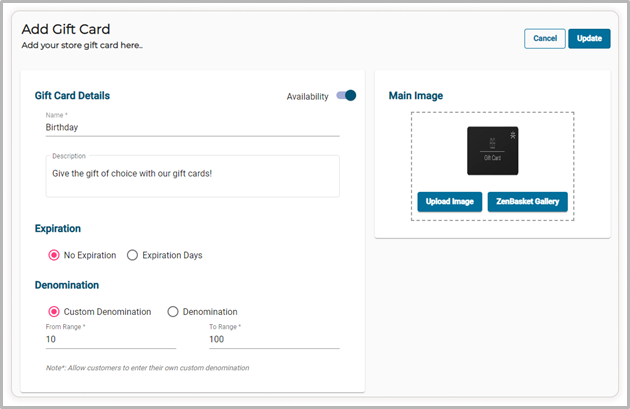
Expiration settings: Choose between "No Expiration" for timeless cards or specify an expiration period in days to create urgency.
Denomination options: Offer flexibility with a custom denomination range or simplicity with set denominations. Customers can easily choose from these options.
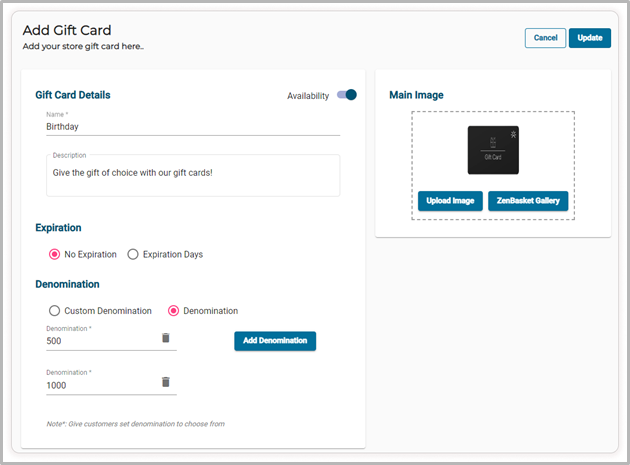
Availability control: The default availability toggle ensures visibility, but you can hide the gift card if needed.
Save configuration: After configuring, click "Save" to activate your customized gift card program.
Gift card management: After you begin offering gift cards, it's important to manage them well. Keep track of balances in the "Purchased Gift Cards" section under the "Gift Cards" main menu. Here, you can see the coupon code, balance amount, buyer details, and recipient details.
Conclusion
Now that you understand the benefits of gift cards and how to create them with ZenBasket, Failing to offer gift cards in your online store could mean missing out on significant opportunities. Take advantage of online gift cards to increase your business and achieve more success. See how ZenBasket can help you set up your online store by trying a free trial.