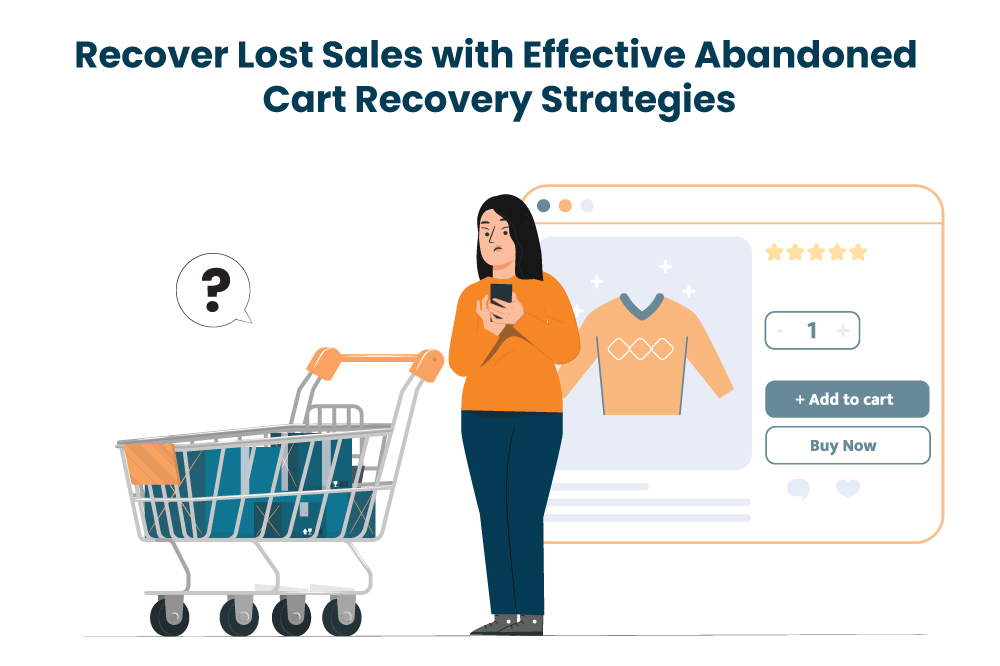
Cart Abandonment: A Closer Look
Imagine your potential customers eagerly browsing through your online store, adding products they love to their virtual shopping carts. However, at the moment when they are just one step away from completing the checkout process, something causes them to hesitate resulting in an abandoned cart. This phenomenon is commonly referred to as "cart abandonment."
Cart abandonment is a frustrating experience for the online store owner, as it represents a missed opportunity for a successful sale. Understanding the reasons behind cart abandonment is crucial for businesses looking to optimize their sale and increase conversions.
Abandoned Cart Recovery: Strategies, Email Best Practices & How ZenBasket Helps
Why Do Customers Abandon Their Carts?
Before you can recover abandoned carts, you need to understand what's driving them. Here are the most common reasons:
Unexpected costs: Additional fees at checkout, like shipping or taxes, can deter buyers.
Comparison shopping: Many customers add items to carts across multiple stores before deciding where to buy. They may never have intended to purchase immediately.
Complex navigation: A confusing website layout can frustrate users.
Limited payment options: Not offering the preferred payment methods can make buyers hesitate.
Unclear policies: Ambiguous return and delivery policies create uncertainty.
Slow delivery estimates: Customers may abandon their cart if the delivery timeframe is too long.
Distractions and timing: Sometimes life simply gets in the way. The customer intended to buy but got interrupted and forgot to return.
Part 1: Store-Level Strategies to Reduce Cart Abandonment
With the right strategies from ZenBasket, these concerns can be effectively addressed, ensuring a smooth shopping experience for your customers.
Here are some helpful strategies to tackle these issues:
Improve store layout for easy browsing
Your website should welcome your customers and provide an organized virtual space that is easy to navigate, similar to moving around familiar aisles in a brick and mortar store. You can achieve this by strategically placing buttons and options that enable your customers to easily add items to their cart, review their selections and make any needed changes before completing their purchase.
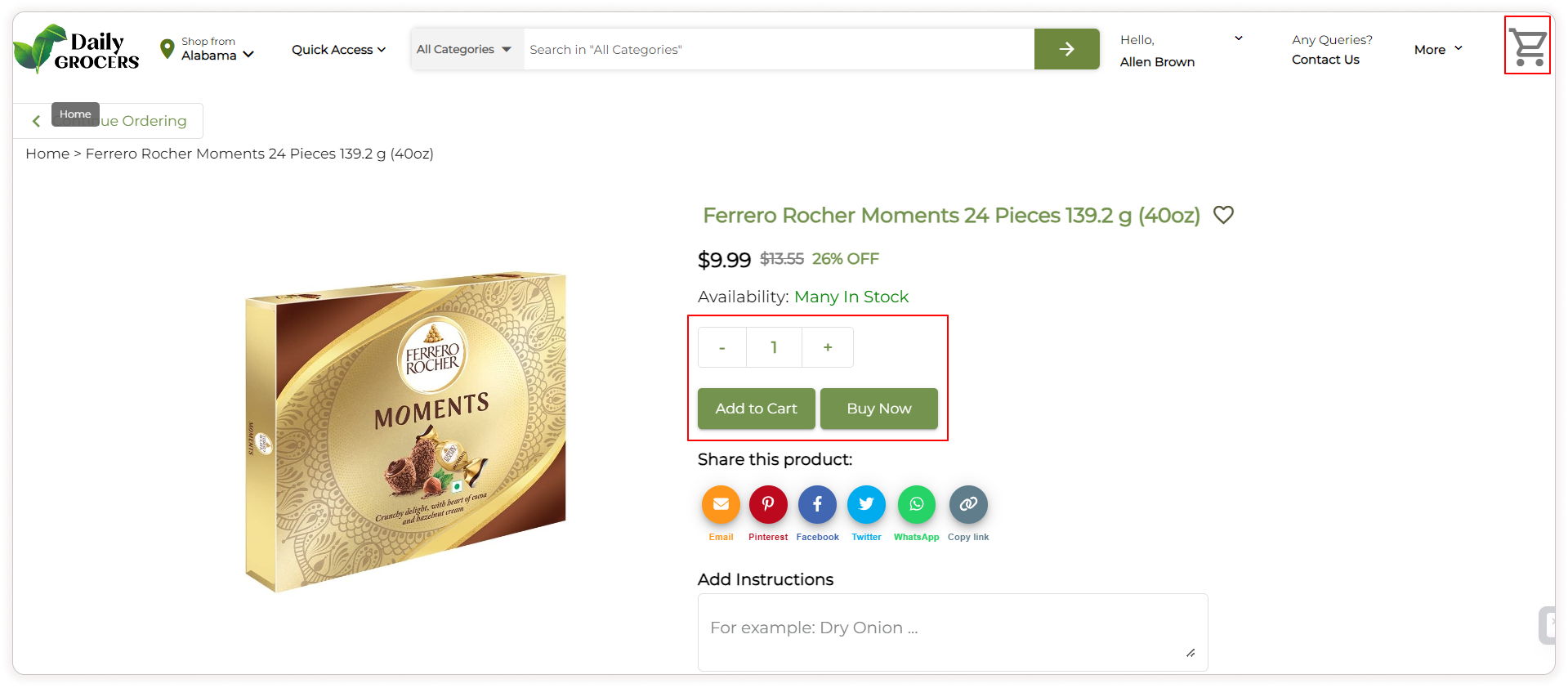
Having an online store with ZenBasket means your website can offer your customers the convenience of obtaining products instantly with a "Buy Now" or "Add to Cart" button located close to each product. ZenBasket allows customers the flexibility to edit their orders before finalizing their purchases, ensuring they have full control over their selections. The user-friendly navigation on your website further enhances your customers' shopping experience, allowing them to find their favorite products.
In addition, the website is optimized for mobile devices and loads quickly.
In ZenBasket, displaying customer reviews close to the products is a seamless process that reinforces product value and trust. You can also showcase customer testimonials on your storefront, providing further social proof that enhances credibility and encourages more sales.
Make the return policy clear and visible
Ensure that your return policy is clearly and prominently displayed, allowing your customers to easily find information about returns and refunds. This way, they will be aware of their options in case of any issues with their purchase, and it demonstrates your commitment to customer satisfaction.
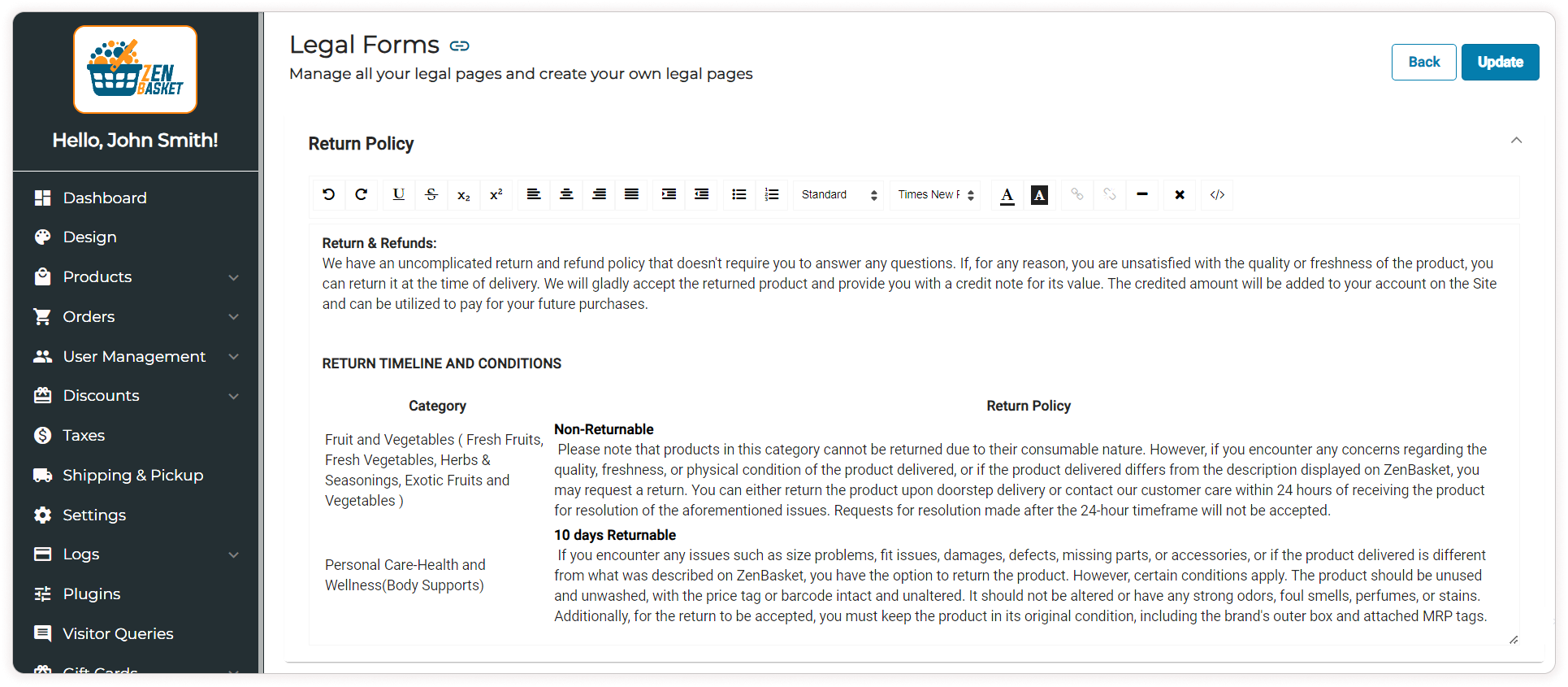
Consider creating a dedicated page on your ZenBasket website specifically for return and refund information. This page should provide comprehensive details regarding the return process, including timeframes, conditions for returns (such as unused or unopened items), and any associated fees or shipping costs.
Be ready to help your customers with their concerns
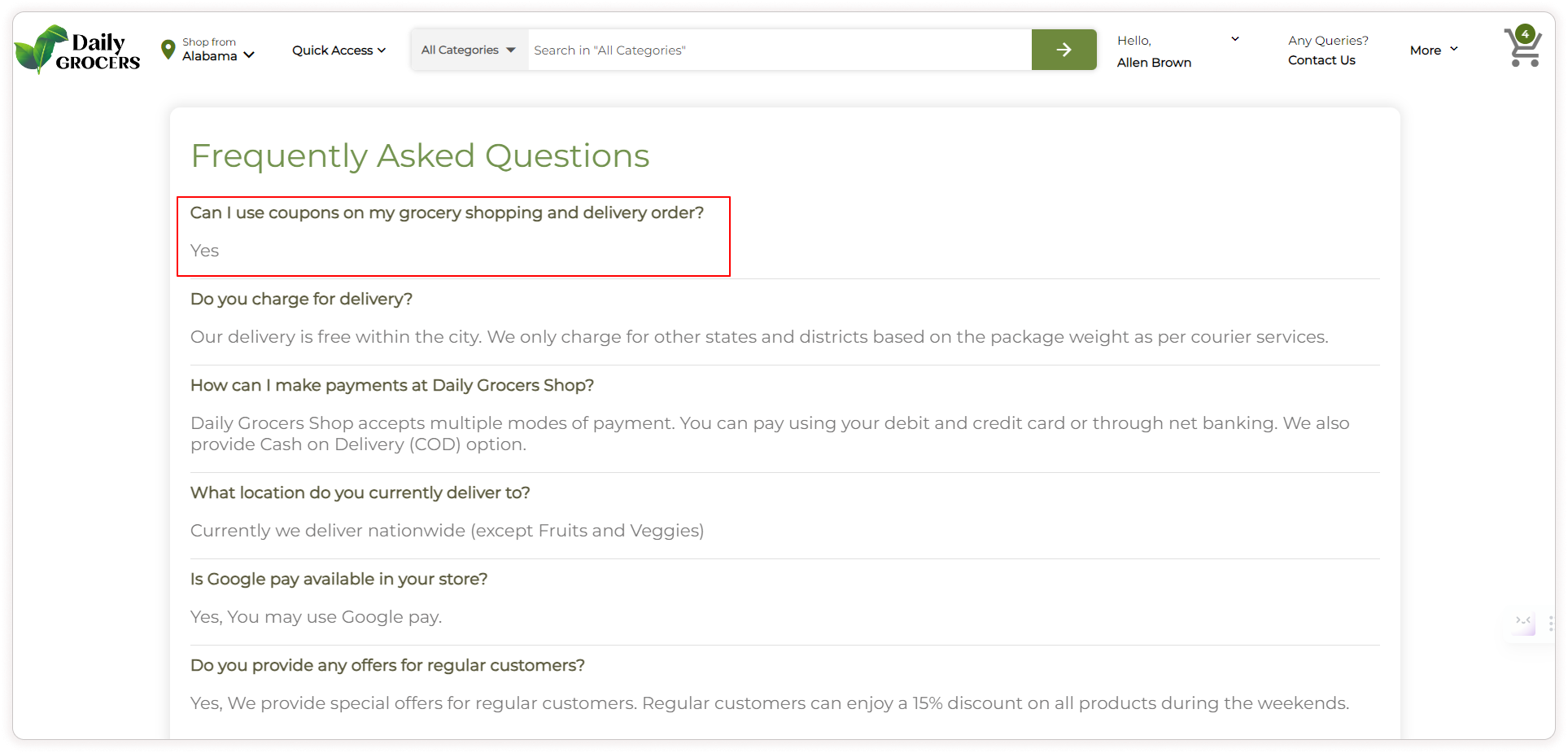
Ensure you are readily available to assist your customers whenever they encounter challenges during the purchasing process. Provide direct support through clearly displayed phone numbers, email addresses, and live chat options on your website. Additionally, consider incorporating a Frequently Asked Questions (FAQ) section to address common customer queries, offering indirect support that can help buyers without the need to contact you directly.
Give your customers multiple payment options
It is important to take into account the various payment options in your store. Customers have diverse preferences when it comes to payment options. When choosing payment gateways, take into account factors like their popularity, convenience for customers, and the security measures they offer to ensure a seamless and secure payment experience.
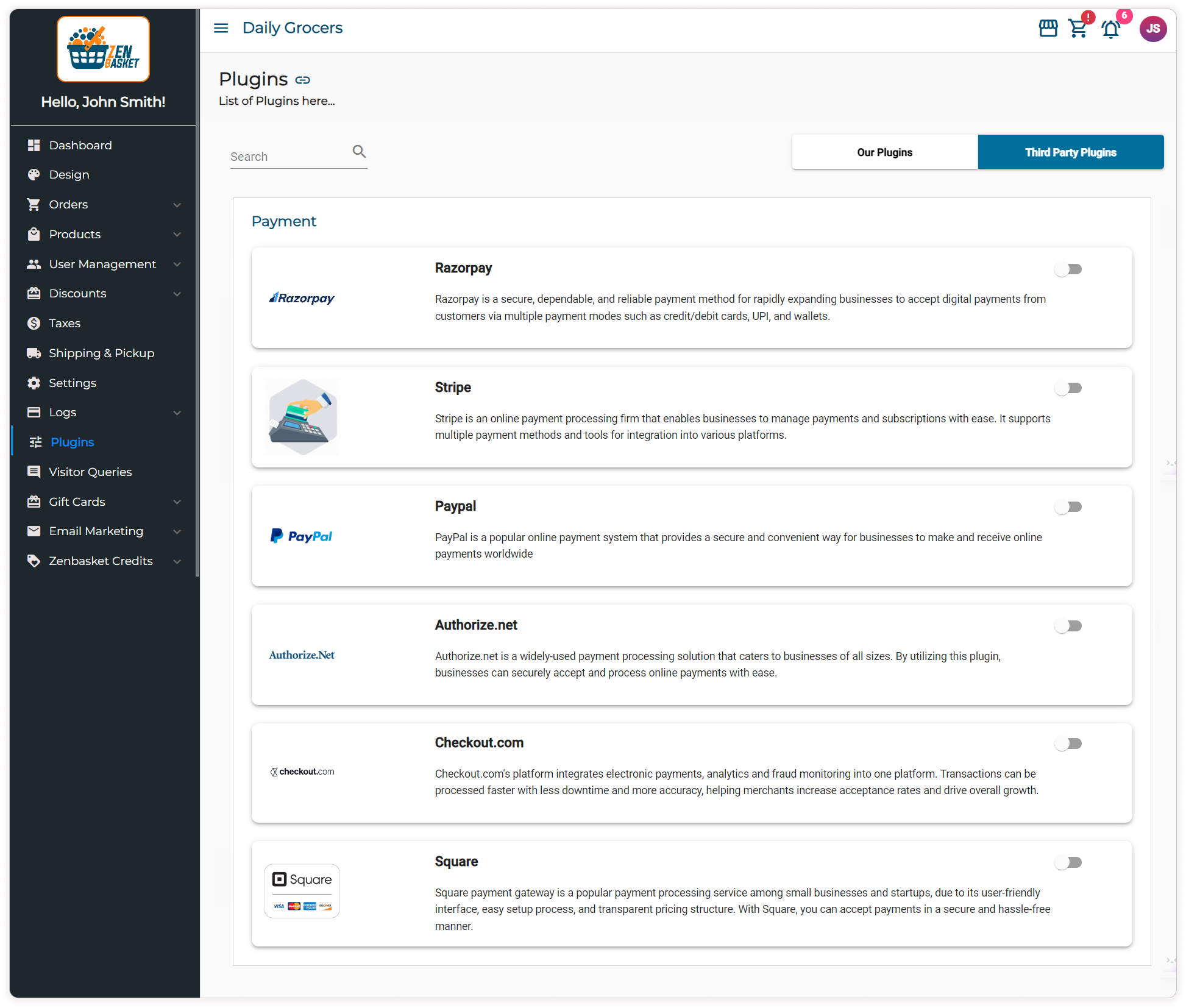
When you begin your online business with ZenBasket, you can take advantage of the various payment options as the platform is integrated with various third-party payment gateways, providing a wide range of choices to facilitate smooth and convenient transactions.
You can offer your customers the flexibility to make payments through credit or debit cards, Gpay and Cash on Delivery (COD).
The option to save card details not only saves time but also minimizes the risk of cart abandonment.
Stick to a simple checkout process
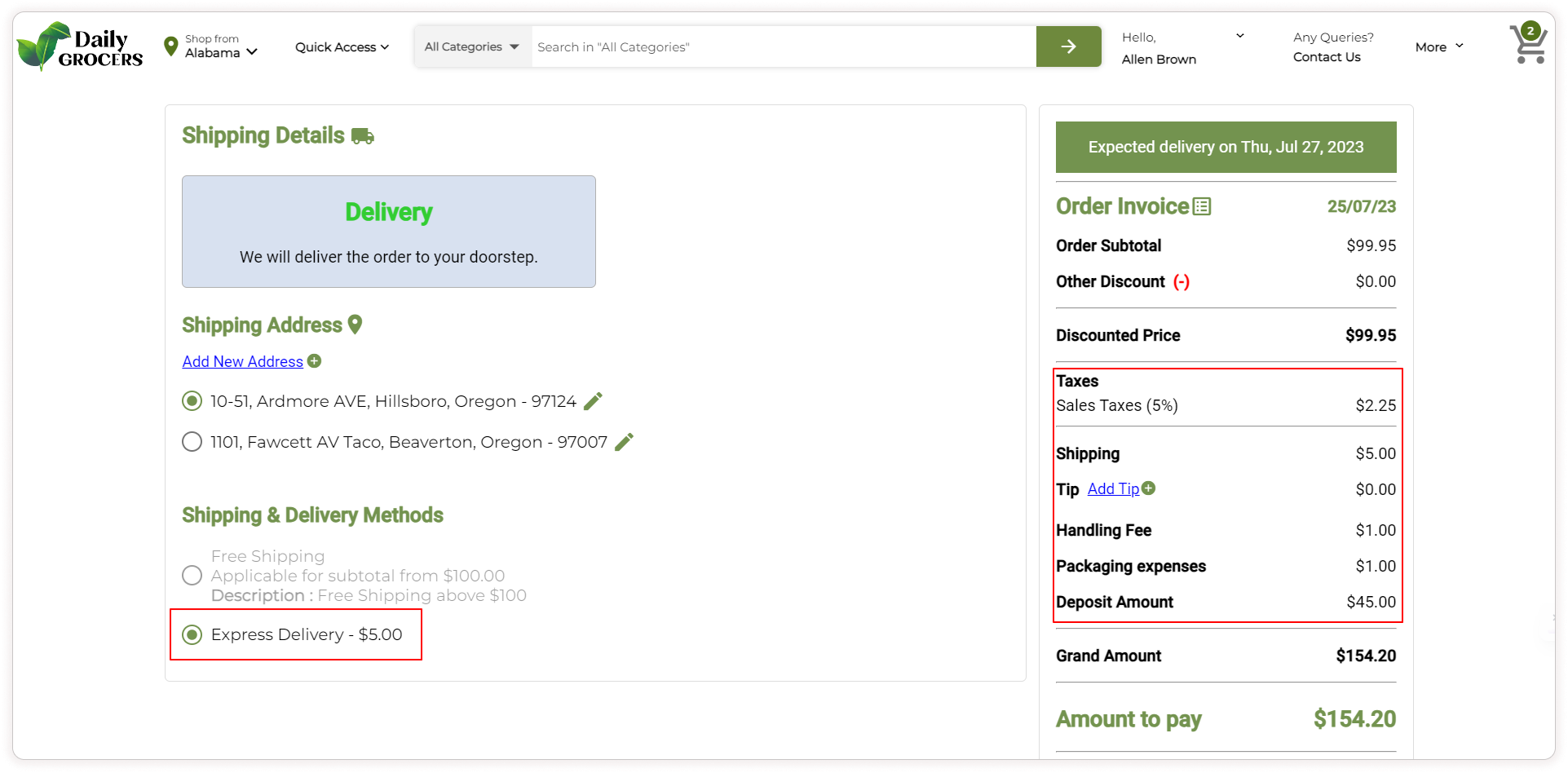
Anything beyond the product's listed price can potentially catch your customers by surprise. This includes additional expenses like shipping costs, taxes, tips, and various fees. However, by proactively informing your customers about these charges and offering transparent information, you can enhance their shopping experience in your store.
Consider providing clear explanations for any additional fees to ensure customers are aware prior to completing their purchase.
With ZenBasket, your customers can easily view shipping rates, product specific taxes based on their location, tips, and any necessary handling fees on the checkout page.
In addition, the 'Save for Later' feature on the cart page makes it easy for your customers to return and pick up where they left off. This can be particularly effective for customers who need time to consider their purchase.
Show delivery times
Waiting endlessly for eagerly anticipated products without a clear delivery date can be frustrating. By including an estimated delivery date at checkout, you help your customers understand when they can expect their package, allowing them to plan accordingly.
If you are a ZenBasket store owner, your customers can conveniently view the estimated delivery date during checkout, preventing any confusion or frustration.
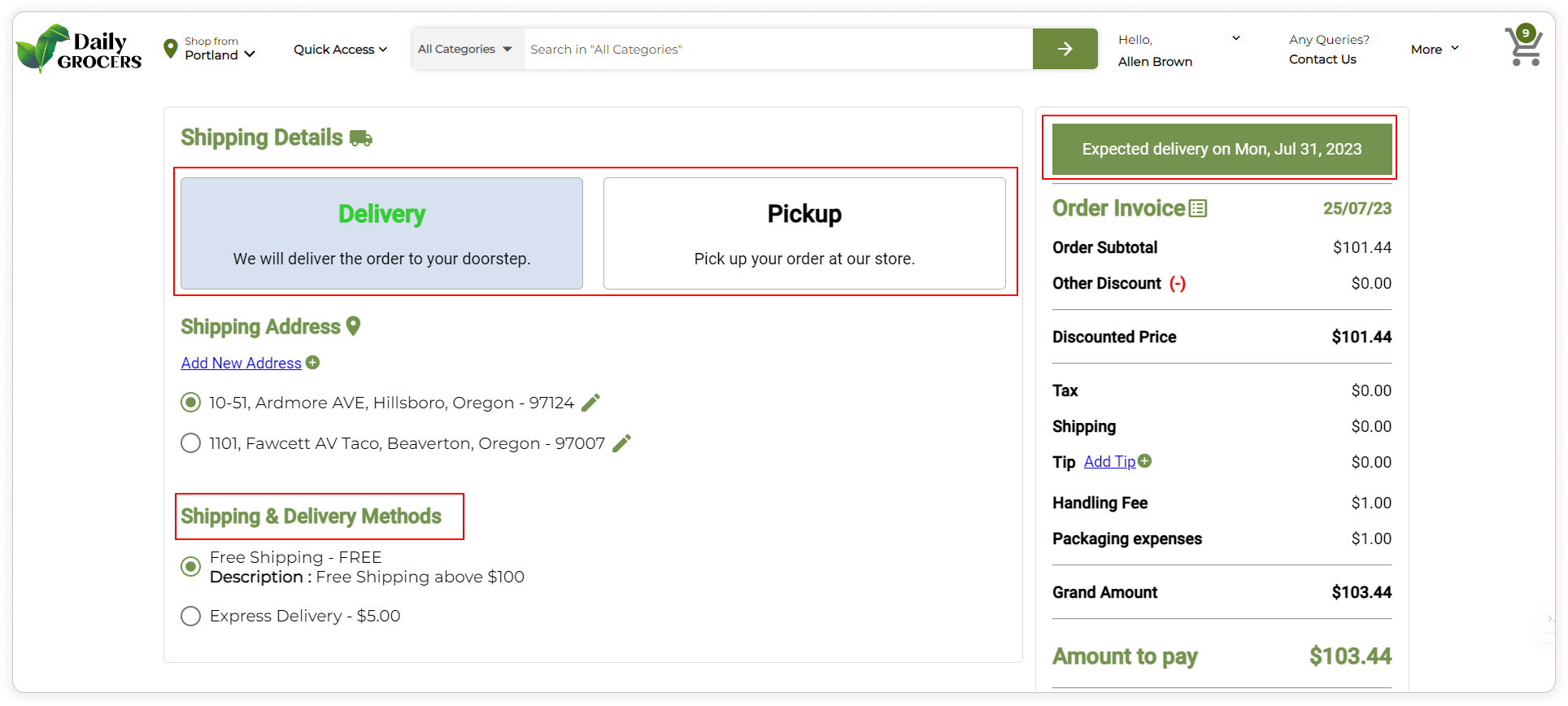
With different shipping options available, your customers might opt for faster delivery to receive their orders sooner or even opt for an in-store pickup option.
No forced account setup
While obtaining customer information through sign-in can be beneficial for marketing and data analysis purposes, making it mandatory for purchase might not always be the optimal approach. By offering the option for guest customers to make purchases without creating an account, you streamline the process and minimize any potential delays that could arise from mandatory account creation.
Personalized retargeting Ads
Implement personalized retargeting ads that remind potential customers of the products they left in their cart as they browse other sites. These ads can be highly effective in bringing customers back to complete their purchases.
Part 2: Abandoned Cart Emails: How to Win Customers Back
Even with the best store experience, some customers will still leave without buying. That's where abandoned cart emails come in. These are automated messages sent to customers who added items to their cart but didn't complete the purchase. Done well, they're one of the highest-ROI tools in ecommerce.
What makes a good abandoned cart email?
The goal is simple: remind the customer what they left, address whatever hesitation they had, and make it easy to come back and finish the purchase.
Here's what every effective abandoned cart email needs:
A clear reminder of what was left behind. Include the product name, image, and price. Make it visual and specific, not just "you left something in your cart."
A direct link back to the cart. Don't make them search for the product again. One click should take them straight to their pre-filled cart ready to checkout.
A compelling subject line. This determines whether the email gets opened at all. Good examples:
"You forgot something…"
"Your cart is waiting, here's 10% off"
"Still thinking it over? We saved your items."
Personalization. Use the customer's first name and reference the specific products they left. Generic emails feel like spam; personalized ones feel helpful.
An incentive (used carefully). A discount code or free shipping offer can tip hesitant customers over the edge but don't train customers to always abandon carts expecting a coupon. Use incentives in later follow-up emails, not the first one.
.png)
When to send abandoned cart emails: The 3-email sequence
Timing is everything. A single email rarely recovers as many carts as a well-spaced sequence. Here's a proven structure:
Email 1: 1 hour after abandonment Send a simple, friendly reminder. No pressure, no discount. Just "hey, you left something it's still saved for you." This catches customers who got distracted and genuinely meant to come back.
Email 2: 24 hours after abandonment A slightly warmer follow-up. Mention social proof (e.g., "others are loving this product"), add urgency if stock is limited, and consider including a small incentive like free shipping.
Email 3: 3–5 days after abandonment Your final attempt. This is where you deploy your strongest incentive: a discount code, a limited-time offer, or a free gift with purchase. Make it clear this is the last nudge.
After three emails, stop. Over-emailing damages your sender reputation and irritates customers.
Best practices for abandoned cart emails
- Keep it mobile-first. Most emails are opened on phones. Use a single-column layout, large tap targets, and a prominent CTA button.
- Focus on one CTA. Your email should have one job: get them back to the cart. Don't clutter it with navigation links, blog posts, or secondary promotions.
- Test subject lines. A/B test different subject lines to see what resonates with your audience. Even a small improvement in open rate compounds significantly over time.
- Match your brand voice. If your brand is playful, your email can be too. If it's premium and formal, keep the tone elevated. Abandonment emails shouldn't feel like a different brand.
- Segment your audience. High-value carts deserve more effort (stronger incentives, more follow-ups) than low-value ones. New customers may need more reassurance; returning customers may just need a nudge.
How ZenBasket Powers Your Recovery Strategy
ZenBasket's built-in abandoned cart recovery tools make it easy to automate the entire process:
- Automated email sequences are triggered the moment a cart is abandoned no manual setup needed for each customer.
- Personalized email campaigns that dynamically insert the customer's name and the exact products they left.
- Customizable timing so you control when each email in the sequence goes out.
- Performance tracking to see open rates, click-throughs, and recovery revenue at a glance.
Combined with ZenBasket's mobile-optimized storefront, transparent checkout flow, and trust-building features like customer reviews and clear return policies, you have a complete system for both reducing abandonment and recovering the carts that do slip away.
Key Takeaways
- Cart abandonment is inevitable, but recoverable. Most stores can reclaim 10–15% of abandoned carts with the right approach.
- Fix friction first. Surprise costs, complicated checkouts, and lack of trust cause more abandonment than anything else.
- Follow up fast. The first hour after abandonment is your best window. A 3-email sequence dramatically outperforms a single message.
- Personalize everything. Name, product images, and specific details make abandonment emails feel helpful, not spammy.
- Incentives are the closer, not the opener. Save your discount for the third email, not the first.
Stop Leaving 70% of Your Revenue on the Table
7 in 10 online shoppers leave without buying. That's not a fringe problem, it's the default reality of ecommerce. The stores that win are the ones that follow up automatically, while everyone else watches that revenue walk out the door.
Recovering abandoned carts automatically can bring back 10–15% of lost sales without you following up manually with every customer.
ZenBasket has abandoned cart recovery built in from day one; no third-party apps, no extra monthly fee. Set it up once in under 10 minutes and let it run in the background, recovering sales while you focus on growing your store.
Start Your Free ZenBasket Store →
Take a look before you sign up. Watch the demo to see how easy it is to get started!