Manage inventory the ZenBasket way
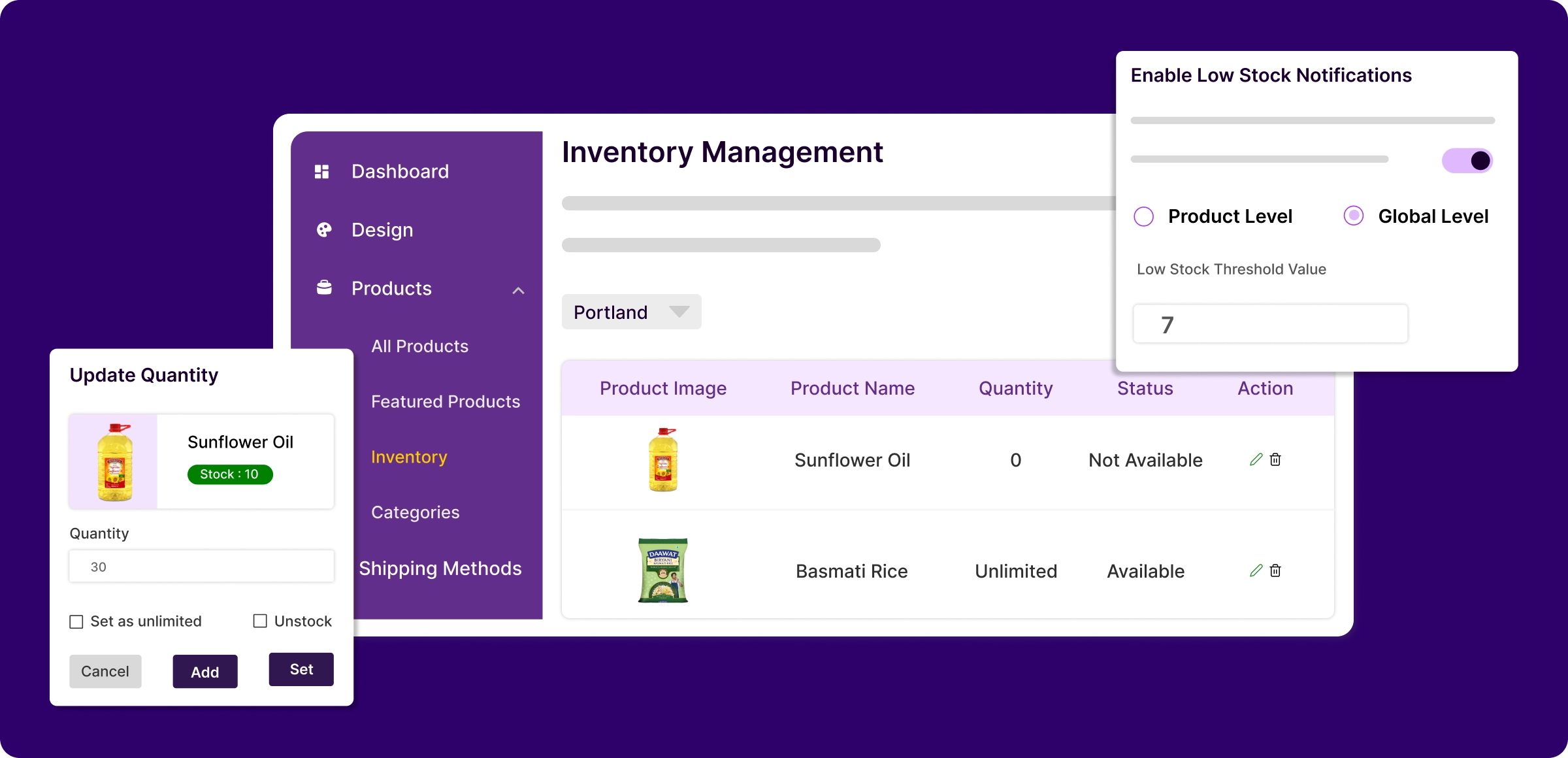
A simple, structured way to keep your stock accurate with ZenBasket's inventory management system and easy-to-follow steps.
Monitor stock in real time
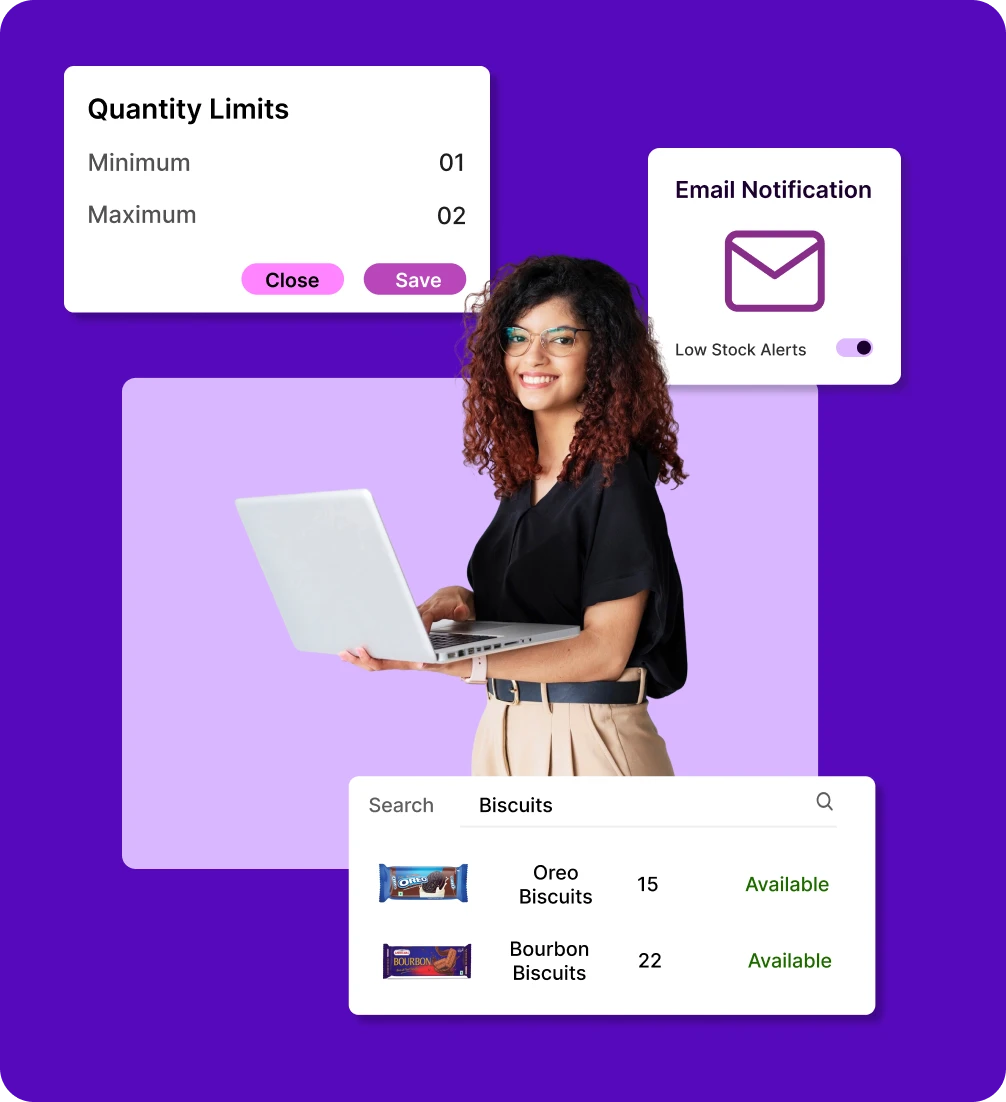
Access up-to-date inventory levels across all locations instantly. Maintain full visibility of stock quantities without manual tracking.
Locate products with ease
Search by product name or SKU, and use location-based filters to quickly find, review, and manage specific items without hassle.
Adjust and control quantities
Quickly update stock levels, set purchase limits, or mark items unlimited for improved inventory management.
Quick action on low stock
Receive low stock alerts and use filters to detect critical inventory levels. Restock in time to ensure smooth, uninterrupted sales.
Hidden inventory management issues
Unnoticed stock control issues can quietly drain profits, delay orders, and weaken customer trust.
Seasonal stock
struggles
Demand shifts fast; overstocking wastes cash and space, understocking costs you sales and customers.

No unified
stock view
Without centralized inventory, selling across locations risks overselling or delays due to lack of real-time stock visibility.

Poor demand
forecasting
Guessing demand results in costly mistakes; stock outs during promotions or slow‑moving inventory after sales events.

Inventory blind
spots
Without accurate tracking, you risk selling products you don't have in stock or shipping the wrong items.

Stay on top of
inventory
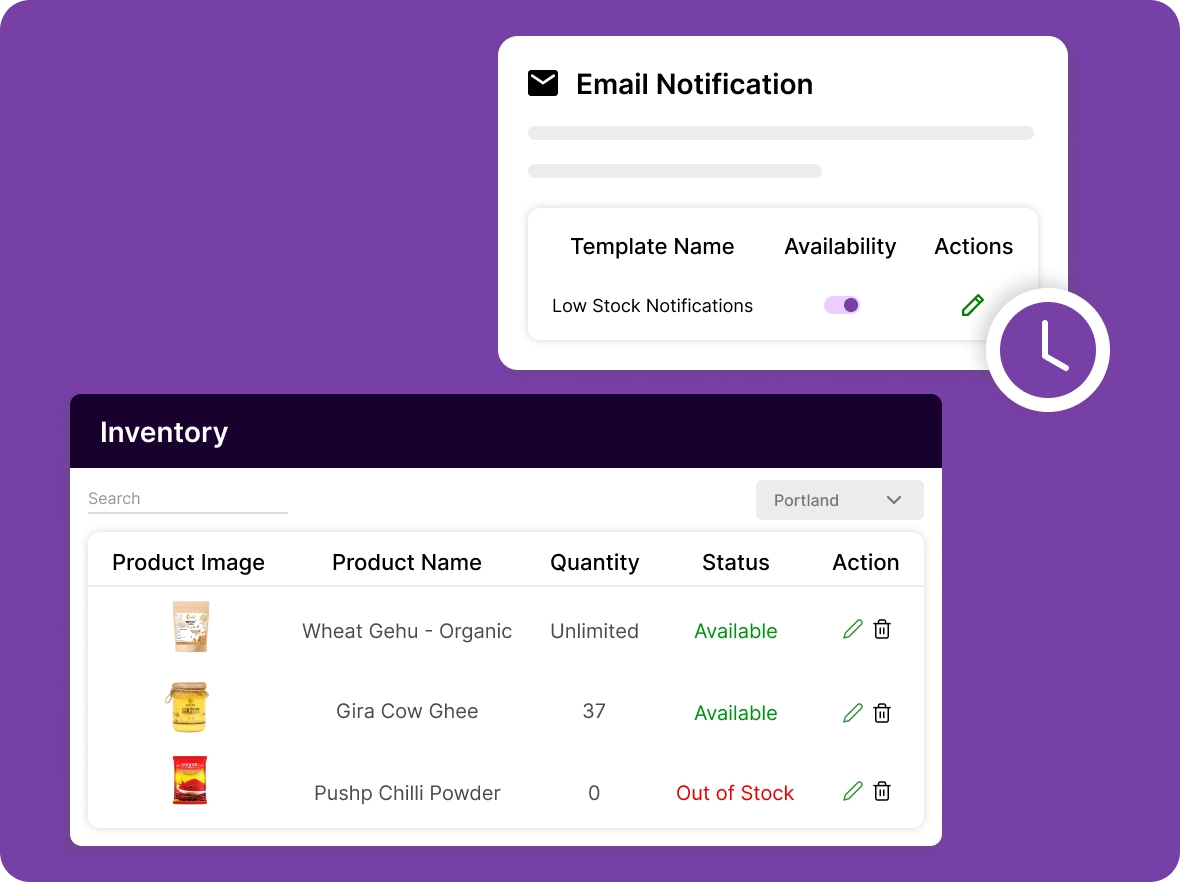
Monitor every product with real‑time accuracy and never miss a detail. Get instant alerts when stock is running low, ensuring proactive restocking and uninterrupted sales.
Set smart purchase
limits
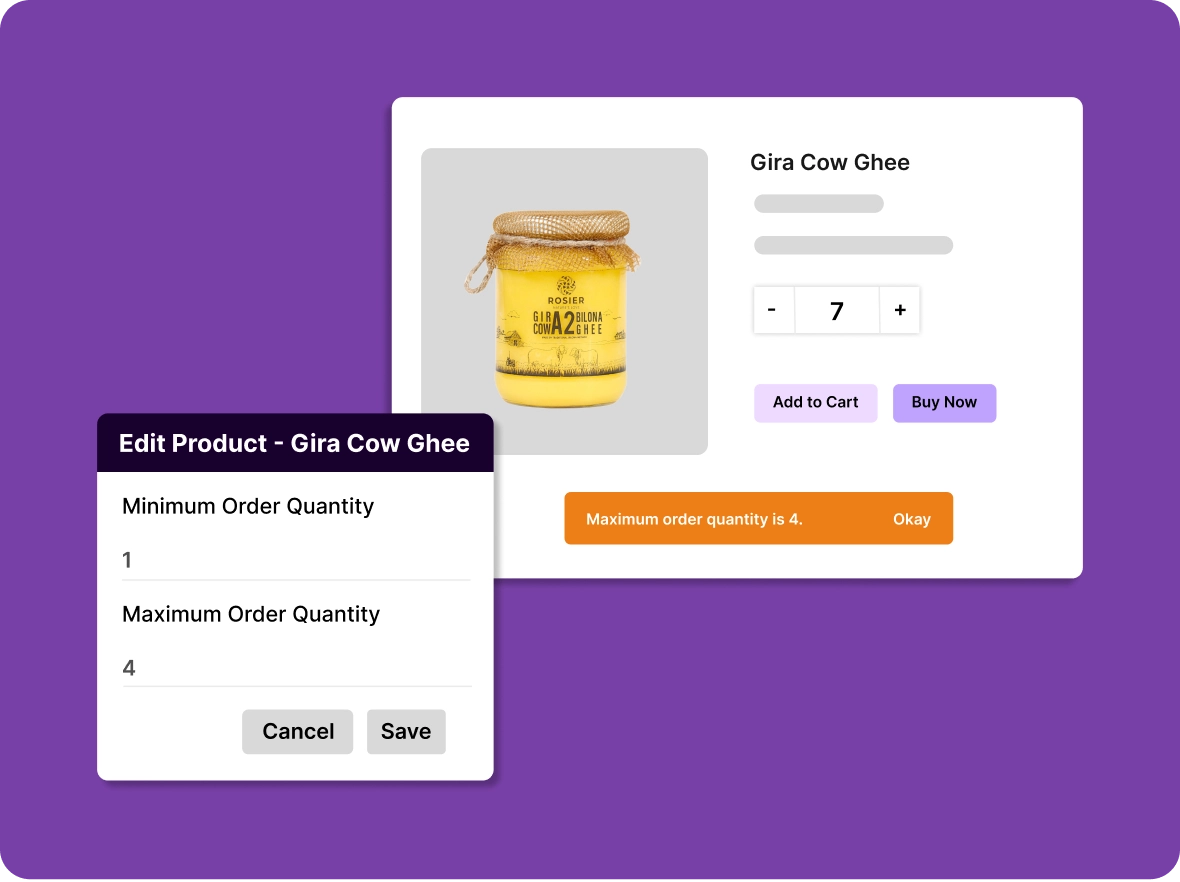
Set clear minimum and maximum purchase limits for each product. Prevent bulk buying or underselling in a single transaction to maintain healthy stock levels.
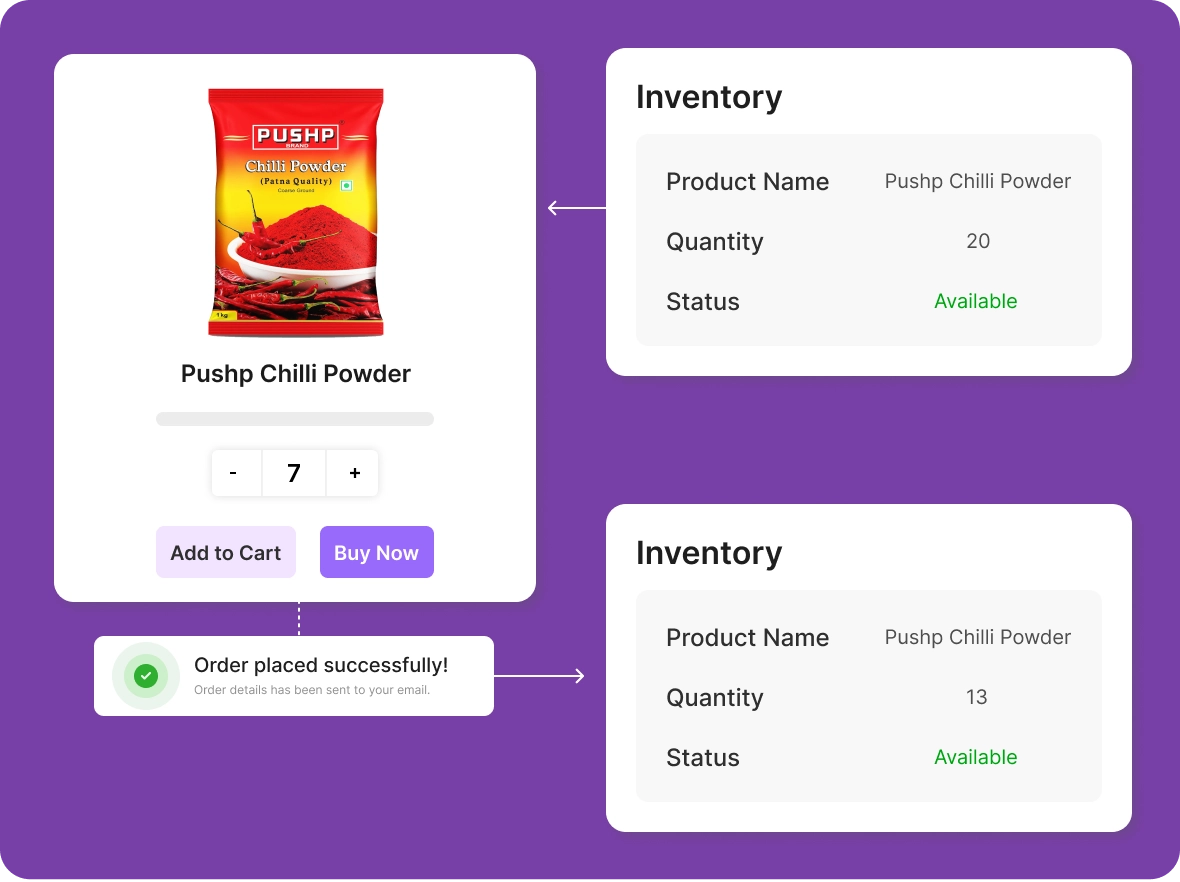
Auto‑update your
stock
Save time with automatic inventory adjustments after every sale. Keep stock counts accurate without the hassle of manual updates.
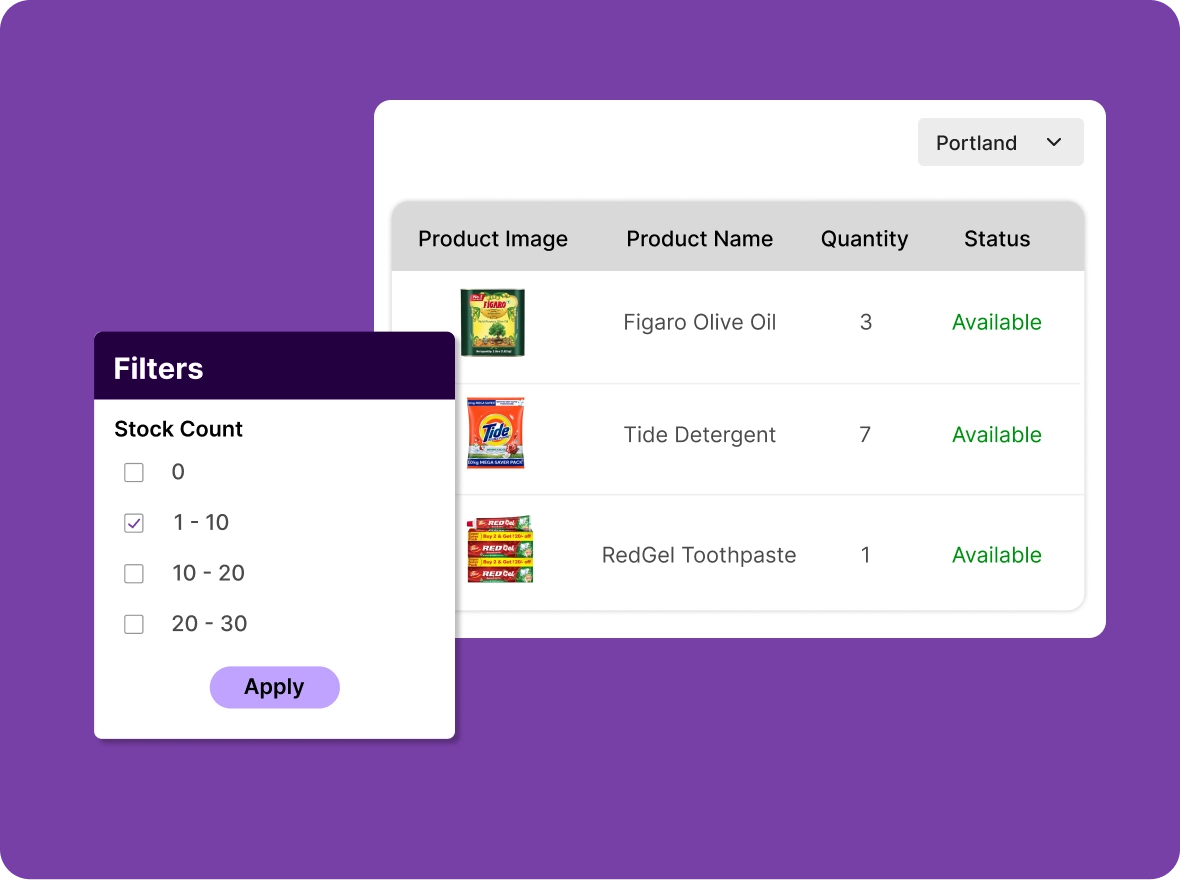
Filter for low stock
items
Easily filter your inventory to find low stock products in specific locations. Focus on restocking these items to keep your inventory balanced across all channels.
Why choose ZenBasket
Empower your business with inventory control that turns stock management into a growth driver through smarter restocking.

Track stock the
smart way
Monitor inventory with ease using clear stock levels, low-stock alerts, and real-time updates. Always know what's available so you can restock at the right time and avoid missed sales.

Multi-location
inventory
Manage stock across multiple locations from one place. Track quantities and availability to keep every branch stocked and fully operational at all times.

Faster, error-free
operations
Reduce manual work with simplified stock updates, organized inventory data, and accurate control. Keep your catalog clean, speed up order handling.
General FAQs
Get quick clarity on our product and common queries. Have more questions? Connect with our support team.
An inventory management system tracks and controls stock levels, orders, and sales in real time for accurate, efficient business operations.
Absolutely. ZenBasket lets you define low-stock limits and sends instant notifications when products require replenishment.
ZenBasket offers real-time stock tracking, smart filtering, automated updates, and purchase limits to prevent stockouts, streamline operations, and make data-driven decisions.
Yes. You can review stock adjustments, past quantities, and movement logs to analyze trends and forecast better.
Absolutely. Organized stock and real-time tracking help reduce mis-picks, delays, and canceled orders while improving fulfillment speed and overall customer satisfaction.
Learn, explore, and grow
with expert resources

Blog
Inventory management is essential for companies to efficiently handle stock, ensuring prompt order fulfillment, accurate tracking, and timely deliveries to satisfied customers.
Learn More >
Help Center
Learn how to view and manage inventory for all products or individual items across any location using ZenBasket's inventory management tools, keeping your stock organized and up to date.
Learn More >
Video Tutorial
Accurate inventory helps prevent overselling and ensures timely restocking. This video clearly shows how to manage and organize your stock efficiently.
Learn More >Ready to take control
of your inventory
Take control of your stock and avoid running out or having too much. ZenBasket helps you keep your inventory accurate, and up to date.