
For local sellers, offering pickup is a smart way to cater to customers who prefer to order online but want to avoid shipping costs, potential product unavailability, or long delivery times. This approach is particularly useful for businesses like local restaurants taking online orders or grocery stores looking to expand their reach.
By providing pickup options, you can significantly improve the shopping experience for your local customers and drive more sales. ZenBasket is an ecommerce platform that enables you to offer highly customizable and customer-oriented pickup options for your store, helping you grow your local business effectively.
Types of Pickup Options
When implementing pickup options for your online store, it's important to understand the main types:
1. Self Pickup
Self pickup involves customers coming directly to a specified location, such as your store or designated pickup point. Provide detailed information like an address, contact details, and operating hours. This offers customers flexibility and a clear understanding of where and when to collect their purchases.
2. Curbside Pickup
Curbside pickup is designed for convenience and minimal contact. Customers place orders online and pick them up from a designated curbside location, where staff bring the orders directly to their vehicles. This method is quick, contactless, and ideal for today's environment.
3. Locker Pickup
Businesses use secure, automated lockers where customers can pick up their orders at any time. Lockers are often located in accessible public places, providing flexibility for customers who can't visit the store during regular hours.
4. Pickup Points/Locations
Orders are delivered to specific pickup points, such as partner retail stores, gas stations, or dedicated pickup centers. Customers choose the most convenient location during checkout. This option is useful for extending reach without needing additional physical stores.
5. Warehouse Pickup
Customers collect their items directly from a warehouse. This is particularly beneficial for businesses without physical storefronts or for bulkier items that are easier to manage at a warehouse.
Benefits of Offering Multiple Pickup Options
- Flexibility and Convenience: Customers can choose the method that best suits their schedule and preferences.
- Cost savings: Eliminates shipping fees, making it an attractive option for cost-conscious customers.
- Enhanced Safety: Minimal contact options like curbside and locker pickups cater to customers seeking safer shopping alternatives.
- Increased Foot Traffic: In-store pickups drive additional store visits, potentially boosting in-store sales.
- Customer Satisfaction: Offering various pickup methods improves the overall shopping experience and satisfaction.
How Pickup Works in ZenBasket
Implementing pickup options in your ZenBasket store is a straightforward process that enhances customer convenience. Here’s how you can set it up:
Enabling the Pickup Plugin
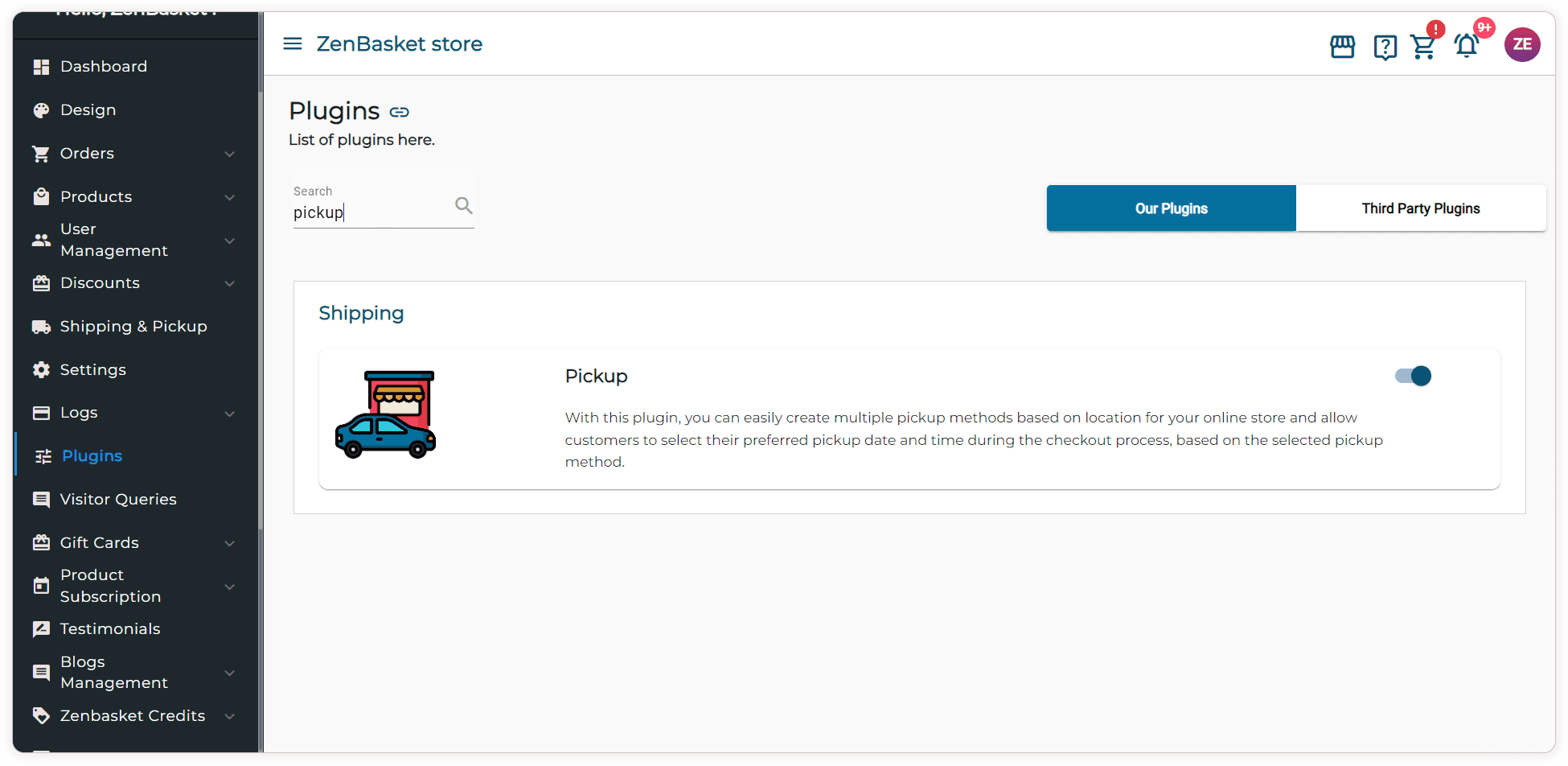
First, enable the pickup plugin from the store admin's plugin module. This feature allows you to create multiple pickup methods based on location, enabling customers to choose their preferred pickup date and time during checkout.
Setting Up Pickup Methods
1. Navigate to the Shipping and Pickup Module: Access the module to start creating your pickup methods.
2. Add a Pickup Method: Select the 'Pickup' button to add a new method.
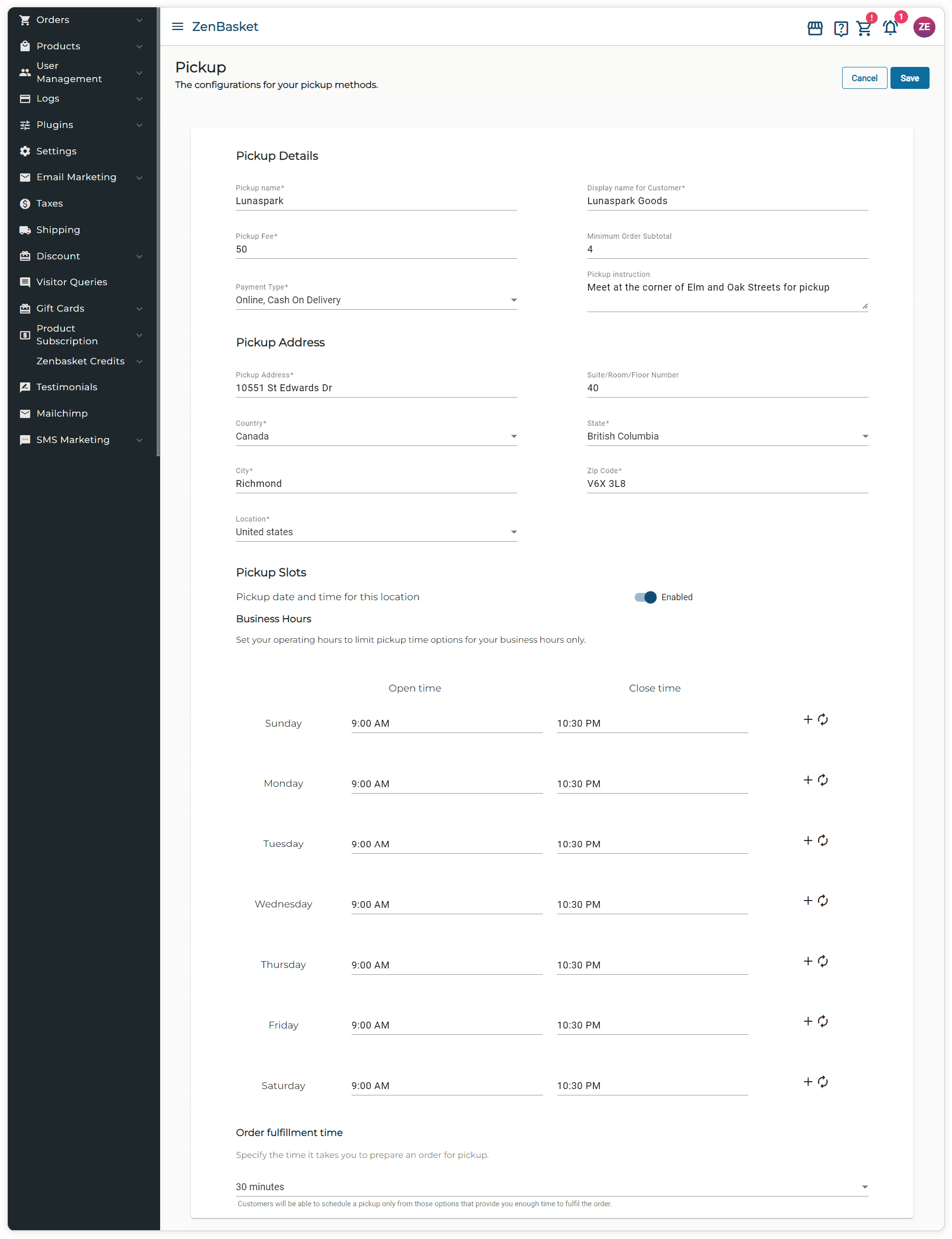
3. Enter Pickup Details:
- Pickup Name: The internal name for your reference.
- Display Name for Customers: How it will appear to customers.
- Pickup Fee: Any additional fee for this service.
- Minimum Order Subtotal: The minimum purchase amount required to use this pickup method.
- Payment Type: Choose the payment methods available for this option.
- Pickup Instructions: Any special instructions for customers.
4. Specify Pickup Address: Enter the address where customers will collect their orders.
5. Enable Pickup Slots: Set up the available dates and times for pickups, and specify the order fulfillment time required to prepare an order for pickup.
6. Save the Details: Once all information is entered, save the pickup method.
Managing Pickup Methods
- Search Pickup Methods: Use the search bar to find existing pickup methods by name.
- Edit or Delete: Make changes or remove pickup methods as needed.
- Enable or Disable: Control the availability of each pickup method.
Customer Checkout Experience
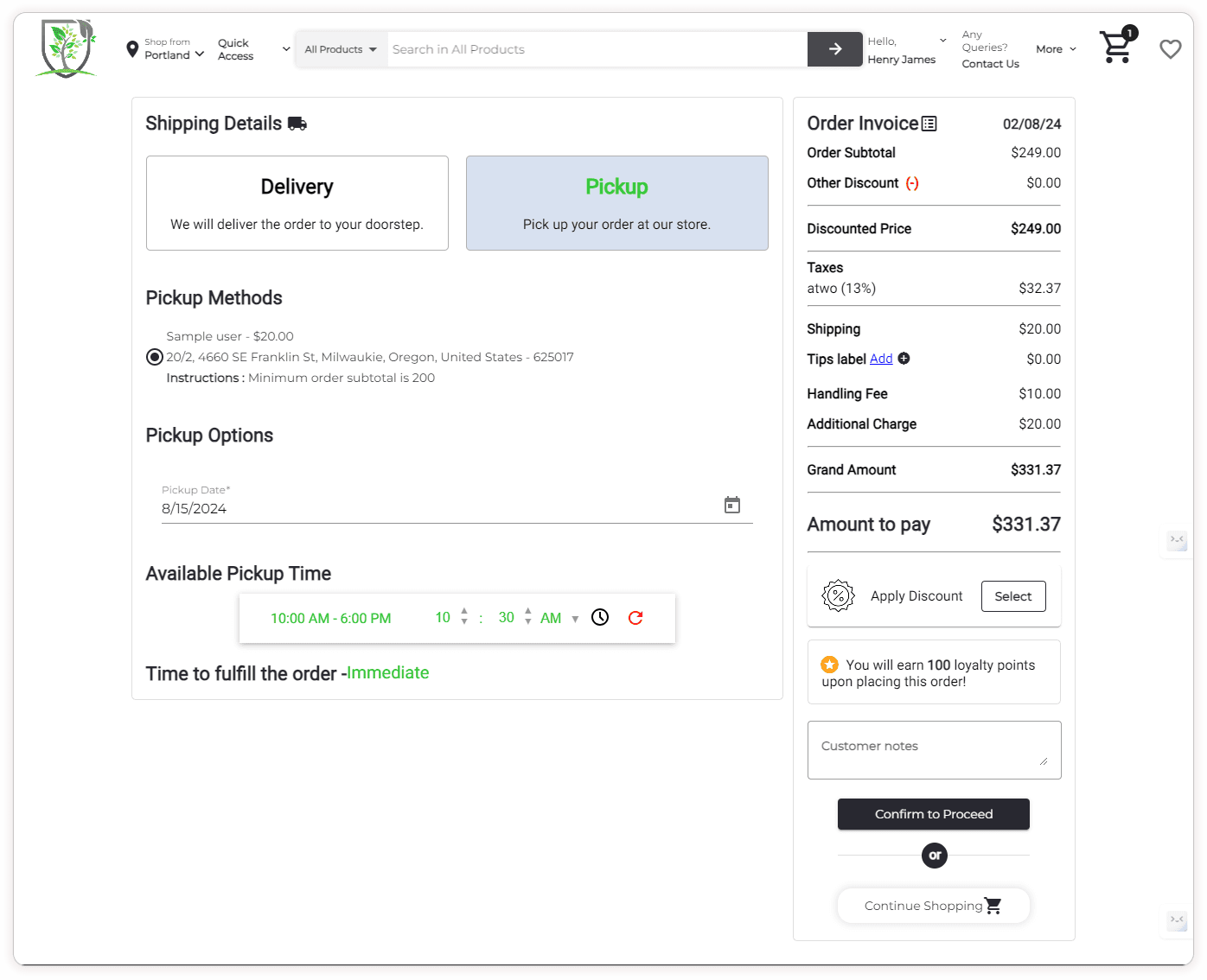
The pickup options will be displayed on the checkout page after customers select their desired method. Customers can then choose their pickup date from the available time slots specified for the selected pickup method.
Conclusion
Implementing pickup options is a strategic move to enhance customer satisfaction and boost local sales. Flexible pickup methods not only reduce shipping costs and enhance safety but also improve the overall shopping experience, driving more foot traffic and increasing customer loyalty. Utilizing a customizable and user-friendly platform like ZenBasket makes it easy to set up and manage these options, ensuring a seamless and efficient process for both you and your customers. Optimize with ZenBasket's pickup solutions today!